Watch Photography: Clear Dials, Honest Condition
Plan complementary watch photos, separate reflection problems from focus problems, and edit backgrounds without misrepresenting the watch.
·
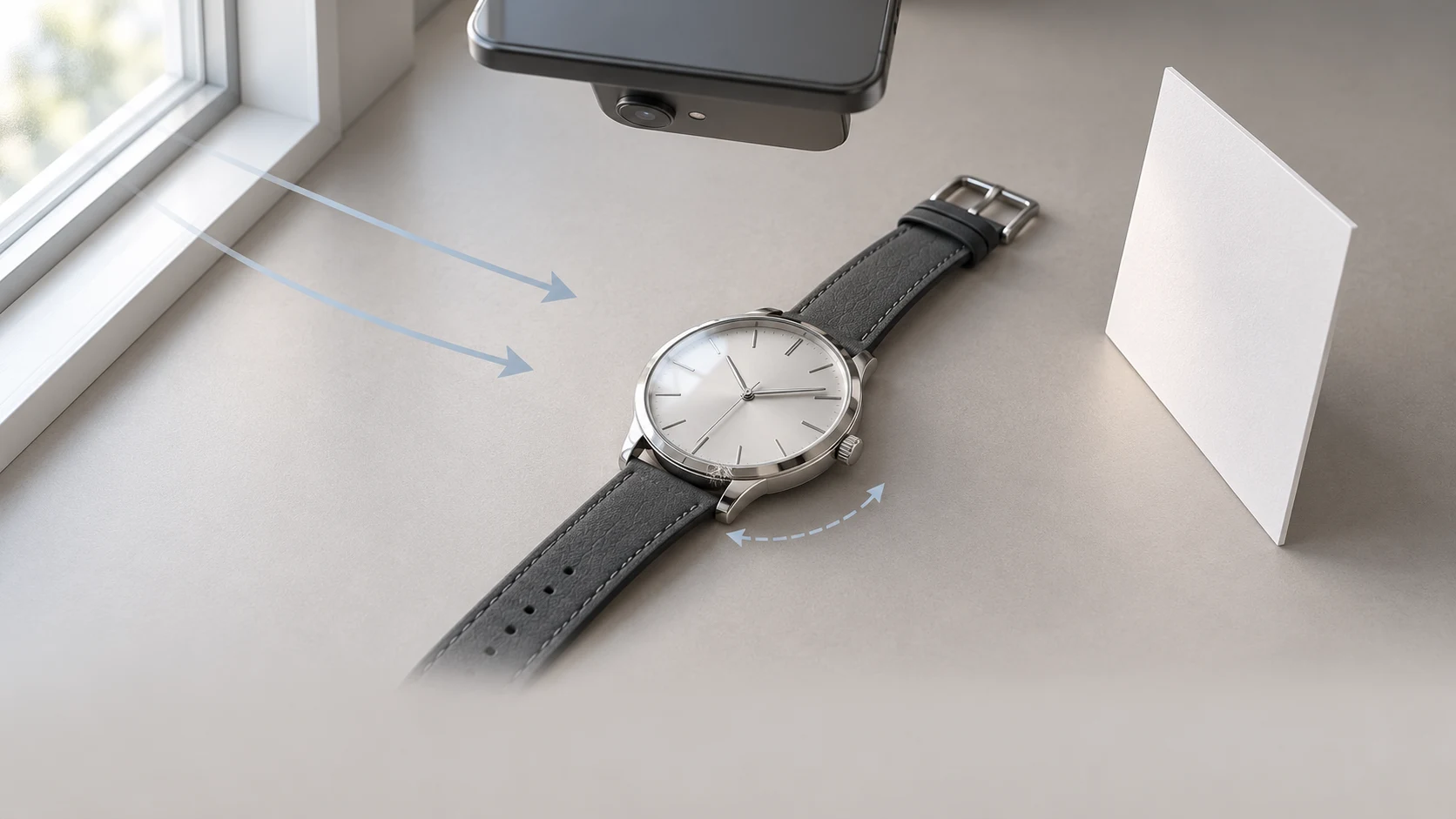
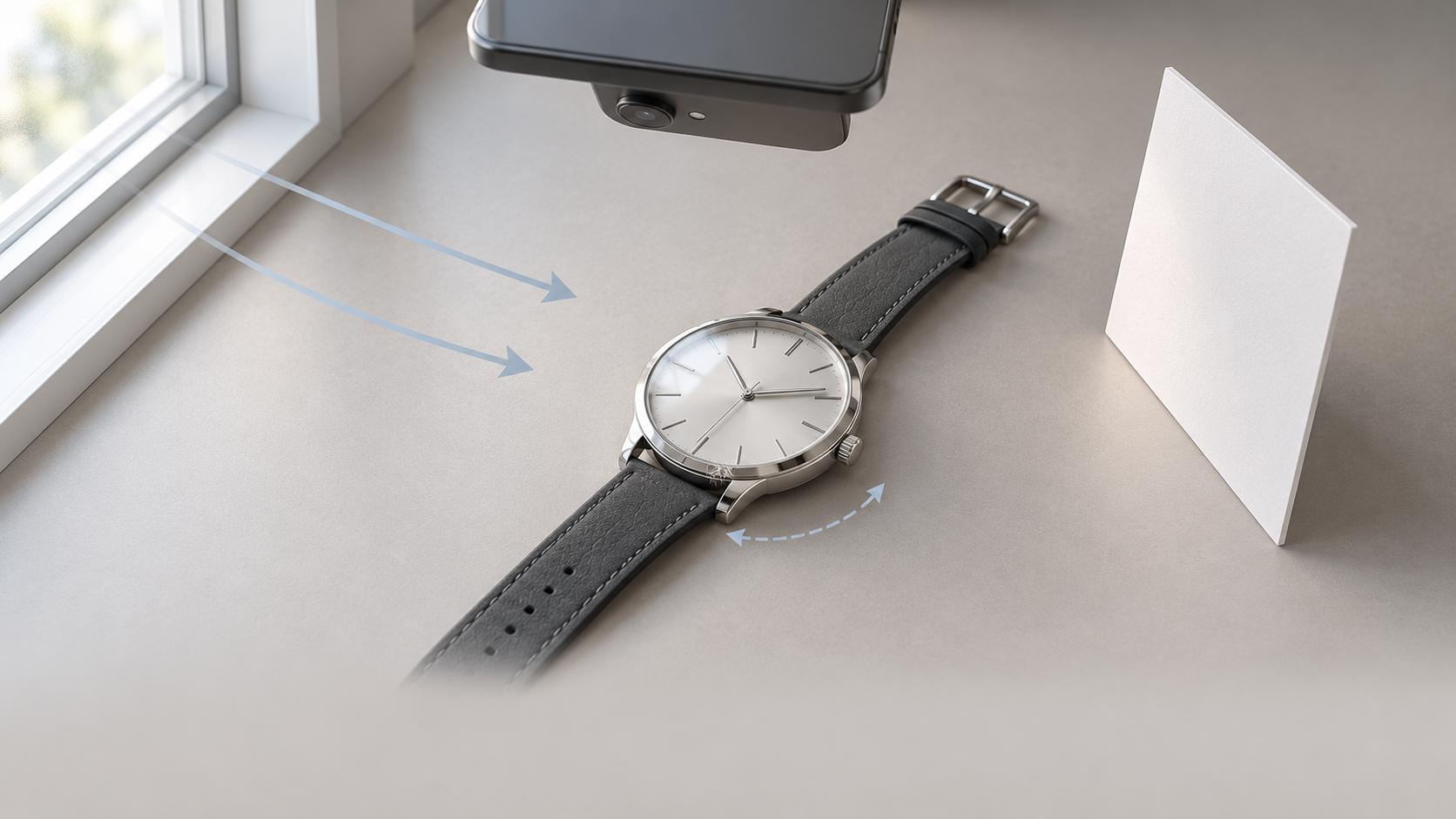
A sharp dial photo can still leave a buyer with unanswered questions. The crown may be lost in shadow, the clasp may be out of frame, and a bright reflection may hide scratches on the case. Good watch photography gives each image a job—not just another attractive angle.
This guide is for photographing a real watch with a phone. The methods below are recommendations, not reported test results, and they do not require buying a macro attachment.
Give each photo a different job
Separate showing the design from documenting condition. Rather than taking several nearly identical front views, plan a small set of complementary photographs.
| View | What it should show | What to watch for |
|---|---|---|
| Dial, straight on | Branding, markers, hands, date and subdials | Keep reflections off important information; use a distance your phone can focus at |
| Crown side | Crown shape, case profile and lug connections | Keep outlines visible; do not infer sealing from appearance |
| Clasp and strap connections | Fastening parts, links or attachment points | Open only as needed for visibility; do not force or dismantle components |
| Actual wear | Scratches, dents and their location | Include context, then add a closer detail view if necessary |
Choose a hand position for legibility rather than applying one fixed time to every dial. If a hand covers a logo, date or subdial, adjust it only if you know how to operate that watch safely. If you change the hands between photographs, do not present the set as a record of one moment.
Everest Bands’ phone photography guide likewise recommends keeping hands clear of important dial details. Here, that principle becomes part of a broader product-photo plan: one attractive front view should not stand in for condition documentation. Photographs alone do not establish authenticity, internal condition or water resistance.
Treat glare and blur as different problems
Start with indirect light near a window, out of direct sun. Before increasing brightness, look at the crystal. A white, window-shaped patch is a reflection problem; brightening the image will not reveal the detail it covers.
Hold the phone in place and turn the watch slightly to see whether the reflection moves away from the date or branding. Then hold the watch still and change the phone position a little. Changing one variable at a time makes the comparison easier. A plain white card at the side can add some light to a dark area, but polished metal can reflect the card too. Move it while watching the screen rather than assuming closer is better.
Do not aim to remove every reflection. Polished surfaces need light-to-dark transitions to describe their shape, while brushed surfaces need visible texture direction. A uniformly white case may be bright yet uninformative. For scratches, keep a contextual view and, where useful, add another photograph with light arriving from a different direction. Do not select only the angle that conceals wear.
If there is no obvious glare but the markers look soft, check focus next. Clean the phone lens, move back slightly, tap the dial to focus and steady the device. Closer is not always sharper: minimum focusing distance depends on the phone camera and mode.
If the date is sharp but the opposite side of the dial is soft, try making the phone more parallel to the dial. The reference guide explains that close, angled views can leave different parts unevenly focused. A more parallel view reduces distance differences across the dial; it does not guarantee that a raised crystal, hands and case will all be sharp. If detail remains insufficient, move back or take a separate close view rather than expecting sharpening to reconstruct it.
Edit the presentation, not the condition
Keep an untouched original. Begin with cropping, straightening and modest exposure adjustments. Check that pale dial areas still have tonal detail and that dark areas still reveal connections. White-balance adjustment may reduce an obvious color cast, but it cannot guarantee identical dial color across screens.
If an existing photograph needs background work or a different composition, you can submit it with an editing description through the InkRoom image editor. Available models and parameters depend on the current interface; subject fidelity, text accuracy and unchanged structures are not guaranteed. Do not use editing to reconstruct an unreadable date, invent markers or remove actual scratches. Reshoot details you cannot verify.
Before using an edited image, compare it beside the original:
- Check marker count and placement, branding and date characters.
- Compare hand shapes, positions and overlaps.
- Inspect lugs, crown, strap and clasp connections for broken, merged or added parts.
- Check that scratches, dents and brushed texture have not disappeared, and that polished edges have not changed shape.
- Confirm that the crop still locates the wear and that the export retains enough detail for its intended display.
Reject edits that alter product details. Use the original or reshoot instead. For condition photographs, a clearly visible imperfection is more useful than a cleaner-looking image that no longer represents the watch.
Related articles and cases
- Sunglasses Product Photography: Lens Gradients, Temples, and Symmetry
Plan complementary views, separate lens gradients from lighting reflections, and review background edits without losing the product’s geometry, markings, or actual wear.
- Ceramic Product Photography: Glaze, Rims, Feet, and One-of-a-Kind Records
Plan photographs around what a buyer needs to see: the form, interior, handle joins, and foot. Use soft light to describe the surface, measure dimensions separately, and keep each unique piece linked to its original photographs.
- Product Photography Shot List: Track SKUs, Image Uses, and Reshoots
Build a copyable shot list around buyer questions and specific deliverables. A hypothetical example shows how to track real variants, views, included items, files, ownership, approval, and gaps without confusing reshoots with edits.
- Product Photography Focus Stacking: When to Reshoot Instead of Using AI Sharpening
Capture overlapping focus coverage, align and blend real photographs, and use the source frames to decide whether a soft detail needs a mask adjustment or a reshoot.