Product Photography Focus Stacking: When to Reshoot Instead of Using AI Sharpening
Capture overlapping focus coverage, align and blend real photographs, and use the source frames to decide whether a soft detail needs a mask adjustment or a reshoot.
·
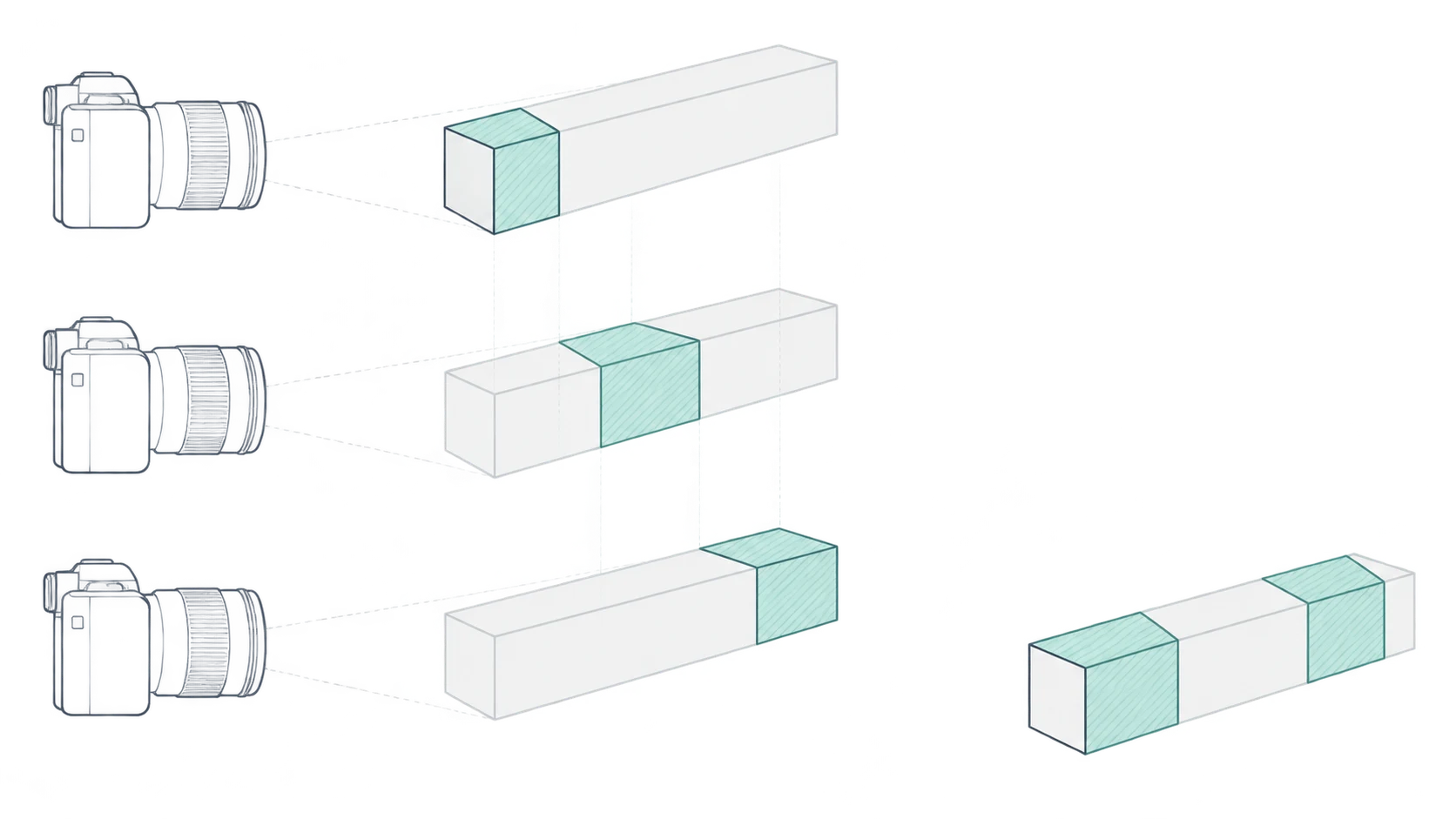
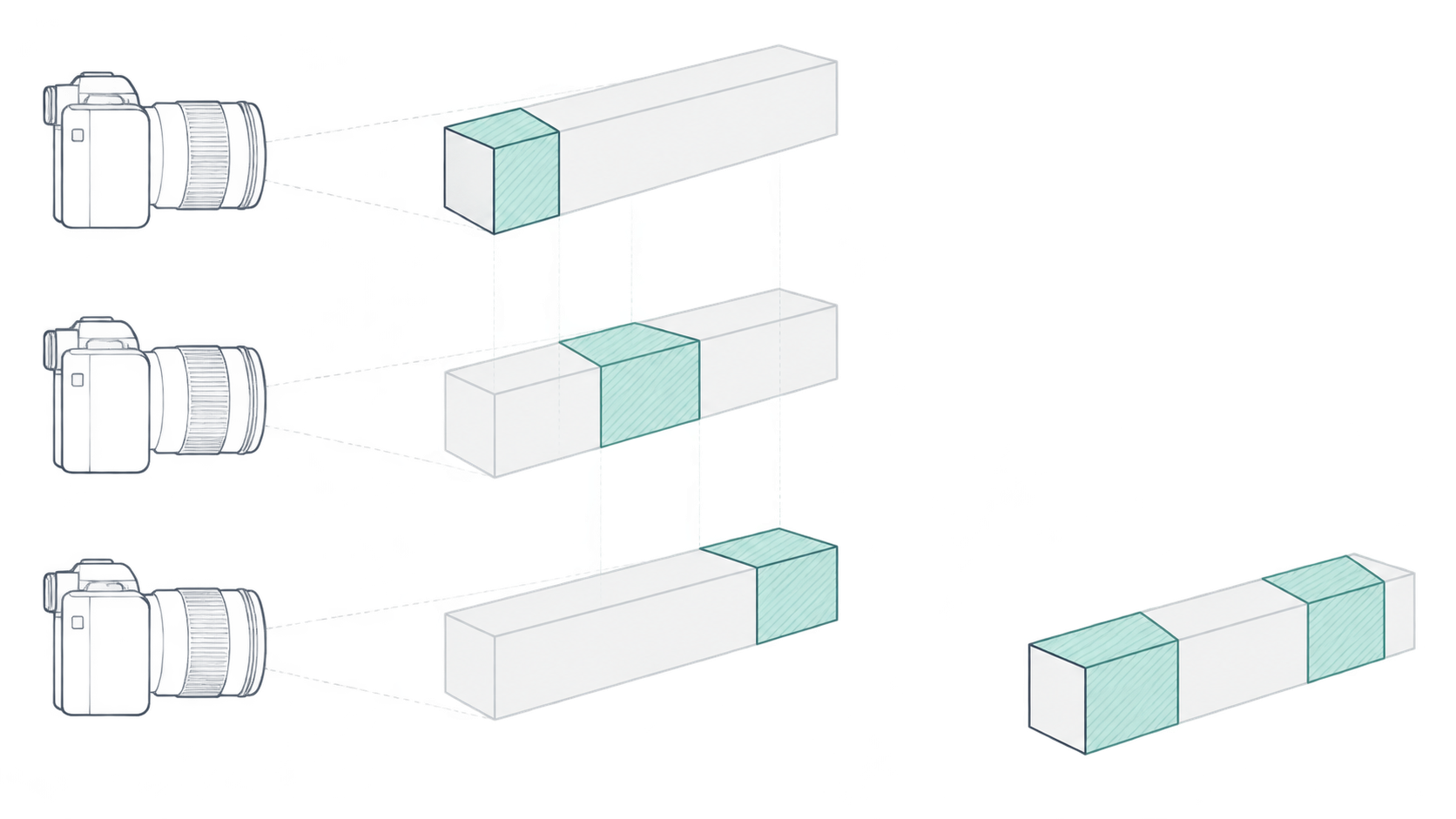
The lettering on the front of a package looks sharp, but the cap behind it is soft. Before adding sharpening, open the source photographs. Is the cap actually sharp in any of them?
If it is, the blend may need attention. If it is not, the stack lacks a sharp capture of that detail. Product photography focus stacking combines in-focus regions from photographs taken at different focus distances. It does not establish what an uncaptured detail really looks like.
Depth coverage is not the same as invented detail
The PhotoshopCAFE focus-stacking tutorial describes the underlying method: photograph the same subject while shifting focus, then align and blend the images. That is a multiple-capture process, not a promise to recover accurate detail from one blurred frame.
| Method | Information it uses | Useful for | What it does not establish |
|---|---|---|---|
| Focus stacking | Sharp regions in photographs focused at different distances | Extending sharpness across the required subject depth | That every required region was captured sharply |
| Single-image sharpening | Existing edge information in one image | Increasing edge contrast in an already reasonably sharp image | That defocused lettering or texture has been accurately recovered |
| AI-generated detail | Information that may include model inference | Creative work where changing content is acceptable | That new letters, engravings or textures match the physical product |
If one exposure already shows everything the image needs, stacking adds no necessary benefit. For packaging text, model numbers and fine surface patterns, a crisper appearance is not proof of accuracy.
Choose the details that must survive the stack
Start with the product, not a target frame count. Identify the near-to-far details that matter to a buyer.
For an angled carton, those might be the nearest flap, small front-panel text and the far side edge. This is a planning example, not a tested shoot. If the assignment only needs the front face, there is no reason to force the background and back of the carton into focus.
A useful working record is a simple source-frame map: for each critical detail, can you name at least one photograph in which it is genuinely sharp? Review at magnification and note the filename. This connects capture decisions to later editing decisions without relying on how convincing the finished composite looks.
Capture overlapping sharp regions
Keep the camera, product and lighting fixed. Do not move the product between exposures as a substitute for changing focus. A swinging tag, flexible pouch or changing reflection can make neighboring frames disagree even when their focus coverage is adequate.
Keep exposure, white balance and aperture consistent. Start at the nearest required detail and move focus gradually toward the farthest. If you change aperture, framing or shooting distance, reassess the whole sequence rather than assuming the earlier frames still fit.
Choose focus increments by overlap, not by a universal number of photographs. Review adjacent frames at magnification. Where the first frame starts to soften, does the next already contain sharp detail? A strip that is soft in both is a coverage gap; use smaller increments or capture an additional frame.
Confirm that the nearest and farthest required details are covered. Leave some framing margin for cropping after alignment. A reduced camera preview is not enough to confirm fine lettering throughout a sequence.
Use the originals to judge the blend
In an editor that supports focus stacking, load the sequence as layers or a stack, align the frames, then blend their sharp regions. Retain the originals and an editable layered version with masks rather than keeping only a flattened export.
Alignment addresses positional or scale differences. Blending selects image regions. Neither guarantees a solution for detail that is soft in every source frame. The reference demonstrates both stages, but its interface version has not been verified here, so these instructions deliberately avoid current-version menu paths.
Inspect at native-pixel view and at the intended delivery size. Switch between the composite and its source photographs at the same location:
- Text and markings: Look for joined strokes, missing strokes and duplicated characters. Check against a sharp original rather than guessing from the wording.
- Texture: Look for embossing, grain or engraved lines that stop, repeat or change direction at a blend boundary.
- Contours and overlaps: Check cap edges, handle openings and places where a foreground edge covers the background. Doubled outlines, bright fringes and soft halos deserve a closer comparison.
If a suitable sharp source exists, a local mask adjustment may let you use that frame instead. If every source is soft, more masking or stronger sharpening cannot supply the missing captured evidence.
Repair the mask or reshoot?
| What you see | What to check | Appropriate next step |
|---|---|---|
| A soft patch in the composite, but a sharp source frame | Whether the blend selected the wrong region | Try a local mask correction and inspect the transition |
| The same text is soft in every frame | A gap in focus coverage | Capture the missing depth; if the setup has moved, a fresh sequence is safer |
| Double edges across several parts of the product | Product movement or camera displacement | Stabilize the setup and reshoot if the frames cannot be matched reliably |
| Repeated blend failures around glass or reflections | Changes in transmitted background detail or reflections | Adjust angle, background or lighting, then test a small critical region first |
Moving products, swaying accessories and complicated transparent edges are poor candidates for a straightforward static-subject stack. Transparent products are not categorically impossible, but an edge can contain the product, the background seen through it and a reflection at once. Automatic blending may not resolve those relationships correctly.
Apply output sharpening only after the composite is sound, with the delivery size in mind. If no reliable source frame supports a critical letter, contour or texture, return to capture. A plausible generated detail is not verification of the real product.
Related articles and cases
- How to Choose a Product Photography Backdrop for a Small Space
Choose paper, fabric or boards by the area your camera actually sees—not just the size of the product. Compare maintenance and storage, plan a seamless sweep, and identify problems that need a lighting change or a reshoot.
- Product Image Alt Text: Examples for Main, Detail, and Lifestyle Photos
Write alt text around what each product image contributes. Compare original hypothetical examples for main photos, color variants, texture details, and lifestyle shots, then handle functional images, charts, and CMS entry correctly.
- How to Remove Glare from Glasses in Photos Without Changing the Eyes
Check whether the original eye detail is visible before choosing a reshoot, a local tonal adjustment, or careful retouching. Learn what to change on set and what to check before keeping an edit.
- Flat Lay Clothing Photography: Show Shape, Outfits, and Fabric Clearly
A practical guide for small apparel teams: plan product, outfit, and detail shots, then handle garment preparation, overhead alignment, lighting, crop space, and background edits without misrepresenting what is for sale.