Skincare Product Photography: From Reference Shots to Final Checks
A practical workflow for small skincare brands: assign each image a job, photograph packaging details, and check reflections, labels, colors, and set quantities after editing.
·
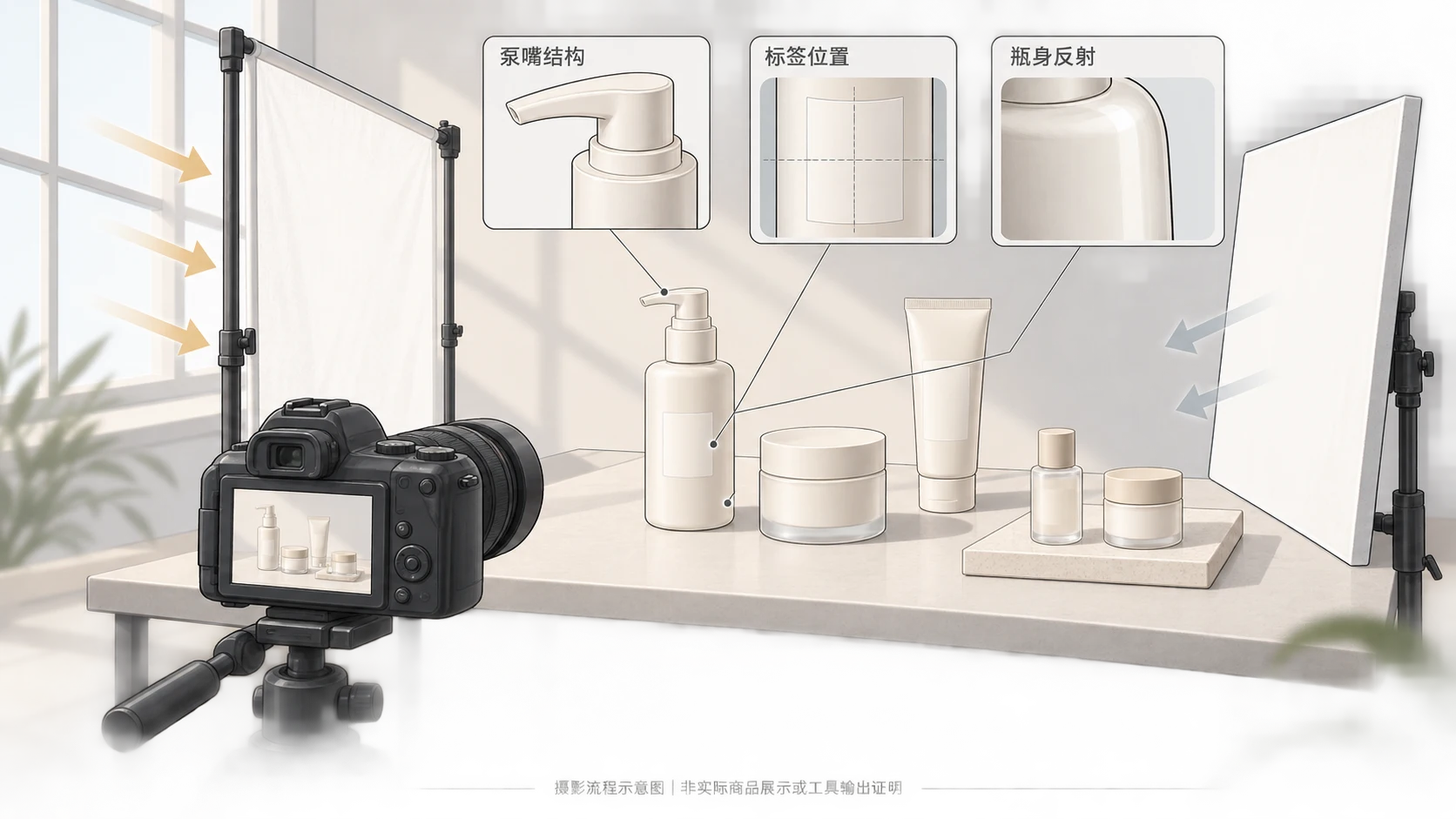
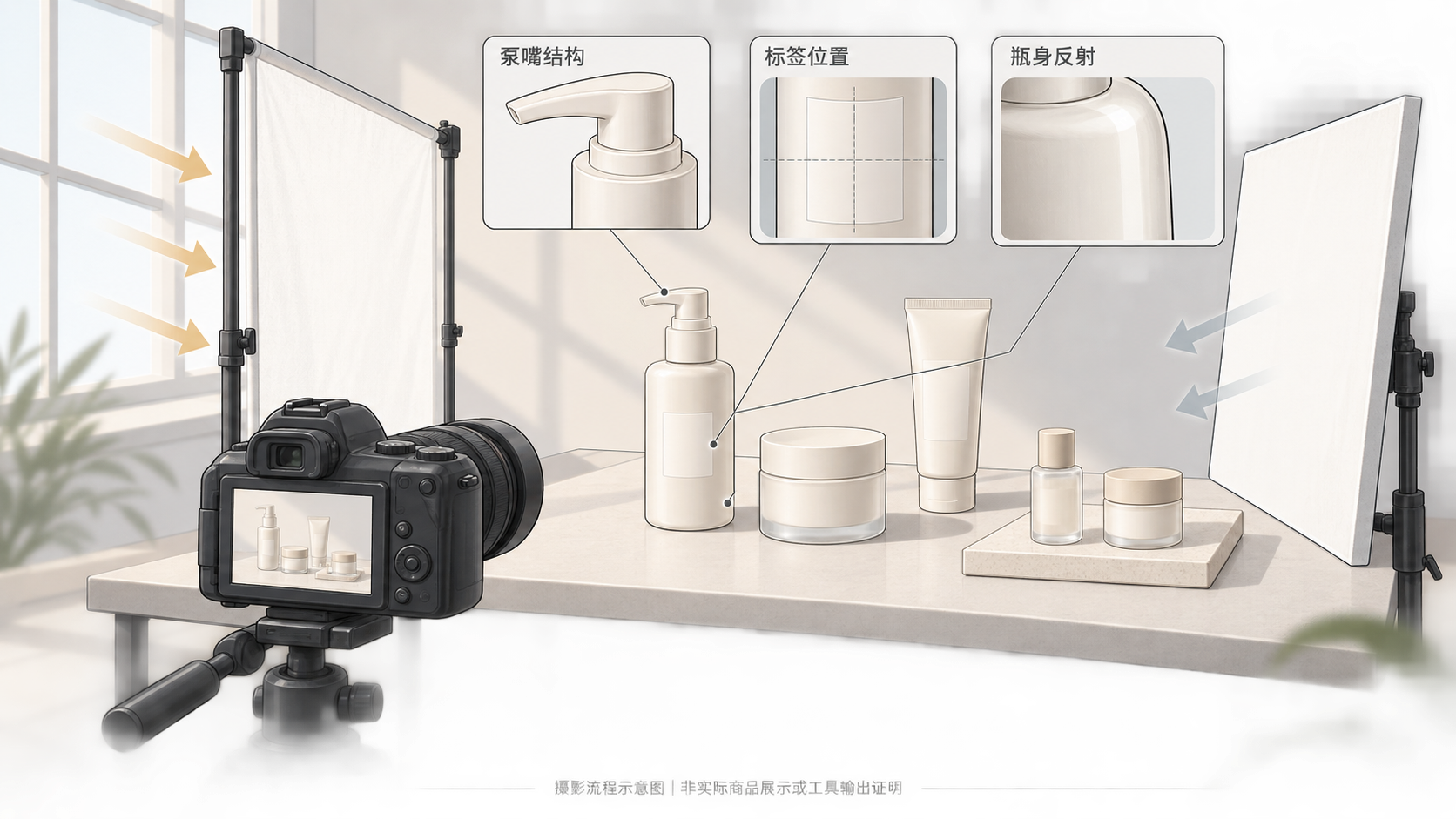
Skincare product photography should make the product easier to verify, not merely more attractive. For a small brand, start with photographs that establish product identity, packaging structure, and actual texture. Treat AI editing as a later production step—not as evidence of what the product looks like.
The workflow below is a proposed method, not a tested case study. Adjust the setup to your packaging, available light, and intended placement.
Give each image one clear job
A lifestyle image should not have to explain every label detail or prove what comes in a set.
| Image type | Customer question | What to preserve |
|---|---|---|
| White-background product image | Which product and packaging am I buying? | Complete outline, front label, cap or pump, and every included item for a set |
| Texture detail | What does the actual formula look like? | A real sample, including its thickness and surface condition when photographed |
| Lifestyle image | How is the product held, placed, or used? | Packaging proportions, appropriate use, and a clear distinction between props and included items |
Check the current requirements of your actual sales channel separately. These suggestions are not universal marketplace rules.
Build a reference pack around likely editing errors
Create a folder for each SKU with the size, packaging version, and shoot date. Keep an unedited reference image alongside the working files.
- Pumps and bottles: photograph the front, side, and nozzle close-up. Record nozzle direction, locking collar, and the connection to the bottle shoulder. A front view cannot verify hidden structure.
- Jars: record closed and open configurations, including the lid. An open-jar image should not imply that an accessory is included when it is not.
- Tubes: capture the front text, opening, crimped end, and side profile. Do not reshape the package simply to make it look fuller.
- Labels: take a readable close-up and retain the current packaging copy. Names, volumes, units, and warnings should never be reconstructed by guesswork.
- Sets: photograph every included item in a clearly countable arrangement. Record SKU quantities and distinguish products from boxes and props.
This pack supports comparison with the physical product; it is not proof of measured color or dimensions.
Solve reflections before styling the scene
Start with a stable camera position, an uncluttered background, and one soft light source. The Caspa skincare photography guide recommends avoiding harsh sunlight or using diffusion. Treat that as a starting point rather than a universal lighting recipe.
For glossy packaging, first check whether a highlight obscures the label. Change one variable at a time: rotate the bottle, move the light, or reposition a reflector. Keep enough reflection to describe the material rather than trying to remove every highlight. With transparent packaging, check both the outer edges and the background showing through it.
Use the actual formula for texture photographs and note roughly how long it has been exposed before capture. Spreading, flowing, or drying can change its appearance. Props such as plants, fruit, or water droplets should not imply unverified ingredients, benefits, or waterproof performance.
Separate color correction from creative editing
Establish exposure and white balance before changing the background or composition. The reference guide also identifies white balance as important to product color; see its post-production discussion.
A useful practice is to photograph a neutral reference under the same light and avoid mixing noticeably different light colors. Compare a product range in a consistent viewing environment. This can help reveal inconsistencies, but it does not guarantee identical color across screens or replace calibrated color management.
Use AI editing for a defined task, then compare with the original
If you already have a product photo and need a background or composition adjustment, prepare the image and a specific editing description. The InkRoom image editor accepts existing images and editing descriptions; check its current models and settings before proceeding. Available operations depend on the configuration. Subject fidelity, accurate text, and seamless image expansion are not guaranteed.
Try one representative image before extending the workflow. Inspect the whole image for proportions, shadows, and set quantities, then inspect local details such as nozzles, edges, lettering, and texture. If a label becomes unreadable, a pump changes shape, or an item is added or removed, return to the original photograph or reshoot rather than asking the model to invent missing evidence.
Make approval decisions against specific references
| Check | Compare against | If it fails |
|---|---|---|
| Reflections and edges | Original photograph and side views | Revisit lighting or the original edit when glare hides text or edges distort |
| Packaging text | Label close-up and current packaging copy | Hold delivery until incorrect, missing, or invented characters are resolved |
| Product color | Physical item, original image, and same-light reference | Investigate white balance and editing shifts before changing the color |
| Pump and package structure | Multi-angle photographs | Correct or reshoot altered, missing, or additional parts |
| Set contents | SKU list and countable reference photo | Reject incorrect quantities or sizes rather than hiding them with a crop |
Keep the original, edited file, verification references, and final export together. The goal is a useful product image that does not change what is actually being sold.
Related articles and cases
- Product Photography Focus Stacking: When to Reshoot Instead of Using AI Sharpening
Capture overlapping focus coverage, align and blend real photographs, and use the source frames to decide whether a soft detail needs a mask adjustment or a reshoot.
- How to Choose a Product Photography Backdrop for a Small Space
Choose paper, fabric or boards by the area your camera actually sees—not just the size of the product. Compare maintenance and storage, plan a seamless sweep, and identify problems that need a lighting change or a reshoot.
- Product Image Alt Text: Examples for Main, Detail, and Lifestyle Photos
Write alt text around what each product image contributes. Compare original hypothetical examples for main photos, color variants, texture details, and lifestyle shots, then handle functional images, charts, and CMS entry correctly.
- How to Remove Glare from Glasses in Photos Without Changing the Eyes
Check whether the original eye detail is visible before choosing a reshoot, a local tonal adjustment, or careful retouching. Learn what to change on set and what to check before keeping an edit.