Leather Product Photography: Grain, Stitching, and Honest Wear
Photograph wallets, belts, and other small leather goods with lighting that reveals material without exaggerating wear. Plan connected detail views and check edits against the original photographs.
·
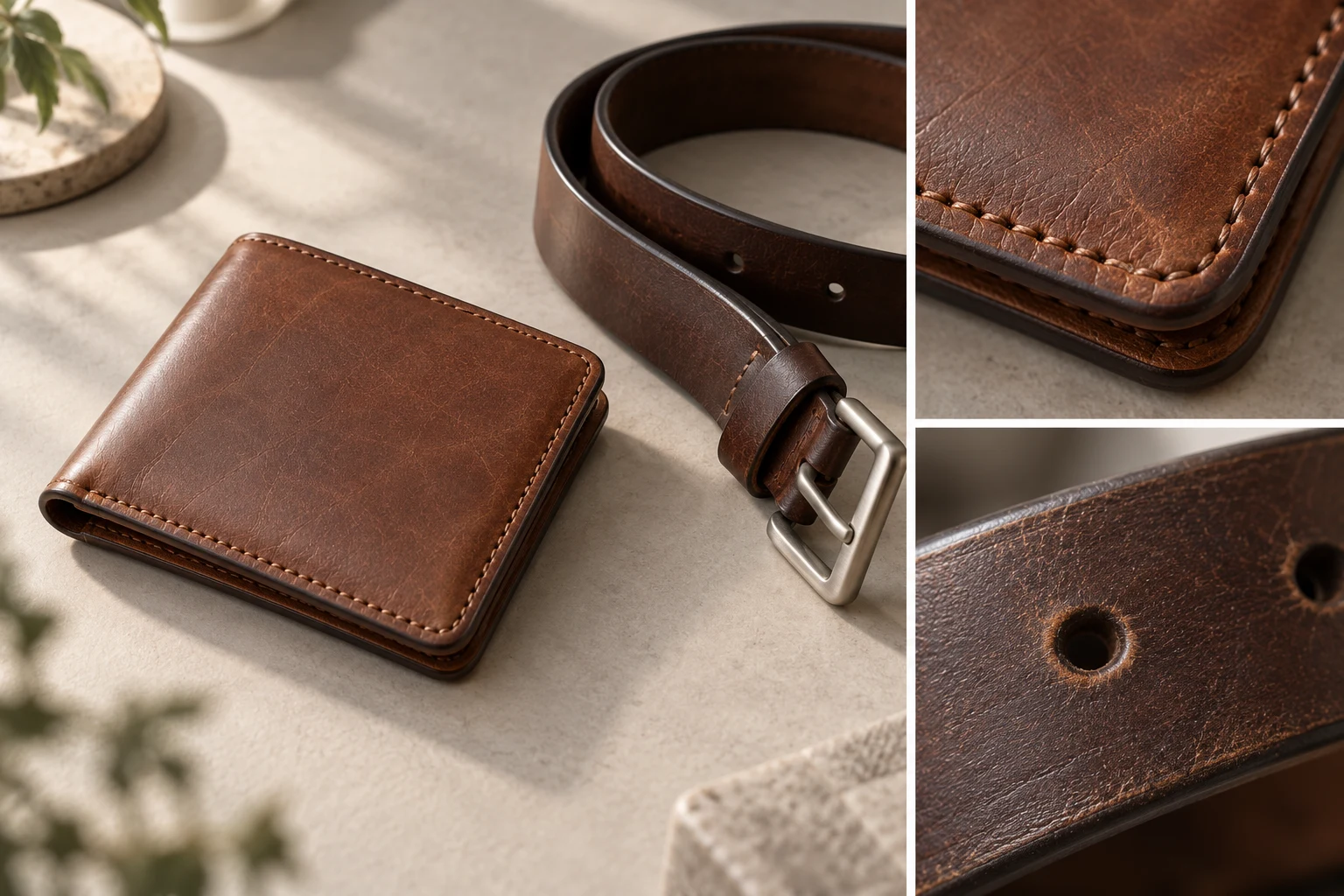
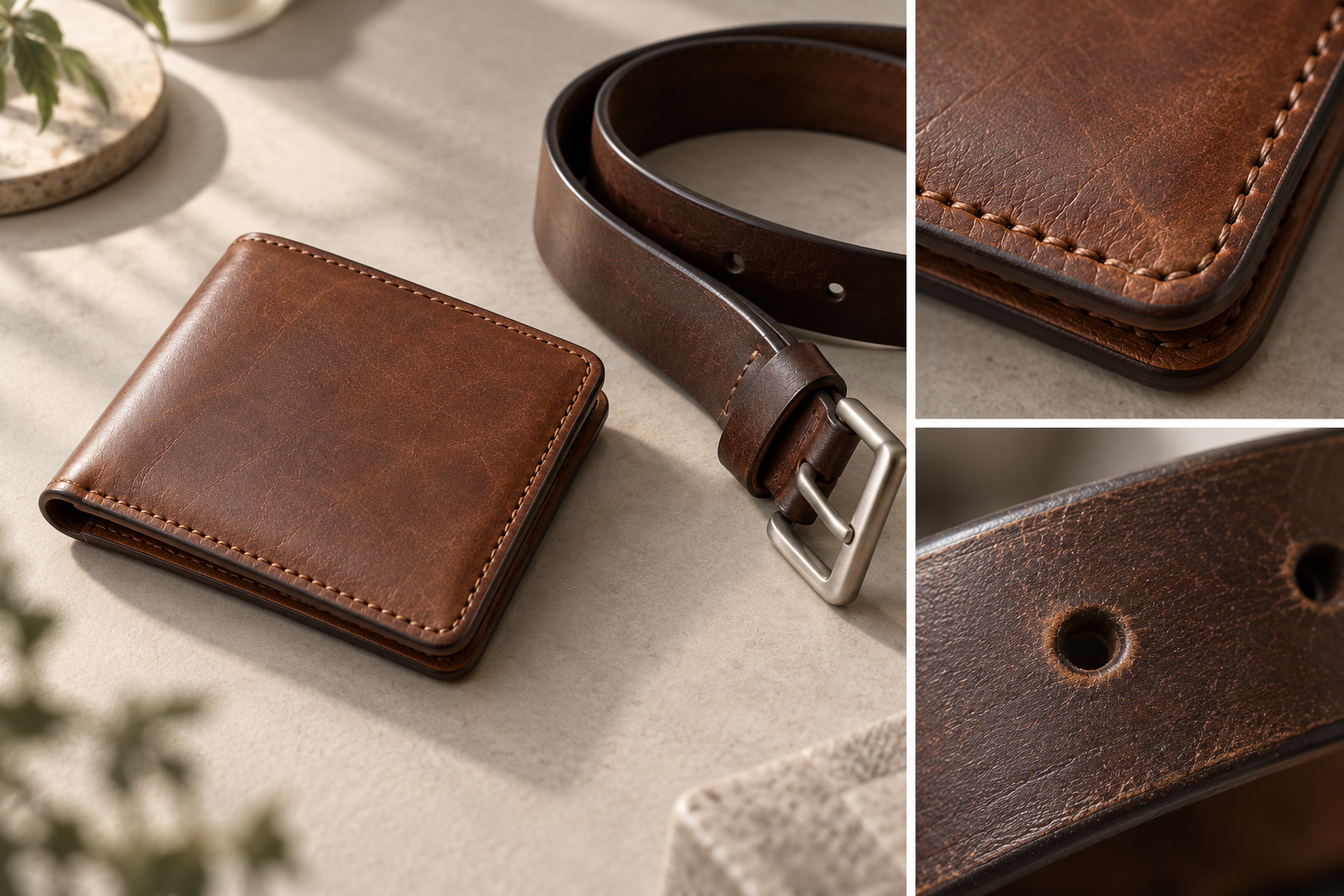
A clean wallet photograph can tell you almost nothing about its surface. A dramatic belt close-up can do the opposite: make a shallow wear mark look like a deep groove. Leather product photography is not simply about making texture visible. It is about showing it in proportion.
For wallets, cardholders, and belts, use overall views to establish shape and color, then detail views to explain grain, stitching, and edges. The images should agree with one another. A pristine-looking main image should not conceal wear visible in the close-ups. The approach below is a suggested shooting and inspection method, not a report of hands-on testing.
Identify what must survive the edit
Before shooting, examine the item in soft light. Note a few recognizable features: a crease at a wallet corner, a darker patch of grain, wear around a belt hole, or a break in the edge paint. Keep an unedited reference photograph of each. These records do not all need to appear in the listing.
Remove loose dust only where it is safe for the finish. Do not treat dents, fading, or genuine wear as dirt to erase. Be cautious with conditioning products immediately before photography; they can change sheen and make the image unrepresentative of the item as supplied.
If one detail photograph will represent several units, check whether it is representative. Natural grain and wear can vary between pieces. A distinctive mark on one item should not be presented as a feature of every unit.
Side light and soft light are not opposites
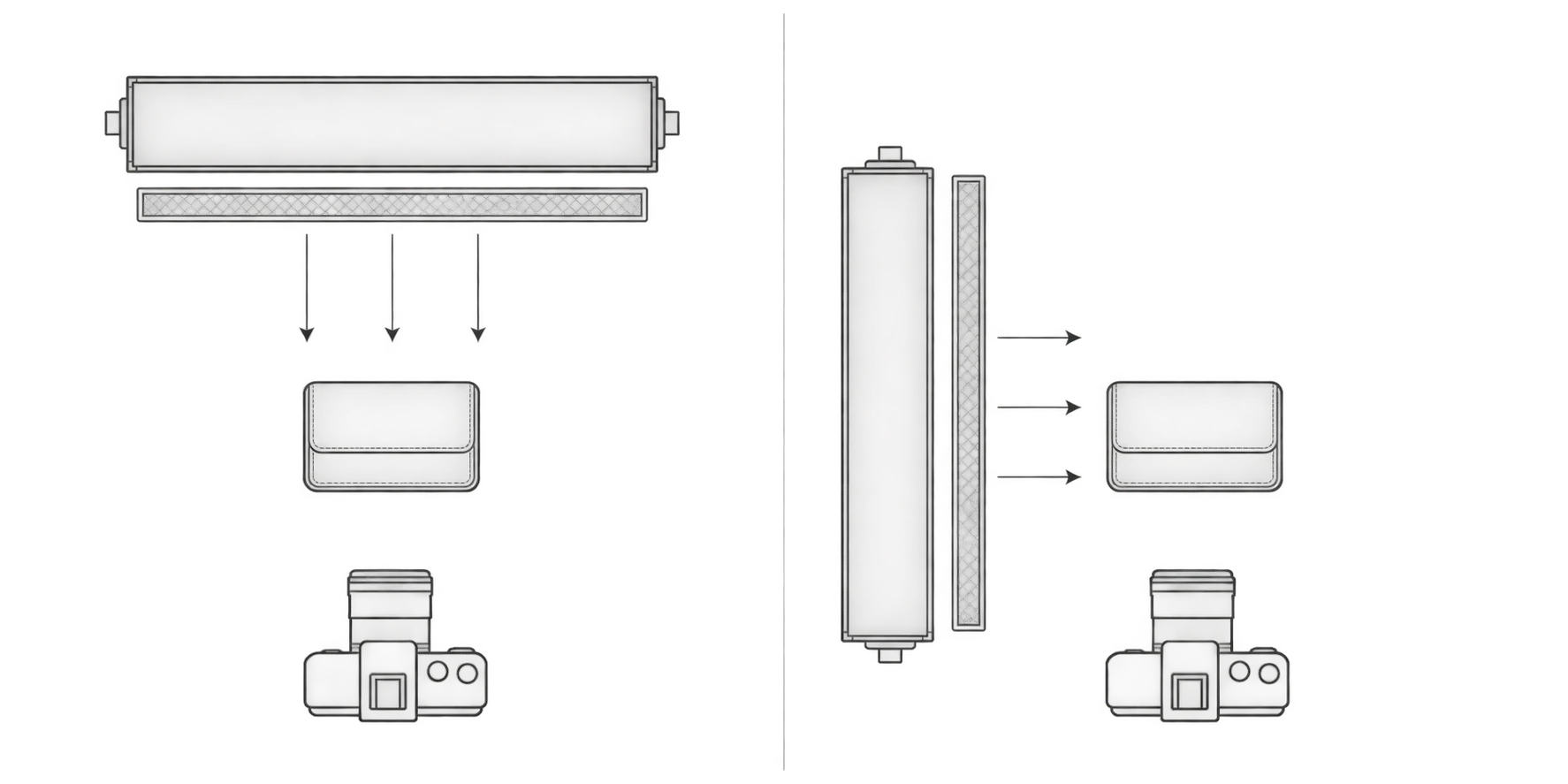
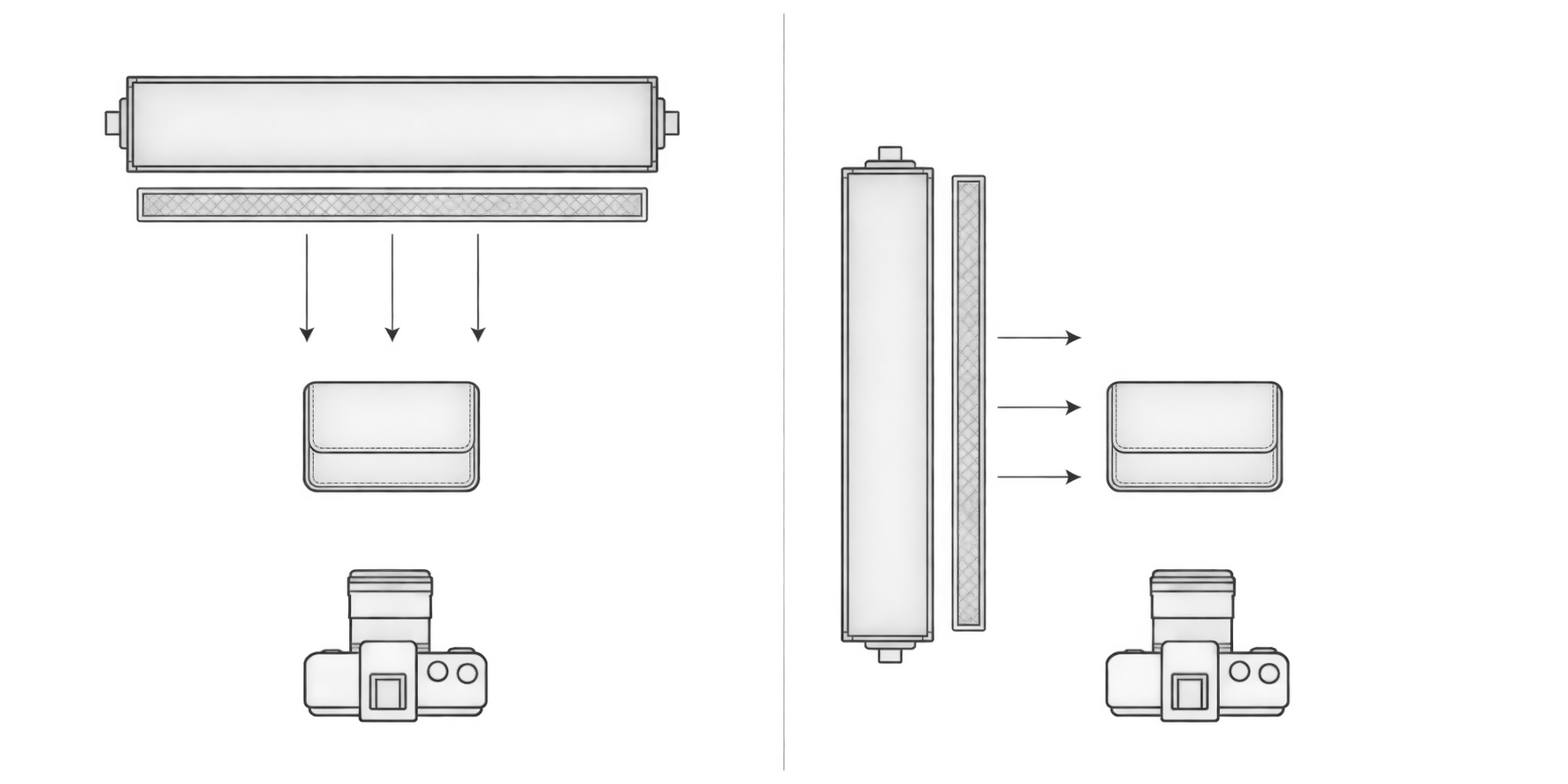
The reference guide recommends directional lighting to reveal grain. That is a useful starting point, but direction and softness are separate choices. A diffused light can still come from the side.
Keep the product, camera, and focus position fixed. Make a reference frame with fairly frontal, soft illumination, then move the same light toward the side. Compare more than visual drama: is the grain easier to read, is the color still credible, and has a small mark become misleadingly prominent? Add fill where needed, without removing all the shading that describes texture.
| Surface or color | Suggested lighting starting point | What to watch |
|---|---|---|
| Matte leather with pronounced grain | Diffused side light with modest reflector fill | Clear grain without making shallow impressions look severe |
| Smooth or glossy coated leather | A relatively large diffused source; adjust its angle to the item | Reflections hiding seams, creases, or edge paint; do not aim to remove every reflection |
| Black or dark brown leather | Soft directional light with some illumination on the shadow side | Retaining shadow detail without lifting the leather into an inaccurate pale tone |
| Pale or dyed leather | A softly, evenly lit color record, followed by a texture view | Lost highlight texture and obvious warm or cool color shifts |
These are starting points, not fixed recipes for named leather types. Finish, curvature, and camera angle affect reflections. Visible grain alone does not establish leather grade, authenticity, or durability.
For color records, warmer is not automatically better. Avoid mixing light sources with different color temperatures where possible. Photograph a gray card under the same lighting as a white-balance reference, then check against the item. A gray card does not eliminate every camera or display color difference.
Make close-ups traceable to the whole item
Photograph the wallet closed and opened as relevant, or the belt resting naturally, so its visible surfaces and proportions are understandable. Do not force a wallet wide open just to show the slots, or bend a belt into a shape that misrepresents its normal condition.
Detail views should answer specific questions: does the stitching run continuously, where does the edge paint turn a corner, and how is the buckle attached? Leave a little adjacent edge in a corner or stitching photograph so the viewer can locate it. If there is wear at a belt hole, buckle underside, or wallet fold, show its location and extent rather than an isolated, unidentifiable patch.
Check that the relevant length of stitching is actually in focus. When the surface falls away from the camera, adjust the camera or item angle before trying to compensate with sharpening. For hardware, show both the outline and the attachment. An attractive highlight is not a substitute for a readable buckle shape.
Edit distractions, then inspect product information
First bring white balance and brightness into agreement across the set. Then address background distractions and cropping. Use sharpening, texture enhancement, and noise reduction cautiously: aggressive enhancement can turn ordinary grain into apparent cracking, while smoothing can erase pores, thread strands, and wear.
If an existing photograph needs further editing or background work, the optional InkRoom image editor accepts an image and an editing description. Available models, operations, and parameters depend on the current interface. It does not guarantee unchanged grain, text, subject structure, or hardware geometry. Even a background-only request requires inspection of the product itself.
Before publishing, compare the original and output side by side. Check color and proportions at the whole-image level, inspect details enlarged, then return to the intended display size to confirm that the information remains readable.
| Image role | Information it should provide | Compare against the original |
|---|---|---|
| Main image | Overall shape, color, and outline | Wallet thickness, belt width, buckle outline, and any invented decoration |
| Front/back or open view | Both surfaces, folds, slots, or holes | Matching grain and wear locations; added or missing holes, slots, or visible stitches |
| Grain close-up | Texture and genuine marks in a specific area | Repeated patterns, excessive smoothing, exaggerated cracks, and location within the overall view |
| Stitching and edge detail | Stitch direction, corners, and edge finish | Broken or merged thread; removed or invented gaps and paint overflow |
| Hardware close-up | Shape, attachment, and visible surface condition | Distorted prongs, openings, or rings; altered scratches or engraving |
If an edit changes product information, narrow its scope, adjust it again, or use the original. Do not rely on another generative pass to guess the real detail back into place. A useful image explains what this particular item is like—not what it might look like with every imperfection removed.
Related articles and cases
- Product Photography Color Accuracy: Gray Cards, White Balance, and Delivery Review
Not every product color error is a white balance problem. Build references for each color variant, check mixed lighting and exposure first, and review background edits separately from the product’s own color.
- Wood Product Photography: Show the Grain, Identify the Piece
A practical approach to photographing wooden bowls and small wooden objects: choose informative views, separate reflection checks from angle changes, and keep each export tied to the correct item's original photographs.
- Electronics Product Photography: Screens, Ports, and Product Accuracy
Plan screen-on and screen-off records, readable port details, and consistent variant photos. Diagnose screen artifacts without relying on universal settings, and keep background editing separate from product verification.
- Product Photography Lighting Setup: Compare Window Light, One Light and Two
Build a repeatable lighting setup by comparing the same product under window light, one light and two lights. Includes a setup log, material-specific troubleshooting and export checks—without a universal settings recipe.