Electronics Product Photography: Screens, Ports, and Product Accuracy
Plan screen-on and screen-off records, readable port details, and consistent variant photos. Diagnose screen artifacts without relying on universal settings, and keep background editing separate from product verification.
·
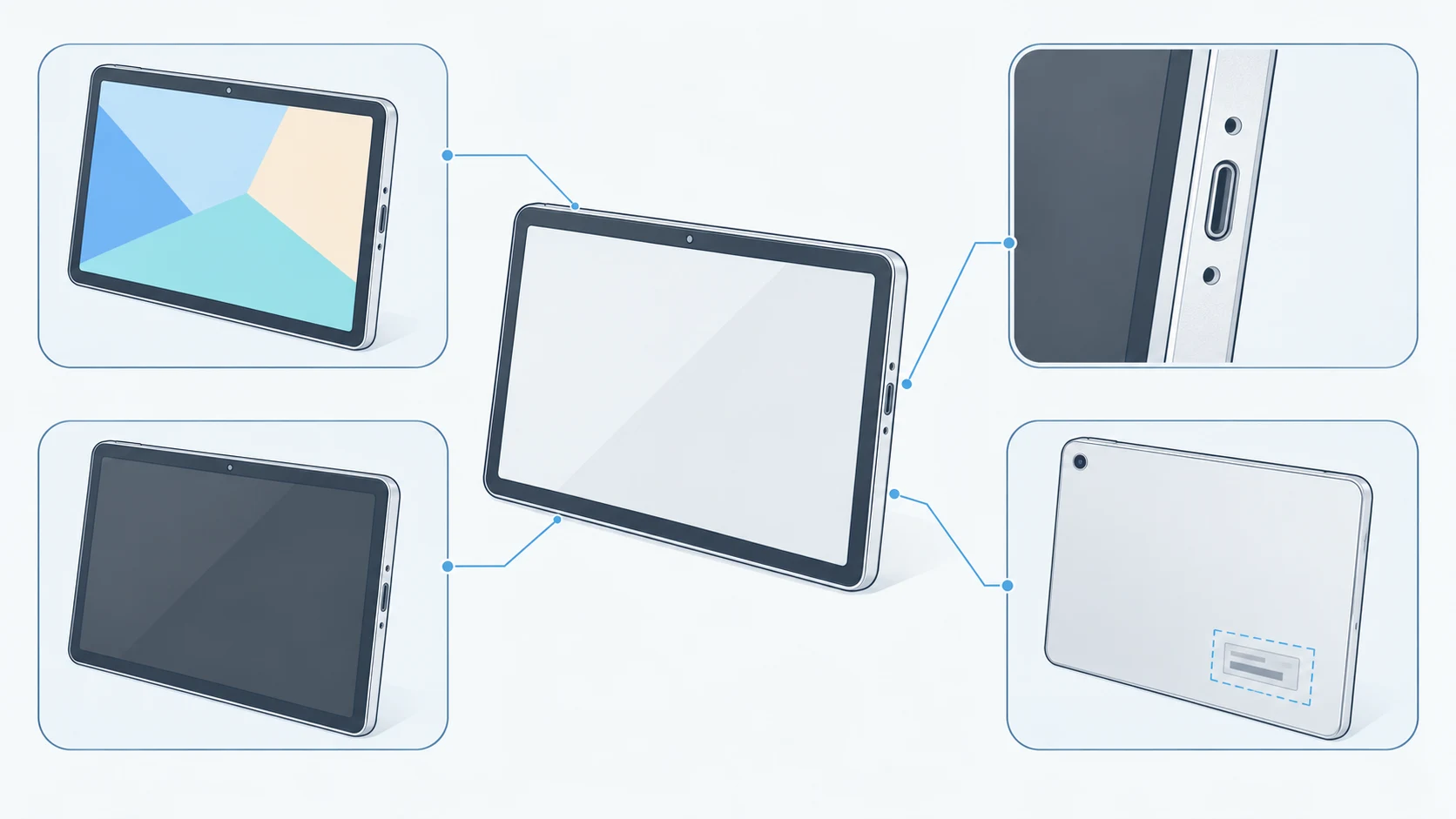
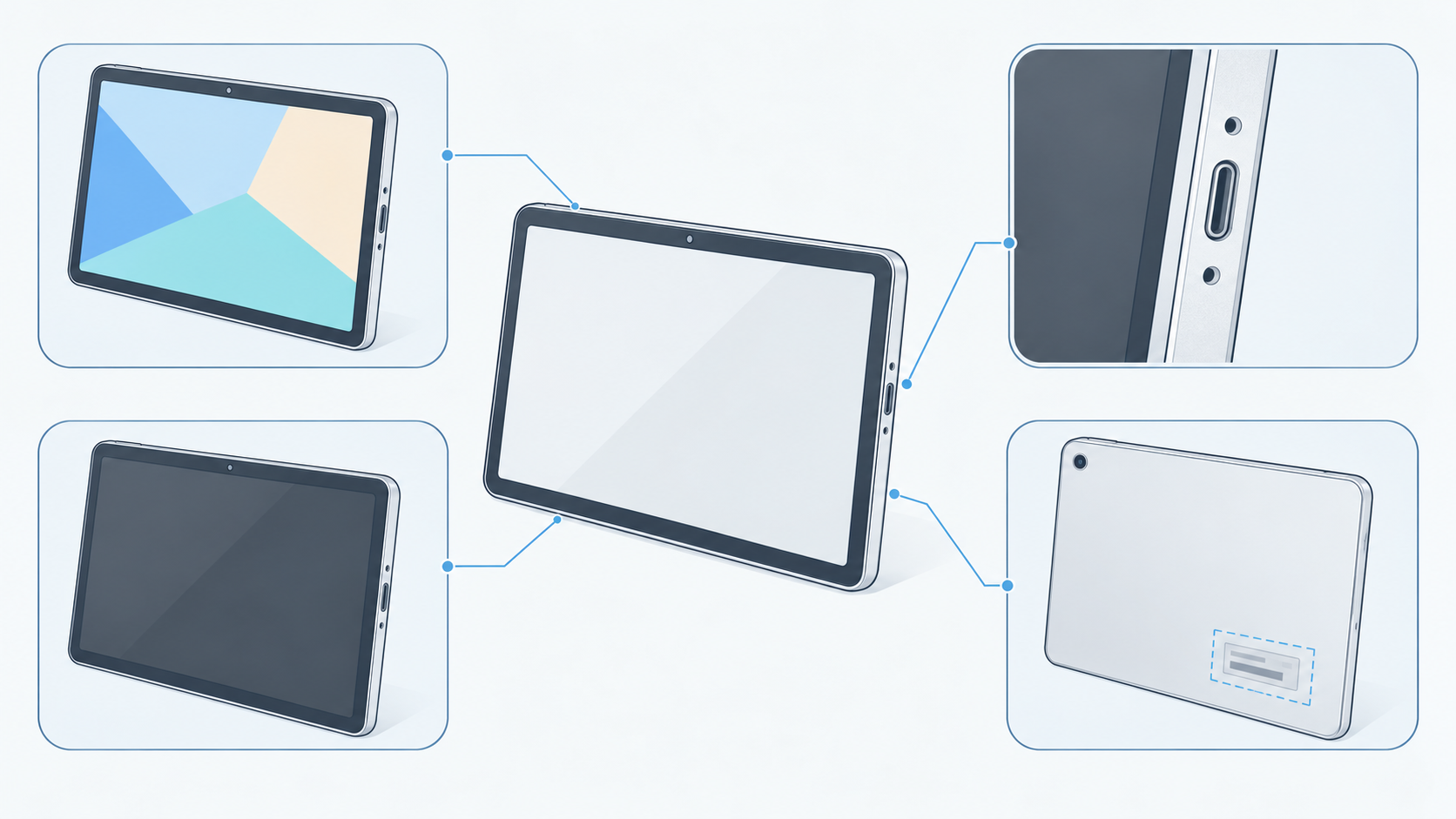
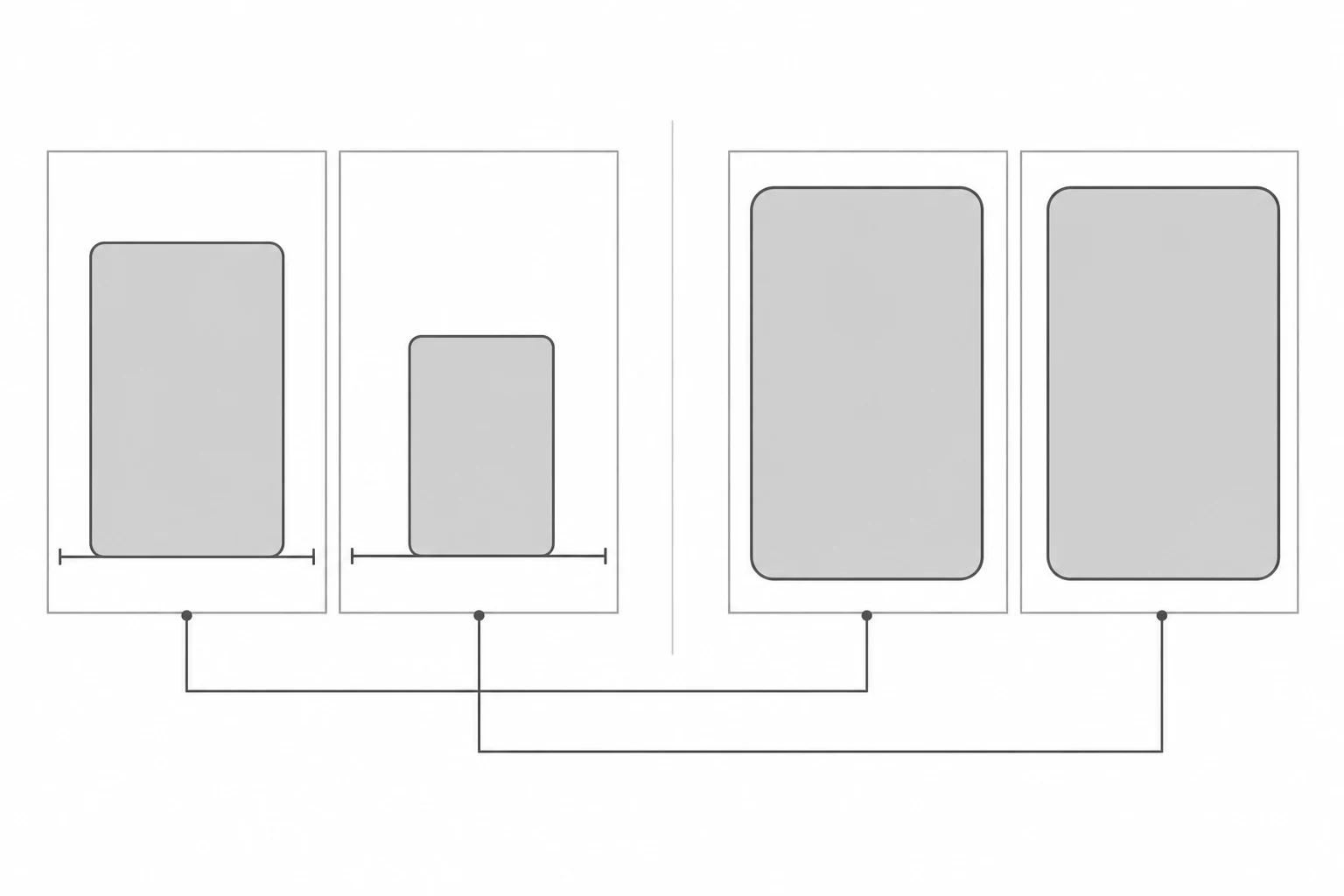
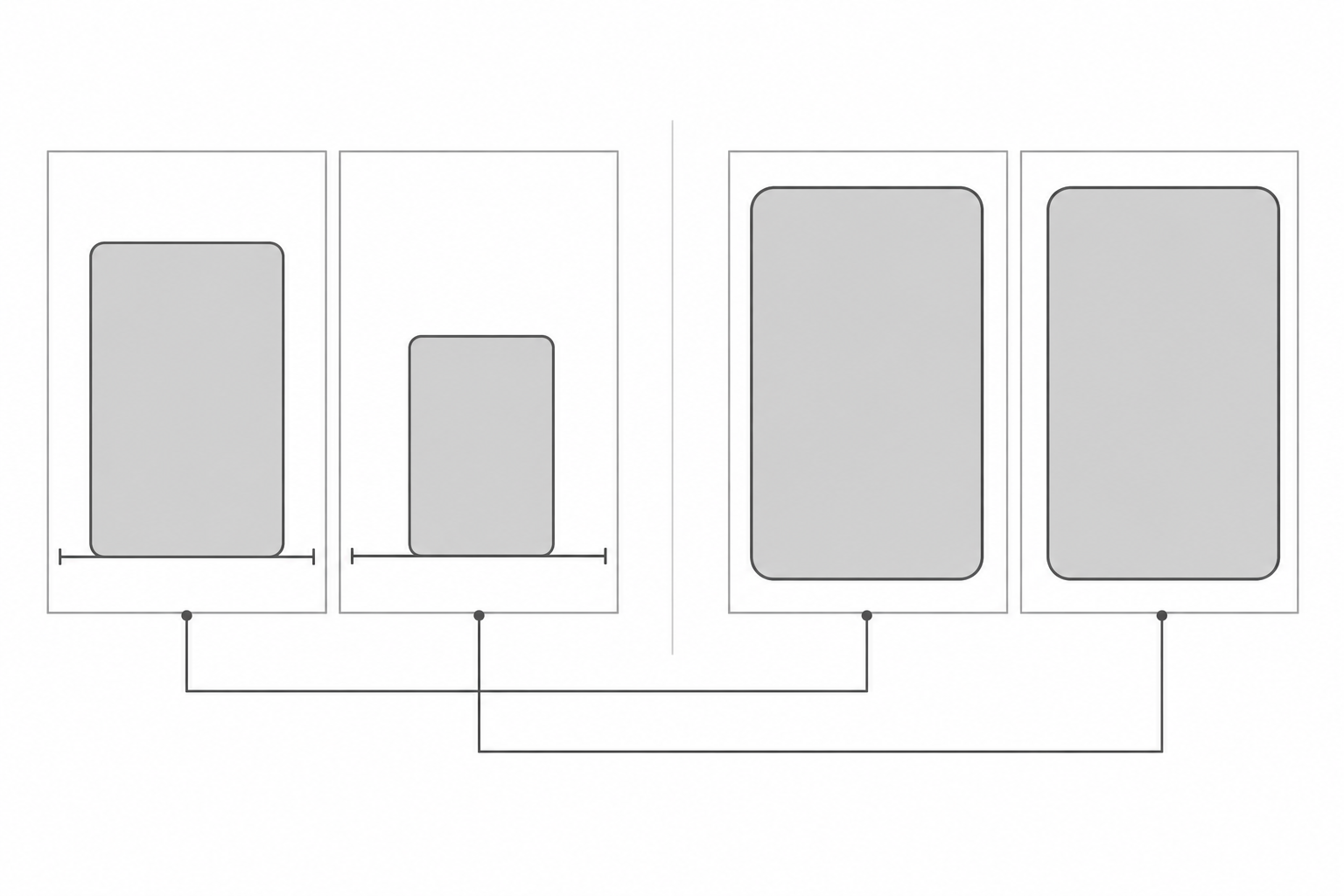
A polished device photo can still leave a buyer guessing. Is that the actual interface? How many ports are on the side? Are two models really the same size, or have both been cropped to fill the frame?
Electronics product photography needs to do more than make a surface look clean. For a product listing, screens, connectors, model details, and proportions should remain traceable to the physical item. The approach below is a suggested capture and review method, not a test report or a set of universal camera settings.
Give each photograph a specific job
A hero image can establish the overall design. It rarely proves the screen state, port layout, and model identity at once. For each physical sample, plan a linked set of files: an overall view, screen-on and screen-off images from the same position, port close-ups, and an internal model-label record. Use one internal sample identifier to keep images from different configurations apart.
The screen-on frame records what that device actually displayed at capture. The screen-off frame records the glass, bezel, and surrounding reflections. LenFlash’s electronics photography guide also recommends photographing both states. Keep these originals as comparison records before treating them as material for a composite.
A port detail should show the opening, nearby markings, and its position relative to other connectors. Its appearance alone does not establish transfer speed, charging protocol, or video support; check those claims against documentation for the exact model. Keep model-label photographs for internal verification, and check public images for unnecessary serial numbers, accounts, or notifications. If information must be concealed, retain the internal original rather than rewriting the model identification.
Diagnose screen artifacts before retouching them
An unwanted pattern is not automatically a screen defect or a retouching task. Inspect both a detailed view of the original file and the intended output size, then change one capture condition at a time.
| What appears in the image | A useful comparison | What it does not establish |
|---|---|---|
| Colored ripples or a fine grid | Keep the displayed content fixed; slightly change camera distance or angle, then compare originals and resized files | The photograph alone does not prove a defective display |
| Dark bands or uneven brightness | Keep the camera position fixed and bracket shutter speeds; record display brightness and settings | No single shutter speed guarantees a clean result on every screen |
| A light-source outline or broad glare | Move diffusion or a flag before changing exposure | Darkening the whole image is not a substitute for reflection control |
| Bowed edges or a strongly tapering rectangle | Check camera alignment, then distinguish lens distortion from perspective | Stretching the image must not redefine the product’s proportions |
Record the setting changes against the files. A successful frame establishes a workable combination for that device, display state, and setup—not a rule for every display. If bands appear in the photograph but do not match direct observation, do not publish a claim that the screen is faulty on that basis.
Let reflections describe the surface, not hide the product
A reflection can make glass readable as glass. It becomes a problem when it covers a bezel, connector marking, or other identifying detail. Look from the camera position and move the diffusion, white card, or flag so that the reflection falls away from essential information. For a dark port recess, try a small white card to reflect light into it, then check that the opening has not disappeared into a highlight.
The question is not whether any reflection remains. It is whether the reflection changes the buyer’s understanding of the object. Do not erase a camera cutout to make a screen look cleaner or smooth a dark connector into the housing. Unlike a material study focused on a watch case or metal finish, this shot needs to make screen boundaries, openings, and labels legible first.
A fixed camera does not mean identical-looking sizes
Plan color comparisons separately from size comparisons. For color variants, hold camera position, focal length, lighting, exposure, and white balance constant, and align the same product reference point with a mark on the set. A color reference frame can support editing comparisons, but it cannot guarantee identical color on every viewer’s display.
For a size comparison, keep capture distance, image scale, and cropping rules consistent so that physical differences remain visible. If separate product cards are cropped to fill their frames, do not reuse that layout as evidence of relative size. Obtain dimensions from verified specifications rather than estimating them from image coverage.
The reference guide emphasizes consistent focal length and camera-to-subject distance. Also record the support and product reference position: an unmoved camera is not enough if one device sits farther back than another.
Edit the background, then verify the product separately
Define the editable area before retouching. Background and negative space are composition decisions; screens, ports, labels, buttons, and accessories carry product claims. If screen content is replaced, verify that the exact model can display that interface. Label it nearby—for example, “Screen content composited for illustration; not the interface photographed in this session.” A disclosure does not justify depicting a feature the product does not have.
For an existing photograph that needs background or composition changes, the InkRoom image editor is an optional next step: provide the image and an editing description. Available models and parameters depend on the current interface configuration. Editing does not guarantee unchanged subjects, text, structure, or dimensions, and it does not verify the interface or specifications.
After export, compare the result against the original and the physical-sample records in a separate review. Check connector count and placement, screen boundaries and camera cutouts, model text, background-induced color shifts, and whether every accessory belongs to that configuration. Finally, match each file to the exact listing variant. A finished background is not a reason to release an image with unresolved product discrepancies.
Related articles and cases
- Product Photography Color Accuracy: Gray Cards, White Balance, and Delivery Review
Not every product color error is a white balance problem. Build references for each color variant, check mixed lighting and exposure first, and review background edits separately from the product’s own color.
- Wood Product Photography: Show the Grain, Identify the Piece
A practical approach to photographing wooden bowls and small wooden objects: choose informative views, separate reflection checks from angle changes, and keep each export tied to the correct item's original photographs.
- Leather Product Photography: Grain, Stitching, and Honest Wear
Photograph wallets, belts, and other small leather goods with lighting that reveals material without exaggerating wear. Plan connected detail views and check edits against the original photographs.
- Product Photography Lighting Setup: Compare Window Light, One Light and Two
Build a repeatable lighting setup by comparing the same product under window light, one light and two lights. Includes a setup log, material-specific troubleshooting and export checks—without a universal settings recipe.