How to Photograph Shoes: Pairs, Details, and Honest Condition
Build a useful set of shoe photos with consistent pair proportions, readable labels, visible outsole wear, and a simple white-background setup. Keep editing separate from evidence of condition.
·
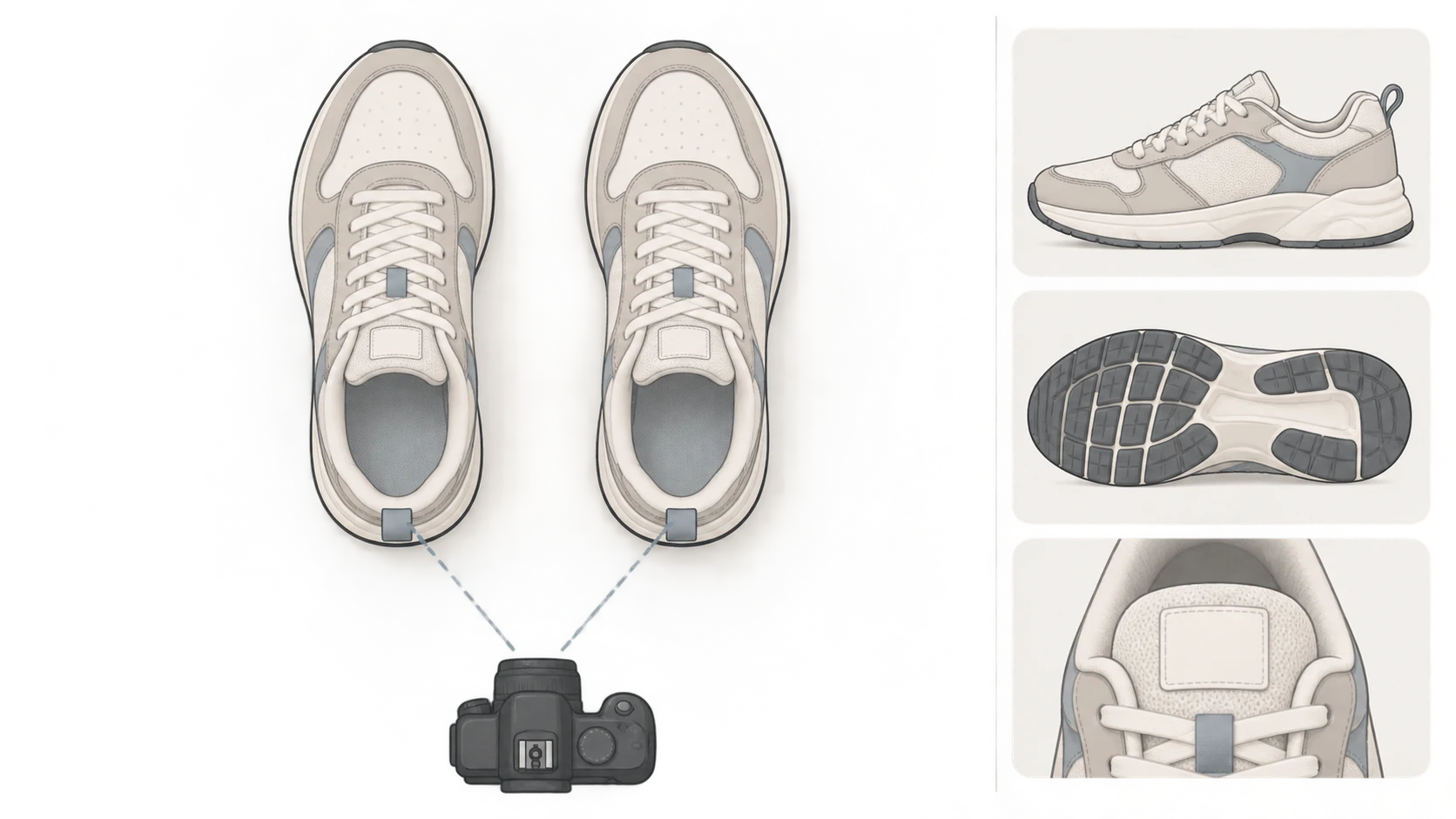
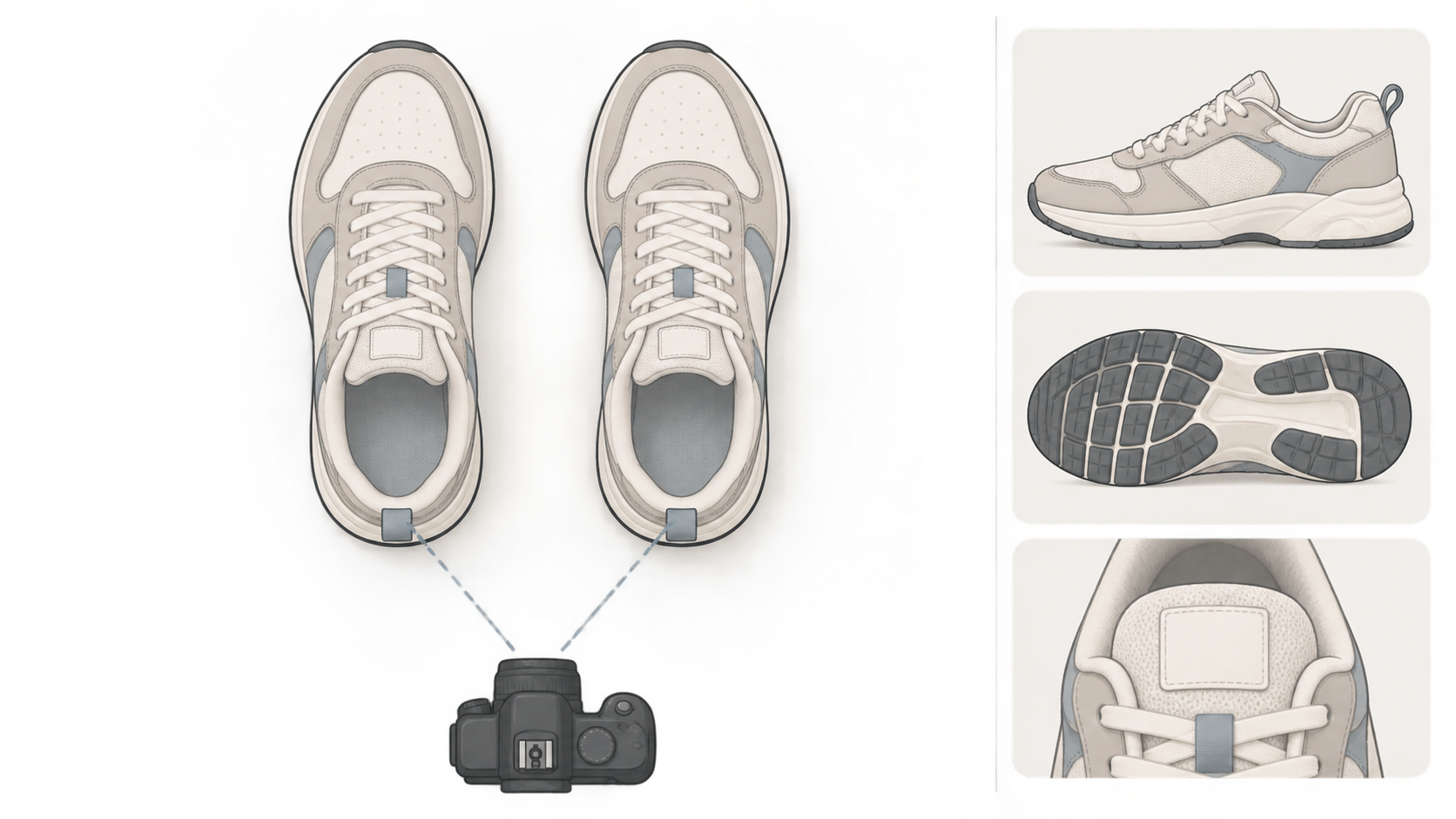
A good-looking shoe photo can still leave a buyer guessing. Is the front shoe bigger, or just closer to the lens? Is the outsole unworn, or is glare hiding the tread? Useful product photography makes those questions easier to answer.
This guide is for photographing shoes with a phone or camera, especially used pairs that need an honest condition record. The methods below are recommendations, not results from a shoot or tool test conducted for this article.
Let pair shots show the relationship—and individual shots show the shoe
Start with both shoes pointing in roughly the same direction and sitting at a similar distance from the camera. A slight stagger can work for the main image, but avoid pushing one shoe close to the lens while hiding the other behind it. Perspective makes the nearer shoe look larger, which can confuse comparisons.
On a phone, avoid the ultrawide view as a starting point. Keep the shoes near the center of the frame and step back if they do not fit. Bring the camera down toward shoe height for a side profile; move above the pair when you want to show openings and insoles.
A pair shot does not replace individual views. Shoes can hide each other's inner sides, heels, and soles, and wear is not necessarily symmetrical. Photograph the left and right shoe from comparable distances and angles. Never use one shoe's photo as a substitute for the other.
Plan photos around what a buyer needs to know
Unboxed's sneaker photography guide calls attention to the body, toe box, midsole, outsole, insole, shoe tag, and box. The shot plan below turns that coverage into specific questions and adds pair comparison and defect location. Treat the rows as coverage requirements, not a fixed photo count.
| View | Question it answers | What to keep visible |
|---|---|---|
| Both shoes together | Do these form a matching pair, and what is their overall shape? | Both complete shoes, at similar camera distances, without major overlap |
| Outer and inner sides of each shoe | What condition are the uppers, seams, and midsoles in? | Both sides, not just the cleaner-looking one |
| Toe boxes and uppers | Are there creases, scuffs, or changes in shape? | Both shoes, without highlights washing out texture |
| Heels | Is there uneven wear, collapse, or lining damage? | A near-straight rear view, plus lining detail where needed |
| Both outsoles | Where is the tread worn or damaged? | A complete view of each sole and close-ups of relevant wear |
| Tags, insoles, and interiors | What information and interior condition are actually visible? | Readable text and accessible areas; do not force out fixed components |
| Packaging and included items | What will the buyer receive? | The actual box, box label, and included accessories, including damage |
A readable shoe tag helps document visible information. It does not, by itself, authenticate a shoe. Likewise, do not use a box or accessory as a prop without clarifying if it is excluded from the sale.
Light for texture, not just a whiter background
Choose a stable surface in a clutter-free area. Soft window light from one side is a useful starting point; avoid direct sun. Turn off nearby lamps with noticeably different color casts so the same shoe does not appear yellow on one side and blue on the other. If the shadow side is too dark, try a white card nearby and check whether surface detail remains visible.
White paper, board, or fabric can provide a simple background. Curving the background upward behind the shoes helps avoid a hard wall-to-table seam. Use a separate, cleanable surface for dirty outsoles so they do not mark the background used for other views.
Check the actual shoes on screen. White edges should remain distinguishable from the background, and dark shoes should still show seams. If a white toe box becomes a blank bright patch, reduce exposure or adjust the light rather than brightening the background further. Patent leather, mesh, and matte materials may need different exposure choices.
For tags, focus on the text and hold the camera steady. Enlarge the result after capture. If the size or model information is unreadable, retake the photo—do not ask AI to reconstruct it.
Show where a defect is, then show what it looks like
A tight photo of a scratch may not reveal which shoe it belongs to. A distant photo may establish location but hide the scratch itself. For significant defects, take one view that locates the issue and another that shows its detail. A filename such as “right-outer-side-scuff” can help connect the image to the listing description.
Do not mix before-cleaning and after-cleaning images into an unexplained set. If you reshoot after cleaning, use photos from the same stage to show the current condition. Keep original files separate from edited copies. Removing creases, wear, separation, or stains with AI and presenting the result as the actual item misrepresents its condition.
Optional editing: tidy the background, not the evidence
Save the originals first. For an editing copy, use a sharp, complete photo with some room around the shoes. A missing outsole, hidden logo, or blurred tag is a reason to reshoot—not a gap to fill with generated product detail.
If an existing photo needs background or composition work, the InkRoom image editor accepts an image and an editing description. Available models and parameters depend on the current interface configuration. Subject fidelity, accurate text, and seamless image extension are not guaranteed.
You might request: “Tidy the background and adjust the surrounding space only. Do not change the shoe outline, laces, tread, logos, label text, or existing wear.” That describes an intention; it does not guarantee compliance. Compare the output with the original, checking lace crossings, tread patterns, logos, left/right pairing, and defects. If product details change, use the original or reshoot instead of publishing the altered condition image.
Choose the final set so the pair view, individual details, and included packaging tell the same story. Clear photos should make the visible condition easier to assess—not imply that unseen areas have been verified.
Related articles and cases
- Product Photography Focus Stacking: When to Reshoot Instead of Using AI Sharpening
Capture overlapping focus coverage, align and blend real photographs, and use the source frames to decide whether a soft detail needs a mask adjustment or a reshoot.
- How to Choose a Product Photography Backdrop for a Small Space
Choose paper, fabric or boards by the area your camera actually sees—not just the size of the product. Compare maintenance and storage, plan a seamless sweep, and identify problems that need a lighting change or a reshoot.
- Product Image Alt Text: Examples for Main, Detail, and Lifestyle Photos
Write alt text around what each product image contributes. Compare original hypothetical examples for main photos, color variants, texture details, and lifestyle shots, then handle functional images, charts, and CMS entry correctly.
- How to Remove Glare from Glasses in Photos Without Changing the Eyes
Check whether the original eye detail is visible before choosing a reshoot, a local tonal adjustment, or careful retouching. Learn what to change on set and what to check before keeping an edit.