Handbag Photography: Show Shape, Straps, Hardware and the Interior
Photograph real bags with material-aware lighting, honest shaping and useful interior views. Give clean-background, detail and lifestyle images distinct jobs, with background editing kept optional.
·
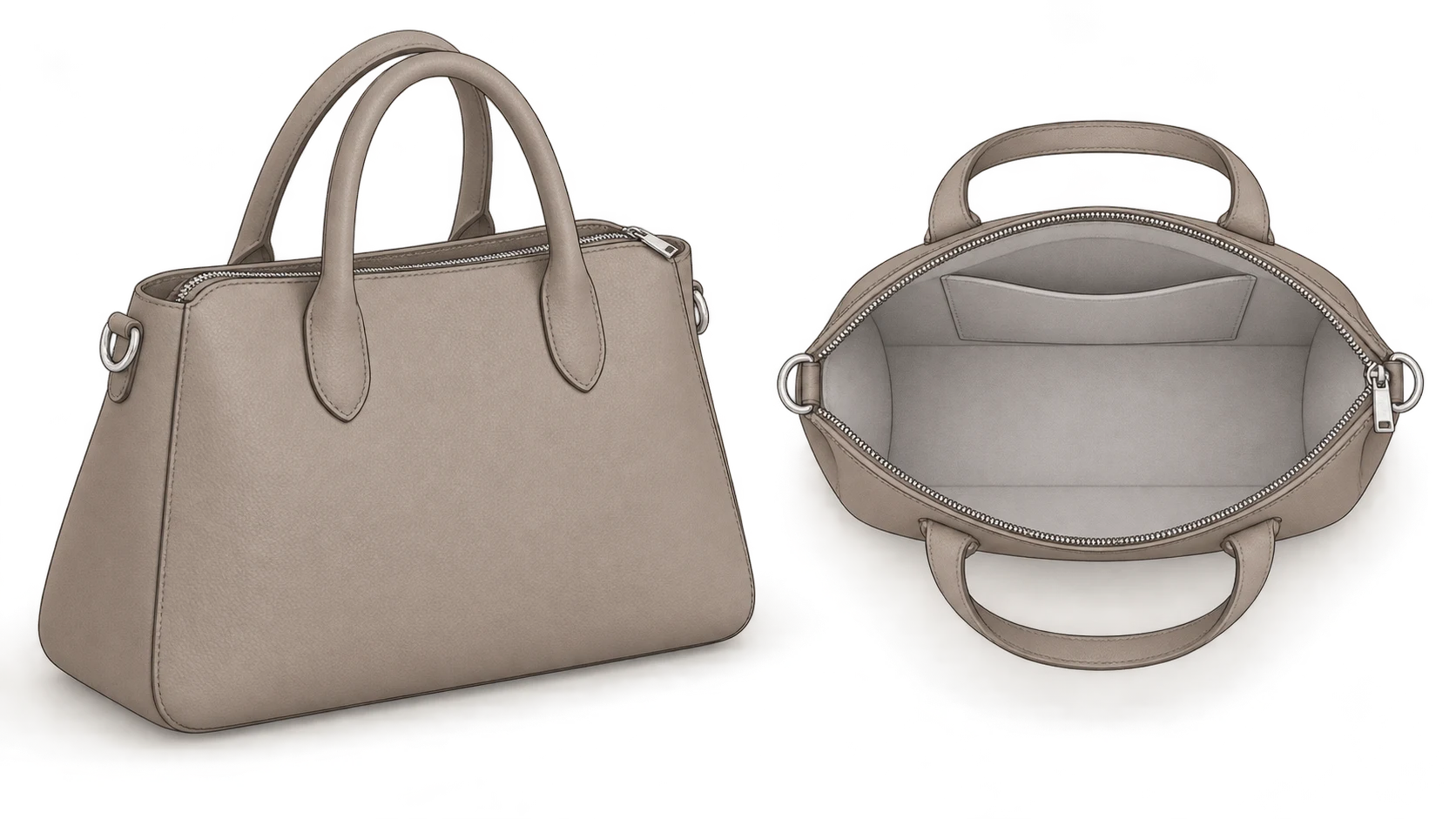
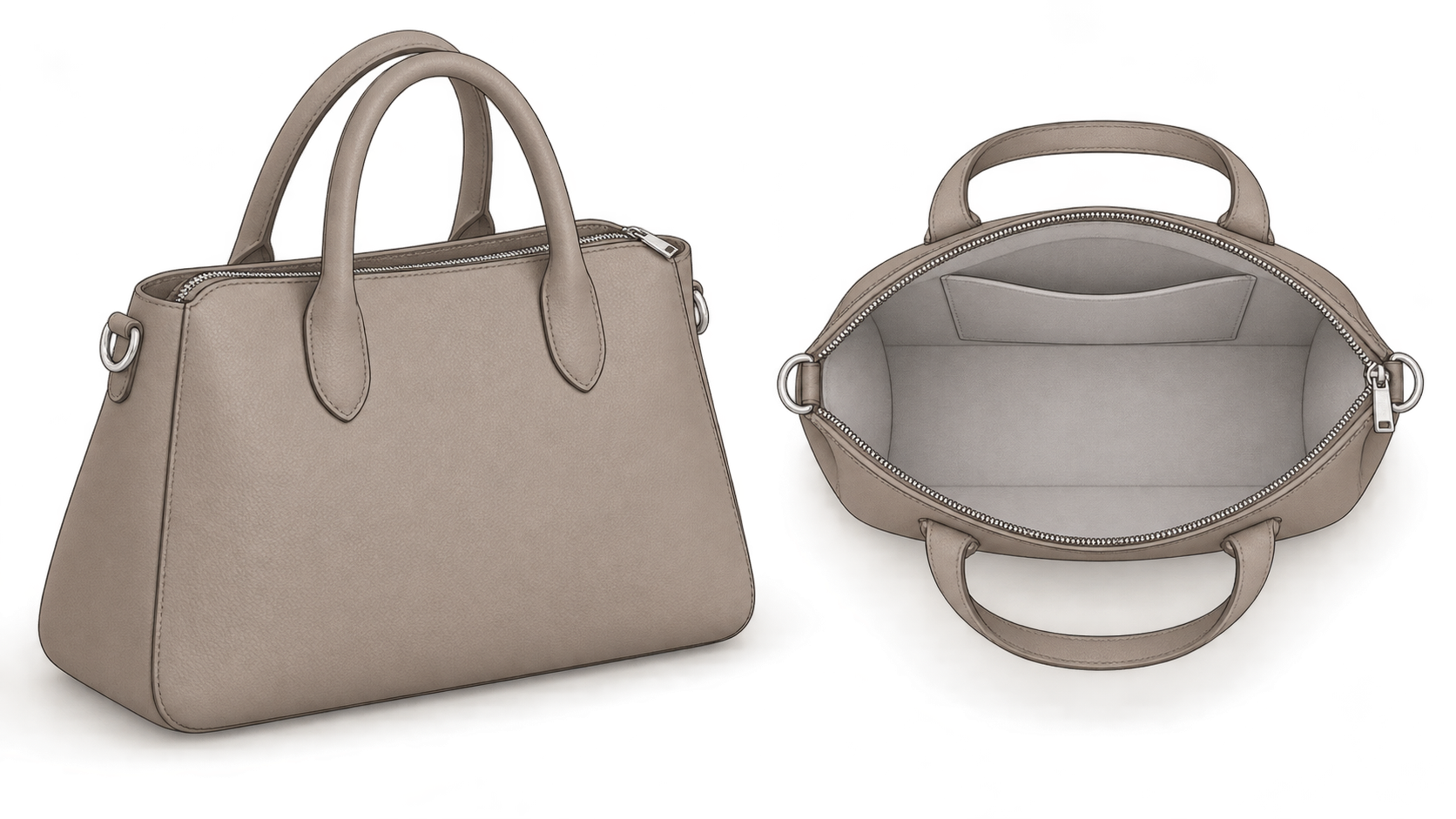
A polished front view can leave the most practical questions unanswered. Where does the strap attach? How far does the zipper open? Where is the internal pocket? What does this soft bag look like without stuffing?
Good handbag photography gives different images different jobs. An exterior view explains the silhouette. A construction view explains connections and openings. A real wearing shot explains how the bag sits on a body. None replaces the others.
Support the bag without inventing its structure
Look at the base, sides and opening while the bag rests naturally before adding support. A structured leather bag needs its existing edges to read clearly. A soft tote needs to retain its natural drape.
A small amount of clean, soft filling can separate the front and back panels. Add it gradually, checking whether the side profile or opening has expanded. Support should reveal the product, not turn a flexible bag into a rigid shell. The LenFlash handbag photography guide likewise advises showing softness rather than faking structure.
As a practical production method, note which frames use filling or external supports. If the support noticeably changes the silhouette, include an additional naturally resting view. This is a recommended way to reduce ambiguity, not a tested result from this article.
Arrange straps without changing how they attach. Clip removable straps to their real attachment points and retain the actual adjustment setting. If an external support lifts a handle, do not present that suspended pose as evidence that the handle stands up by itself.
Follow the material’s care instructions when cleaning. Remove loose dust from leather only by an appropriate method. With suede, do not repeatedly press or rub the nap merely to eliminate tonal variation, and do not assume an adhesive cleaning tool is suitable.
Give the opening and internal pockets their own views
An overhead photograph can show the mouth of a bag without revealing its interior. Tall sides, a flap or dark lining may still conceal the dividers. A brighter overhead frame is not automatically a complete interior record.
Plan the opening references around these information needs. Whether each needs a separate photograph depends on the actual construction:
- Closed state: show the normal zipper, magnetic fastening or flap position and how the edges meet.
- Naturally open state: show the real opening range without stretching the mouth or forcing the zipper beyond its stop.
- Overall interior: make the main compartment, dividers and pocket positions readable. Remove shaping material rather than using a stuffed silhouette to describe an empty compartment.
- Concealed pockets: gently move the obstructing panel and photograph the pocket opening and fastening, retaining enough surrounding structure to locate it.
- Connections near the mouth: add an angle for strap rings, fasteners or zipper ends hidden by the rim.
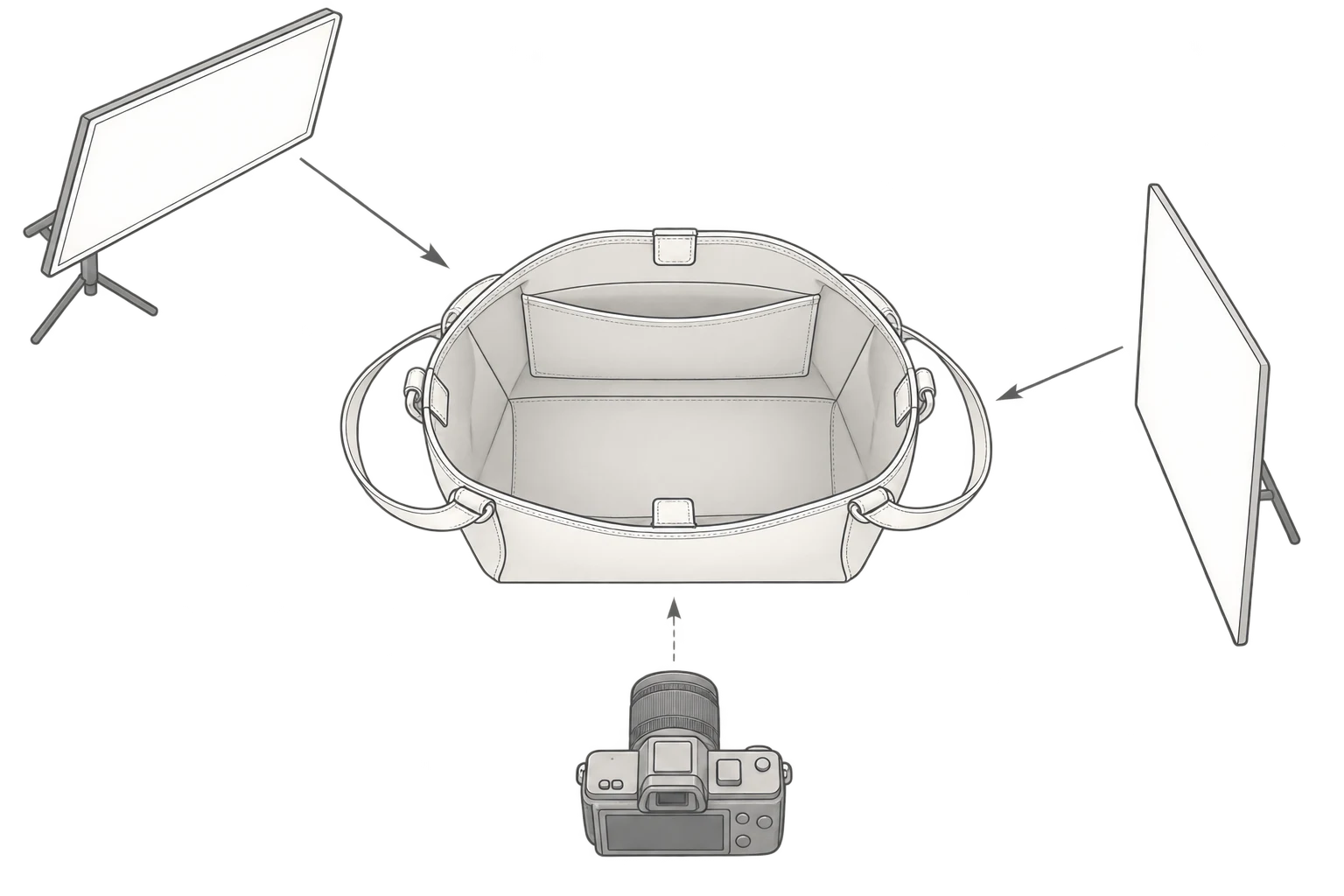
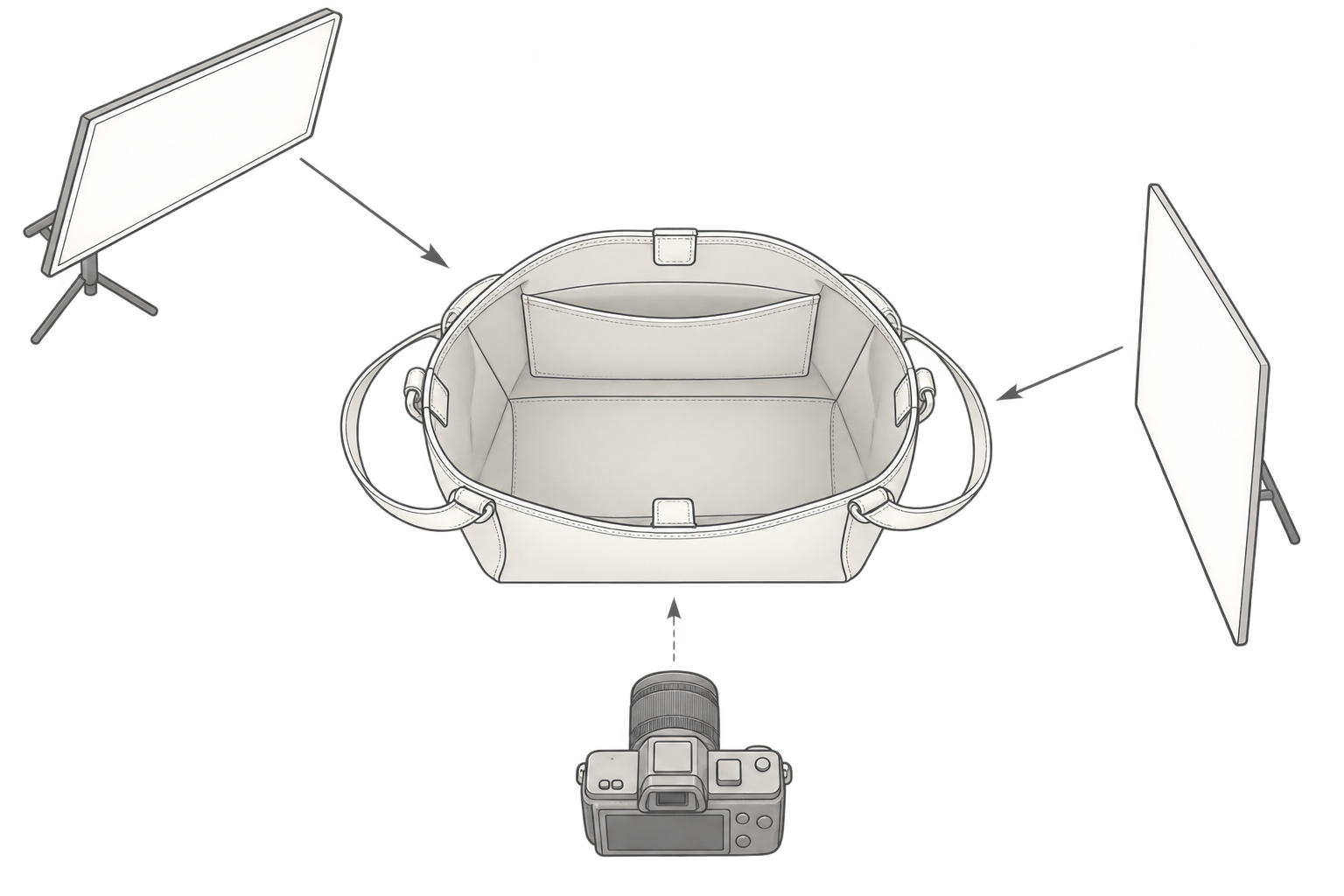
Start with a broad, soft light directed into the opening. Try a reflector on the opposite side without blocking the view. If a hand holds the bag open, it should have a clear demonstrative role: it must not cover a pocket, exaggerate the opening or hide the closure. The reference guide distinguishes top-down, interior and detail views; this plan develops that distinction around specific obstructions.
Interior photographs document visible construction, not capacity. To show whether an item fits, use the real item, photograph it inside and show whether the bag closes normally. Record the item’s dimensions and orientation. Do not infer a volume or device compatibility claim from an empty compartment that merely looks spacious.
Light the surface, not just the outline
Begin with one broad, soft source, then change its direction for the material. Adjust one factor at a time—such as the light angle or reflector position—so you can tell what caused the difference.
| Surface or form | A useful starting point | What to watch in the image |
|---|---|---|
| Textured leather | Broad soft light from the front-side, with restrained fill opposite | Grain remains visible; highlights do not conceal stitching or finished edges |
| Suede or matte surfaces | Slightly side-directed soft light with gentle tonal variation | Nap remains readable and shadows retain detail; do not retouch nap variation as dirt |
| Patent leather, glossy finishes or metal | Change the source and camera relationship; try a black card outside the frame if needed | Highlights describe curvature without swallowing fasteners, zipper teeth or markings |
| Soft, collapsing forms | Establish the natural folds first, then light their depth | Hard shadows do not imply rigidity, and excessive fill does not erase the folds |
These are starting points, not fixed settings. If the leather looks right but the hardware is too bright, keep the camera and bag stationary, adjust the light or flag, and capture a separate hardware detail. Painting an overexposed patch darker does not recover the missing construction information.
For color, consider making a reference frame under the main lighting setup and avoid mixing differently colored ambient sources across the bag. Compare the final image with the physical product rather than judging only whether the screen version looks attractive.
Give clean-background, detail and wearing shots separate jobs
Do not repeat the front silhouette simply to increase the image count. Allocate images by the question they answer.
| Image role | Information it should provide | What it cannot establish on its own |
|---|---|---|
| White or clean light-background views | Complete silhouette, front/back differences, side depth and strap route | Pocket layout or real capacity |
| Construction and detail views | Strap attachments, zipper, stitching, hardware, mouth and internal relationships | Overall wearing proportions |
| Real use or wearing views | Carry position at the photographed strap setting | An identical fit on every person or that props are included |
Keep a consistent camera height, distance and positioning reference for comparable exterior views. Do not change perspective arbitrarily just to make every bag fill the frame. With a phone, if a close camera position makes the near side look exaggerated, step back and reframe before trying to reshape the bag in editing.
A wallet, phone or set of keys adds an implied claim. Sitting beside a bag does not prove it fits inside; fitting inside does not prove the bag still closes. Use real loading photographs for capacity demonstrations and identify styling props where they could be mistaken for included accessories. If a wearing image is intended as a size reference, consider supplying measured bag dimensions, the strap setting and the model’s height. Do not supply measurements you do not have.
Optional post-production: clean up or adapt the background
Retain the original photographs and unaltered construction details before replacing a background. For an existing image that needs further background work, the InkRoom image editor accepts an image and an editing description. Available models and parameters depend on the current interface configuration; unchanged subjects, text and structures are not guaranteed.
A narrowly scoped instruction could be: “Clean only the marks and seams on the background. Retain the original product and contact shadow. Do not add or remove straps, hardware, pockets or contents.” That describes the intended edit, not a guaranteed outcome.
Compare the result with both the original and the physical bag. Check shape, strap attachments, zipper, stitching, hardware and opening. If those features change, do not use that version as evidence of the affected construction. An adapted background also cannot verify capacity, included accessories or a real shooting location. Identify a composite scene clearly rather than presenting it as a record of an on-location shoot.
Related articles and cases
- Product Photography Focus Stacking: When to Reshoot Instead of Using AI Sharpening
Capture overlapping focus coverage, align and blend real photographs, and use the source frames to decide whether a soft detail needs a mask adjustment or a reshoot.
- How to Choose a Product Photography Backdrop for a Small Space
Choose paper, fabric or boards by the area your camera actually sees—not just the size of the product. Compare maintenance and storage, plan a seamless sweep, and identify problems that need a lighting change or a reshoot.
- Product Image Alt Text: Examples for Main, Detail, and Lifestyle Photos
Write alt text around what each product image contributes. Compare original hypothetical examples for main photos, color variants, texture details, and lifestyle shots, then handle functional images, charts, and CMS entry correctly.
- How to Remove Glare from Glasses in Photos Without Changing the Eyes
Check whether the original eye detail is visible before choosing a reshoot, a local tonal adjustment, or careful retouching. Learn what to change on set and what to check before keeping an edit.