Ghost mannequin photography: front views, inner collars and shape checks
Prepare garment photos that support a believable, verifiable ghost mannequin image. Learn what front, back and inner-collar shots actually document, where compositing differs from AI editing, and how to diagnose changes to garment construction.
·
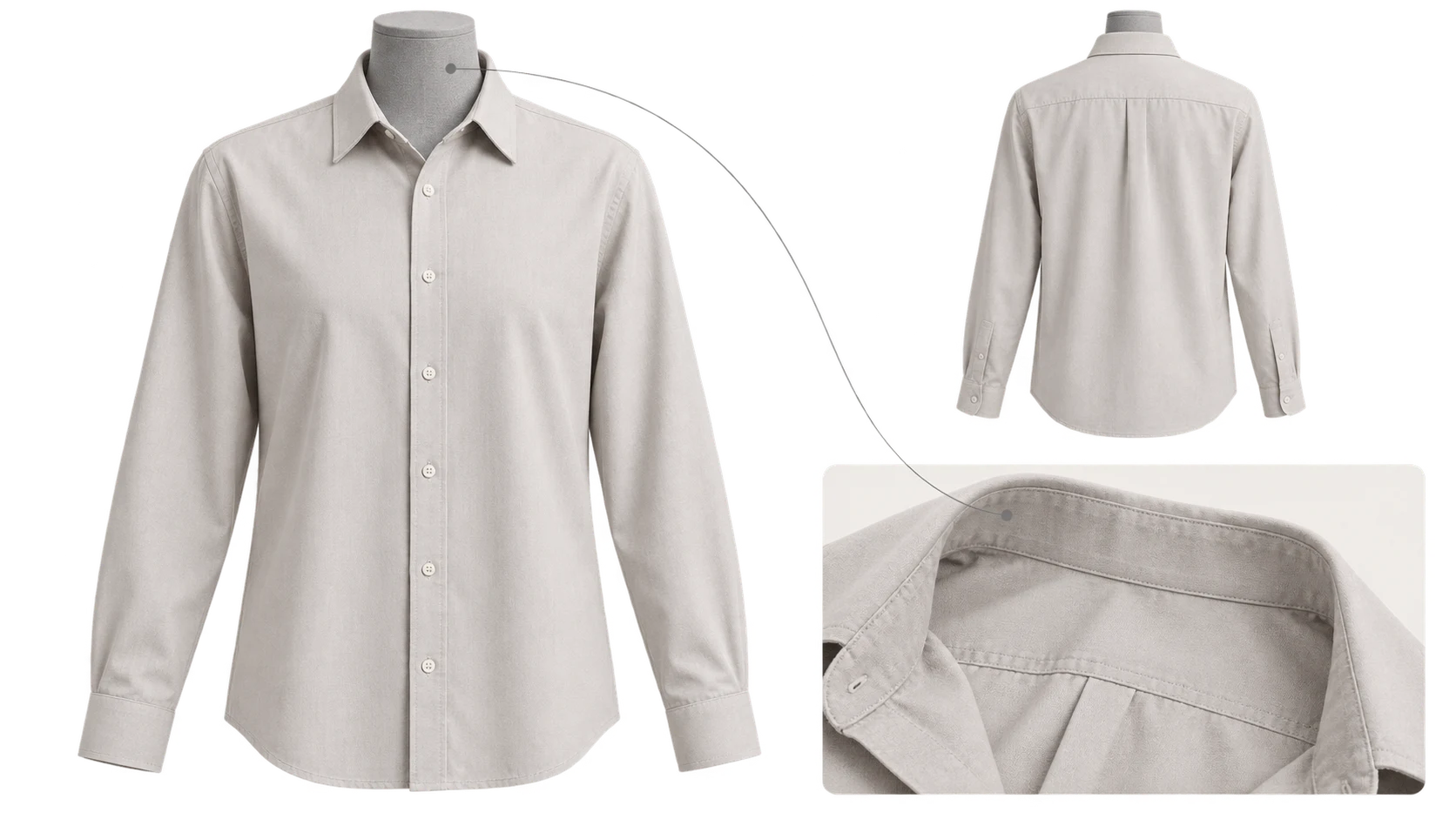
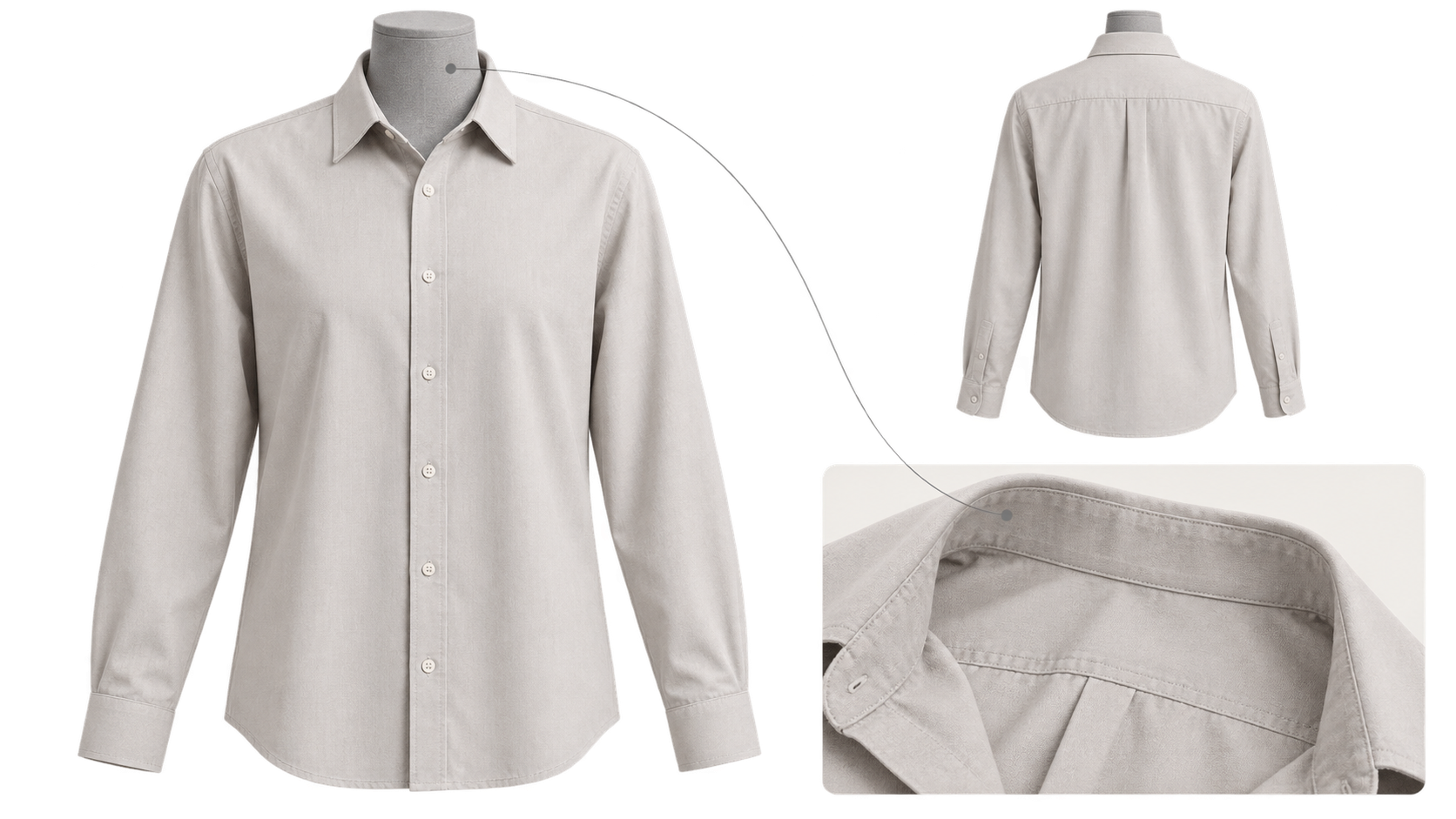
The mannequin has disappeared, but the neckline has gained an extra layer of fabric. The shirt looks dimensional, but a button is missing. Neither problem is solved by a cleaner background: the finished image needs to represent the actual product.
Ghost mannequin photography presents clothing with volume and shape, without a visible mannequin. It helps to separate three activities: photography records the garment; compositing joins photographed areas; AI editing may generate content that the photographs never showed. Those are not interchangeable sources of evidence.
Photta’s guide discusses traditional multi-image compositing and AI processing, identifying the hidden interior as a difficult area. This tutorial focuses on capture and verification rather than its product settings. A generated lining is not proof of the garment’s construction.
A back photograph is not an inner-collar photograph
Before shooting, ask: Can you actually see every area that needs to appear in the finished image?
The front view records the relationship between shoulders, placket, sleeves and hem. A back view documents rear seams, silhouette and any back print. It may reveal nothing about the inside of the neckline. An inner-collar reference needs to show the actual interior fabric, label or seam that will be exposed after the mannequin is removed.
Capture the missing region, rather than assuming that a front-and-back pair is sufficient. As an organizing suggestion, name files by product identifier and view: “item—front,” “item—back” and “item—inner collar.” Keep different sizes, colors and product revisions separate. These are filing suggestions, not upload requirements for a particular tool.
To expose the inner collar, remove and reposition the garment, or remove an obstructing mannequin section if your equipment allows it. Photograph the real construction rather than arranging fabric to match an imagined result. Aim for a viewing angle, light direction and scale compatible with the main image. If fitting the reference requires substantial distortion, reshooting is preferable to forcing it into place.
Preserve the cut before tidying the frame
Style the garment in its intended presentation. An oversized mannequin can stretch the fabric; excessive clipping can narrow the waist. Removing wrinkles should not turn a relaxed shirt into a fitted one or straighten a sleeve that naturally drapes.
Use soft, stable lighting so seams and texture remain visible. Keep the camera level and facing the area you need to show. One prescribed camera height will not suit every shirt, pair of trousers and long dress. After changing the garment’s position, check that the main and supporting photographs still correspond.
Before dismantling the setup, inspect the neckline, cuffs, buttons and prints at a useful magnification. Blur, glare and cropped-off details are reasons to capture another photograph, not invitations to invent missing information later.
Diagnose the discrepancy by garment region
The following is a suggested review method, not a report of tool testing. Compare the output with the main photograph, relevant detail views and, where necessary, the physical garment.
| Region | Relationship to verify | What to do if it differs |
|---|---|---|
| Neckline and interior | Opening shape, fabric layers, seams and labels have photographic support | Capture missing interior details; investigate alignment if an edge appears twice |
| Sleeves | Shoulder attachment, length and cuff direction match the garment | Recheck styling and camera angle; do not “correct” intentional asymmetry |
| Hem | Length, curve, slits and front-to-back differences remain intact | Separate perspective effects from actual cropping; photograph the lower area again if needed |
| Buttons and placket | Count, spacing, buttonholes and open/closed state agree | Correct or reject construction errors rather than hiding them at thumbnail size |
| Prints and lettering | Placement, changes at seams and label text correspond | Consult detail photographs; visual similarity alone is insufficient |
A convincing inner collar does not verify a label location that was never photographed. Conversely, slightly different-looking cuffs do not automatically indicate an editing error. Check the design and pose before making them identical.
What compositing and optional AI editing can contribute
Traditional compositing can connect the main image to a photographed interior: mask out the mannequin and insert only the area supported by the reference. When a join is conspicuous, examine angle, lighting and scale before blurring it away.
For optional AI work on an existing photograph, the InkRoom image editor accepts an image and an editing description. Available models and parameters depend on the current interface. This is not a claim of a tested ghost mannequin feature, or a guarantee that garment structure, identity or lettering will remain unchanged. If your task needs additional reference images, first check whether the current interface supports that input.
Keep the requested change narrow. For example: “Remove the visible mannequin. Do not intentionally change the neckline, sleeve length, hem, buttons or print. Do not treat unphotographed interior details as verified product information.” This is a suggested way to express constraints, not a guarantee that they will be followed. Review the result against the table; invented buttons, altered labels or changed garment length make it unsuitable for direct product use without correction.
Sheer fabric, lace and mesh need particular care. What appears through the material may be the mannequin, background or another garment layer. Removing all of it as “background” can misrepresent the construction. Where the layers cannot be established, photograph the detail again or use another truthful product view rather than promising reliable reconstruction.
A ghost mannequin image communicates garment volume; it does not establish fit on a real wearer or replace sizing information. Keep the source and supporting photographs with the deliverable so another editor can distinguish photographed detail, composited areas and unresolved uncertainty.
Related articles and cases
- Product Photography Focus Stacking: When to Reshoot Instead of Using AI Sharpening
Capture overlapping focus coverage, align and blend real photographs, and use the source frames to decide whether a soft detail needs a mask adjustment or a reshoot.
- How to Choose a Product Photography Backdrop for a Small Space
Choose paper, fabric or boards by the area your camera actually sees—not just the size of the product. Compare maintenance and storage, plan a seamless sweep, and identify problems that need a lighting change or a reshoot.
- Product Image Alt Text: Examples for Main, Detail, and Lifestyle Photos
Write alt text around what each product image contributes. Compare original hypothetical examples for main photos, color variants, texture details, and lifestyle shots, then handle functional images, charts, and CMS entry correctly.
- How to Remove Glare from Glasses in Photos Without Changing the Eyes
Check whether the original eye detail is visible before choosing a reshoot, a local tonal adjustment, or careful retouching. Learn what to change on set and what to check before keeping an edit.