AI YouTube Thumbnail Generator: From Content Promise to Mobile Readability
Turn a video's actual content into thumbnail concepts, compare meaningful layout alternatives, and check text, contrast, and focus on a phone. An illustrative example shows the method without claiming tested results.
·
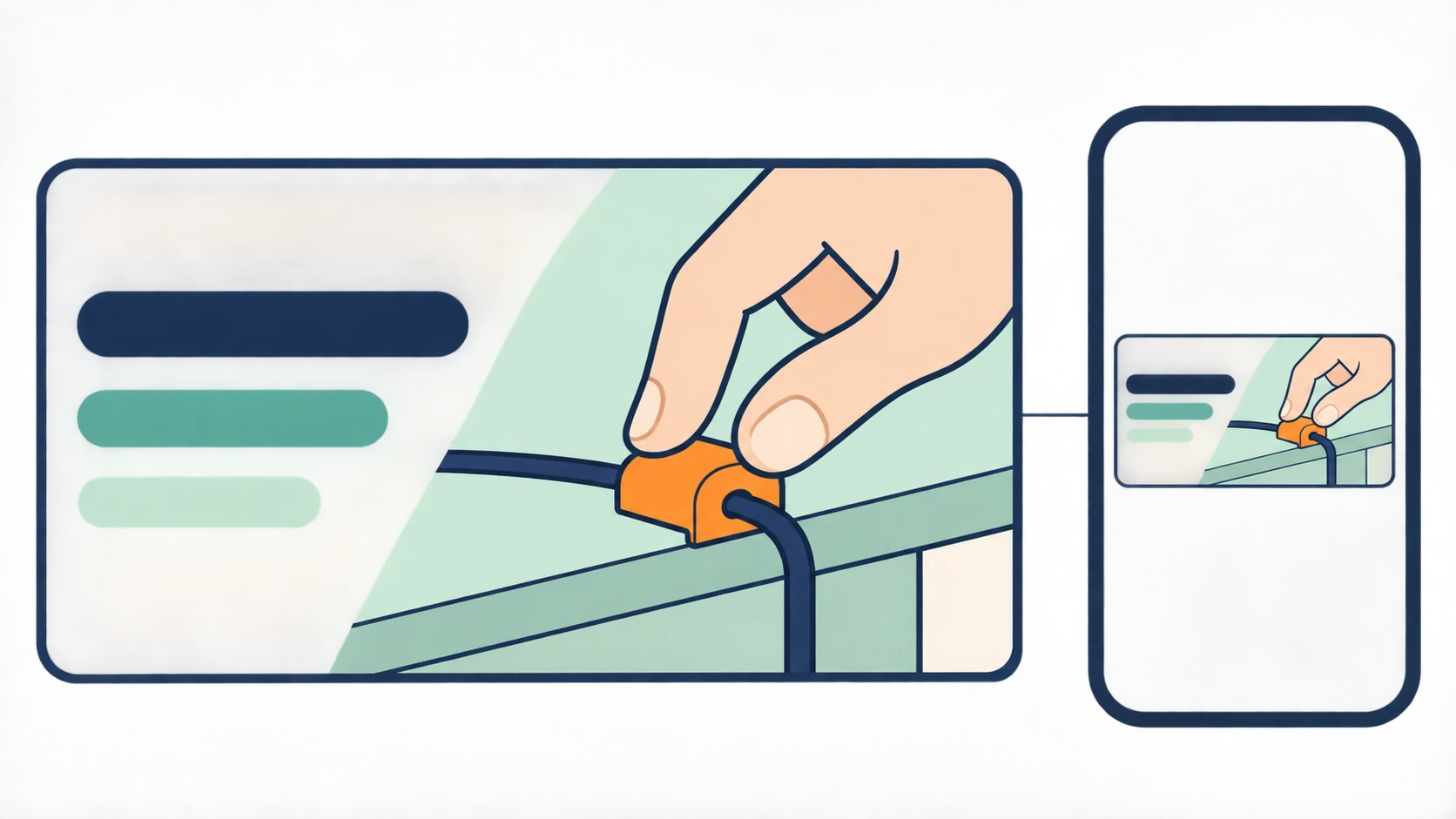
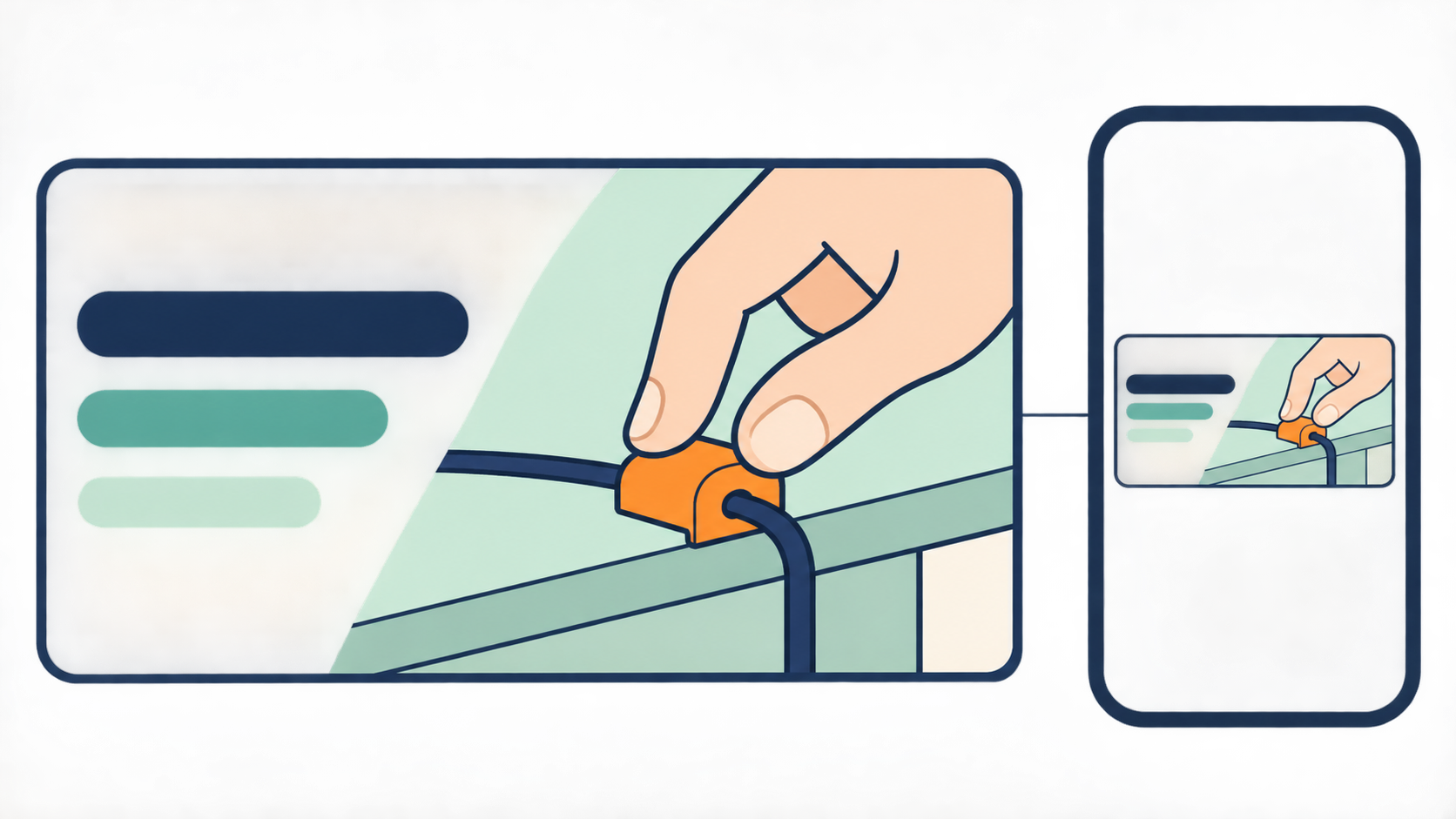
A thumbnail can make a video's question clearer. It should not invent a more dramatic answer. When using an AI YouTube thumbnail generator, start with what viewers will expect to see—and whether the video actually delivers it.
Recraft's YouTube thumbnail page describes generating an image from a written prompt and refining it afterward. That supports the basic workflow, not a claim that AI thumbnails increase click-through rates. Its features also cannot be assumed to exist in other tools. For individual creators and small teams, the more useful question is how to turn real video content into concepts you can evaluate.
Give the thumbnail one truthful promise
Imagine a video for people setting up a home office, demonstrating how to secure desk cables. This is an illustrative planning example, not a tested project.
If the video shows cables being attached to a desk edge, the thumbnail can emphasize that action. If no one timed the process, do not add “Done in 30 seconds.” If the video does not show the same desk before and after, a generated transformation should not imply a documented result. Likewise, a synthetic portrait should not suggest that someone participated when they did not.
Write a short internal brief:
> For home-office beginners. Show how desk cables are secured. Make no promise about time, price, or productivity gains.
Use that boundary for both image and copy. “Where do the cables go?” presents a question the video can answer. “Double your productivity” adds an outcome that needs evidence.
Compare compositions, not just color schemes
Keep the promise constant and change a meaningful layout variable. Should viewers first notice the action, or recognize the object?
| Concept | What should register first | Copy placement and trade-off |
|---|---|---|
| Action close-up | A hand securing a cable at the desk edge | Leave space opposite the action; keep text off the attachment point |
| Object detail | The relationship between the cable and its holder | Place short copy over a quiet area; small components may become hard to recognize |
These are design hypotheses to compare, not proven winners. Do not use a concept that depicts something absent from the video.
Consider generating a text-free base image and adding accurate copy separately. This makes text revisions easier to isolate; it does not mean any generator can guarantee accurate lettering. An illustrative image description could be:
> Landscape video thumbnail concept. Close view of a hand securing a desk cable at the desk edge, with the attachment point clearly visible. Main subject on the right, clean space for copy on the left, simple background. No lettering, branding, timer, or before-and-after comparison. Check object appearance and physical relationships against the actual video.
To create new candidates, enter your description in InkRoom's image-generation interface and choose a configured model shown there. Availability, settings, and fees depend on the current interface and account configuration. This is an image-creation entry point, not a promise of dedicated YouTube typography tools or automatic readability checks.
Check the image on a phone, not only on a large canvas
View candidates on a phone at approximately the size they would appear in a feed, with the video title beside them. Do not zoom in to decide whether small lettering works.
First cover the copy and see whether you can recognize the subject and action. Then check whether the lettering separates from its background without depending on delicate outlines. Finally, read the title and thumbnail together. If both merely repeat “desk cable management,” the thumbnail copy could ask a more specific question instead of adding more words.
Match the revision to the problem. If the subject is unclear, crop tighter or remove secondary objects. If text blends into the background, move it to a quieter area or adjust its backing. If decoration steals attention, remove it before making every element brighter. These are manual review suggestions, not tested rules for increasing clicks.
If an existing candidate needs composition or background changes, consult InkRoom's existing-image editing entry and confirm that the current interface supports the operation you need. The existence of an entry point does not guarantee a particular editing capability or outcome. Recheck text and object relationships yourself afterward.
Look for the extra claim the picture makes
Compare the candidate with the relevant video content. Are its tools, people, actions, and results supported by what viewers will see? A generated concept can help with design, but should not pose as a captured demonstration or a documented transformation. Use actual video imagery when the picture needs to substantiate a result.
Keep three judgments separate: whether the thumbnail is truthful, whether it is readable on a phone, and whether it performs better. The first two can be reviewed manually. The third needs real publication data; an attractive generated image is not evidence of a click-through-rate improvement.
Related articles and cases
- AI Wedding Invitation Generator: Layout, Names, Dates, and Print Delivery
Turn a wedding brief into an invitation visual without treating the generated image as a finished invitation. Plan text hierarchy, verify event details, and prepare digital and print versions separately.
- How to Choose an AI Image Editing API: Inputs, Masks, Async Results and Cost
Evaluate an image editing API against delivery requirements, not just sample images. A developer-focused method for checking input contracts, recovering uncertain requests, testing preservation and reconciling actual costs.
- AI Floor Plan Generator: From Layout Ideas to Measurement Review
Turn room requirements into a conceptual layout without mistaking an attractive image for a measured plan. Learn what to describe, how to compare arrangements, and what to check against original measurements.
- AI Image Prompt Engineering: Describe the Goal, Layout, and Editing Constraints
Use a vase-banner example to turn purpose, subject, composition, style, and constraints into a readable prompt. For existing images, separate requested changes from details to preserve. These are writing examples, not tested image results.