AI Product Background Generator: From Real Photos to Usable Scenes
A better background is only useful if the product still represents what you sell. Choose between white-background and lifestyle images, describe the edit, and compare product details before using the result.
·
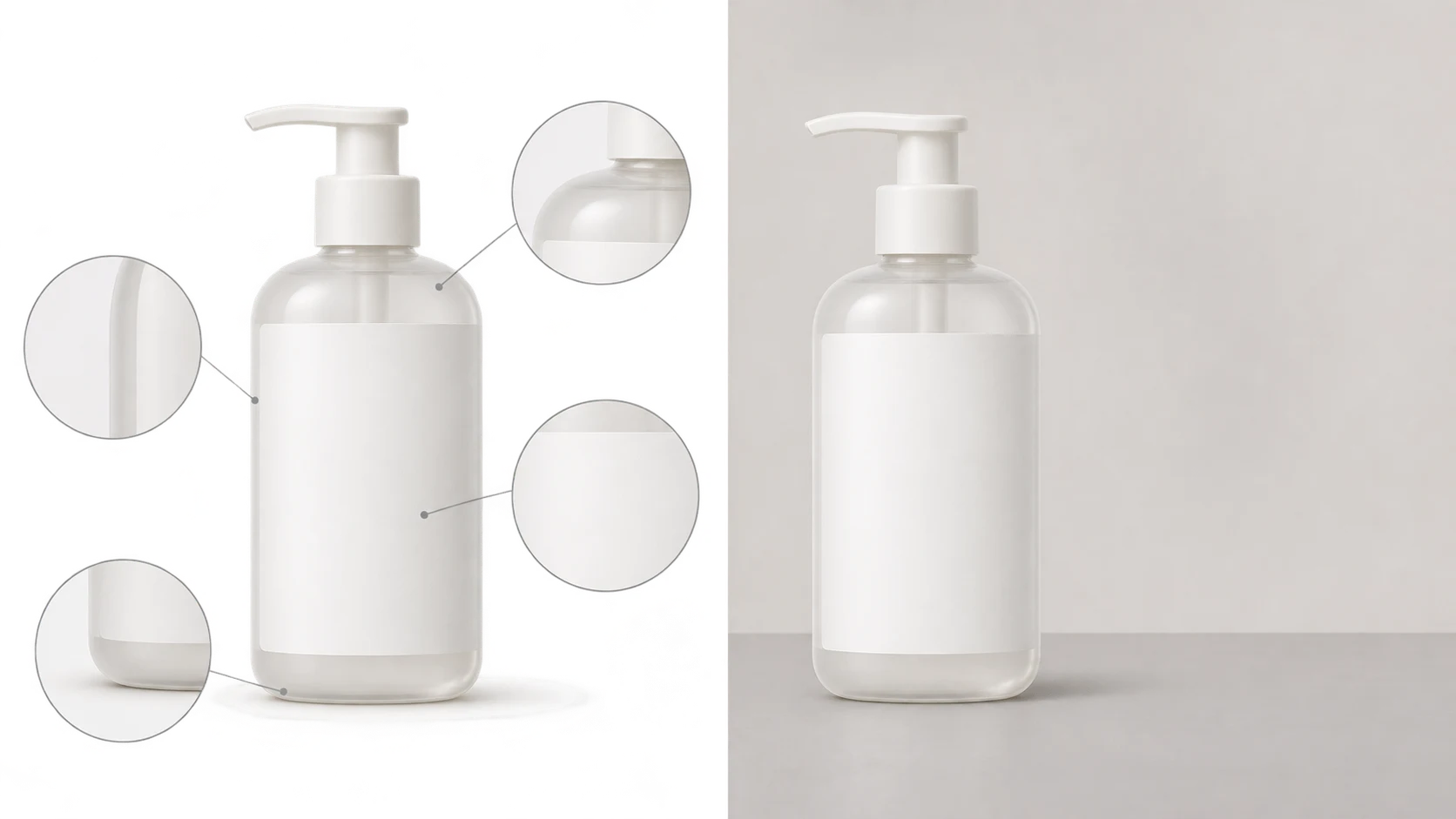
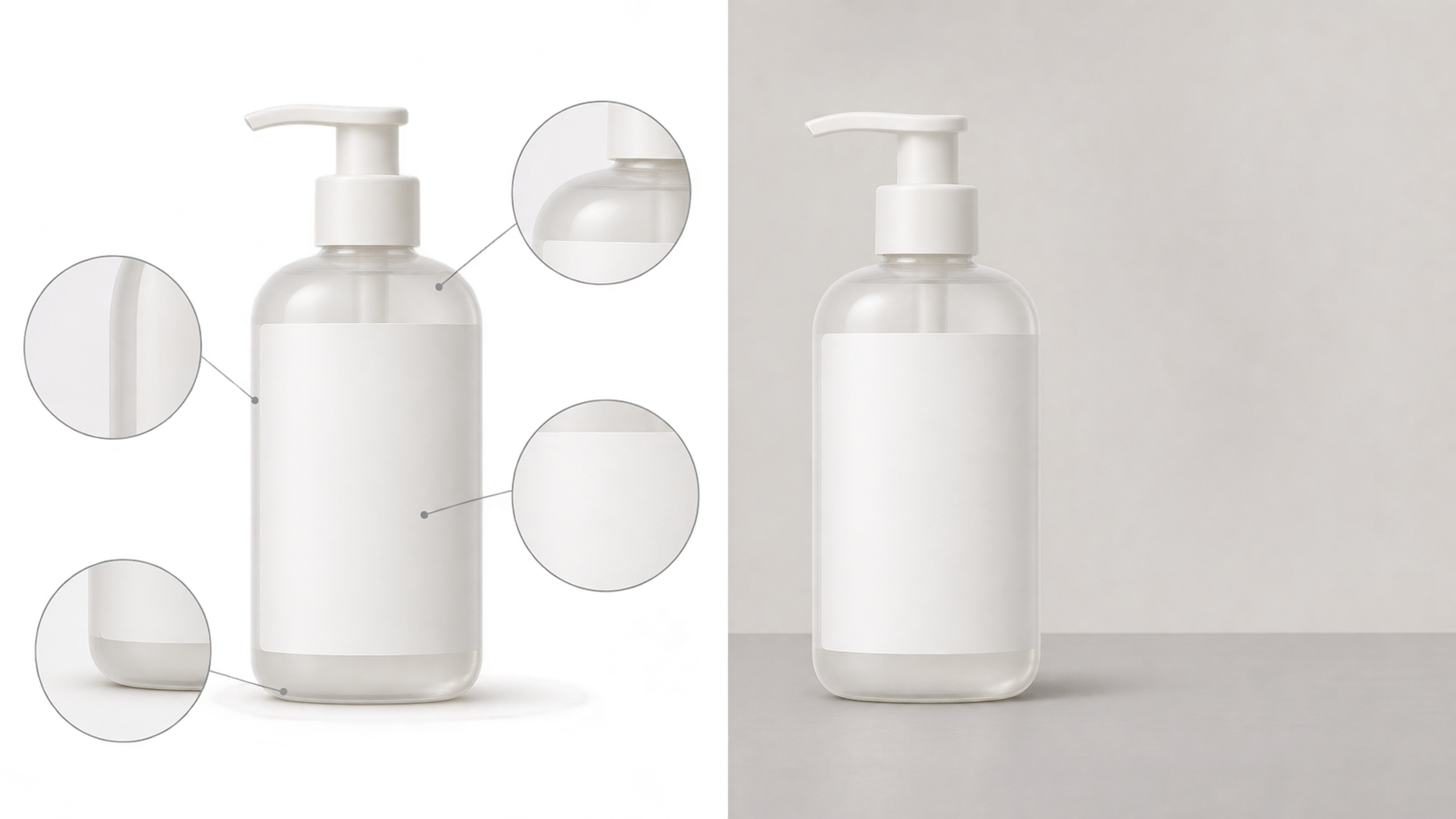
A beautiful backdrop cannot rescue an inaccurate product image. A wider bottle cap, a missing line on a label, or an added accessory can make an attractive scene misrepresent what is actually for sale.
If you are searching for an AI product background generator and already have a real product photo, frame the task as editing that photo’s background—not generating a similar-looking product. The destination might be a white-background listing image or a marketing scene. Whether the product remains accurate is a separate question to check.
Photoleap’s background generator page describes product backdrops for e-commerce, advertising, and social media, along with a workflow that starts with uploading a photo. That establishes common uses, not evidence that every tool preserves product details. The approach below is a suggested editing and review method, not a tested performance report.
Choose the job before choosing the scene
White-background images help shoppers inspect the product. Lifestyle scenes add context, but they also introduce clues about scale, materials, and what might be included in the purchase.
| Intended use | What to request | What to review first |
|---|---|---|
| White-background display | A simple white background, an intact silhouette, and restrained contact shadows | Clean edges, separation around pale products, and the destination’s actual image requirements |
| Marketing scene | A defined surface, setting, light direction, and space for layout | Ground contact, apparent product color, and props that could imply included accessories |
A white background does not automatically satisfy every marketplace’s rules. Check the actual destination requirements before deciding on shadows, cropping, or background details.
A lifestyle scene does not need a collection of props, either. If a tray, cup, or charging accessory could be mistaken for part of the offer, removing it is safer than relying on an easily missed clarification.
Turn “background only” into a specific editing request
Keep an untouched copy of the source photo. Choose an image that clearly shows the silhouette, label, surface texture, and actual accessories. Generated text should not be used to establish what an unreadable original label says. If an essential detail is unclear, photograph it again rather than asking the model to guess.
Start with an editing description like this and adapt it to your product:
> Use this product photo as the source and change only the background. Place the product on a light-gray matte surface against a simple pale wall, with light coming from the upper left of the frame. Preserve the product’s shape, proportions, label text, materials, and actual accessories. Do not add accessories, decorative text, or packaging. Keep the product in contact with the surface and leave space on the right for layout.
“Preserve” is an instruction and a review criterion, not a fidelity guarantee. For a white-background image, replace the setting description with a white backdrop and specify shadows according to the publishing requirements.
To try the edit, submit the existing photo and editing description through InkRoom’s image editor. Available models and parameters depend on the current interface configuration. The editor does not guarantee subject fidelity, accurate text, or unchanged structure. Review the output before using it; a completed request is not an approved product image.
Compare the product before judging the backdrop
Open the original and candidate side by side, with the product displayed at roughly the same size. Inspect the object first and the scene second so that the new setting does not distract from changes to the merchandise.
Shape, labels, and accessories. Follow the silhouette and compare proportions, openings, handles, fasteners, and other identifying details. Read visible brand names, model numbers, capacities, and other label text individually. Count the actual accessories. “It looks like the same product” is not the same as matching those details.
Edges and transparent areas. Zoom in on thin stems, holes, cutouts, and clear materials. Look for leftover background, pale halos, erased details, or pieces of the old setting still visible through glass. Transparency involves more than the outer edge: the background seen through the product also needs inspection. If you cannot judge it reliably, keep the original or use a more controlled local editing method.
Contact shadows and reflections. Is there an implausible bright gap under the product? Does the shadow conflict with the scene’s light direction? Does reflective packaging still clearly show the old environment? These are suggested inspection points, not proof that a pleasing background makes the composite physically convincing.
Then view the image at its intended display size. Magnification helps reveal defects; the final size helps you judge legibility, prominence, and cropping. Neither view replaces the other.
Record why a candidate is usable
For each candidate, save the source filename, editing description, model and parameters shown in the interface, output filename, intended placement, and review decision. Mark missing settings as “not recorded” rather than reconstructing them from memory.
Make the decision specific: “Label matches the source; a pale halo remains under the bottle—revise” is more useful than “looks good.” This is an example of review wording, not a result from a test conducted here.
If the product has changed, revise or reject the candidate rather than hiding the problem behind a more elaborate scene. An image useful for planning a social post may still be unsuitable for showing product specifications. A usable result meets its intended purpose and survives comparison with the source—not merely a resemblance to polished advertising.
Related articles and cases
- AI Ad Creative Generator: Make Room for the Product and the Message
Plan an ad background around real copy, keep product and offer details accurate, and adapt the composition rather than simply resizing the finished image.
- AI Image Generator for Ecommerce: A Workflow for Product, Lifestyle, and Marketing Images
Decide what each image must prove before choosing generation or editing. Separate real product evidence from creative concepts, review every deliverable, and compare costs using usable images rather than generation counts.
- AI Product Image Editor: Change the Scene, Not the SKU
Define what may change in an existing product photo, write a bounded editing prompt, and verify the result against SKU records and physical references. Judge efficiency by approved images and review time—not generation volume.
- Hand Model Product Photography: Natural Grips, Credible Contact
Plan small-product shots around visible details, believable support and useful scale cues. Learn what to check in a real photograph or an AI composition sketch without treating either a hand or a generated image as measurement evidence.