AI Moodboard Generator: Turn a Visual Direction Into a Creative Brief
Give each reference a specific job, generate concepts that answer a clear visual question, and translate the selected direction into production requirements—not a collage mistaken for a finished ad.
·
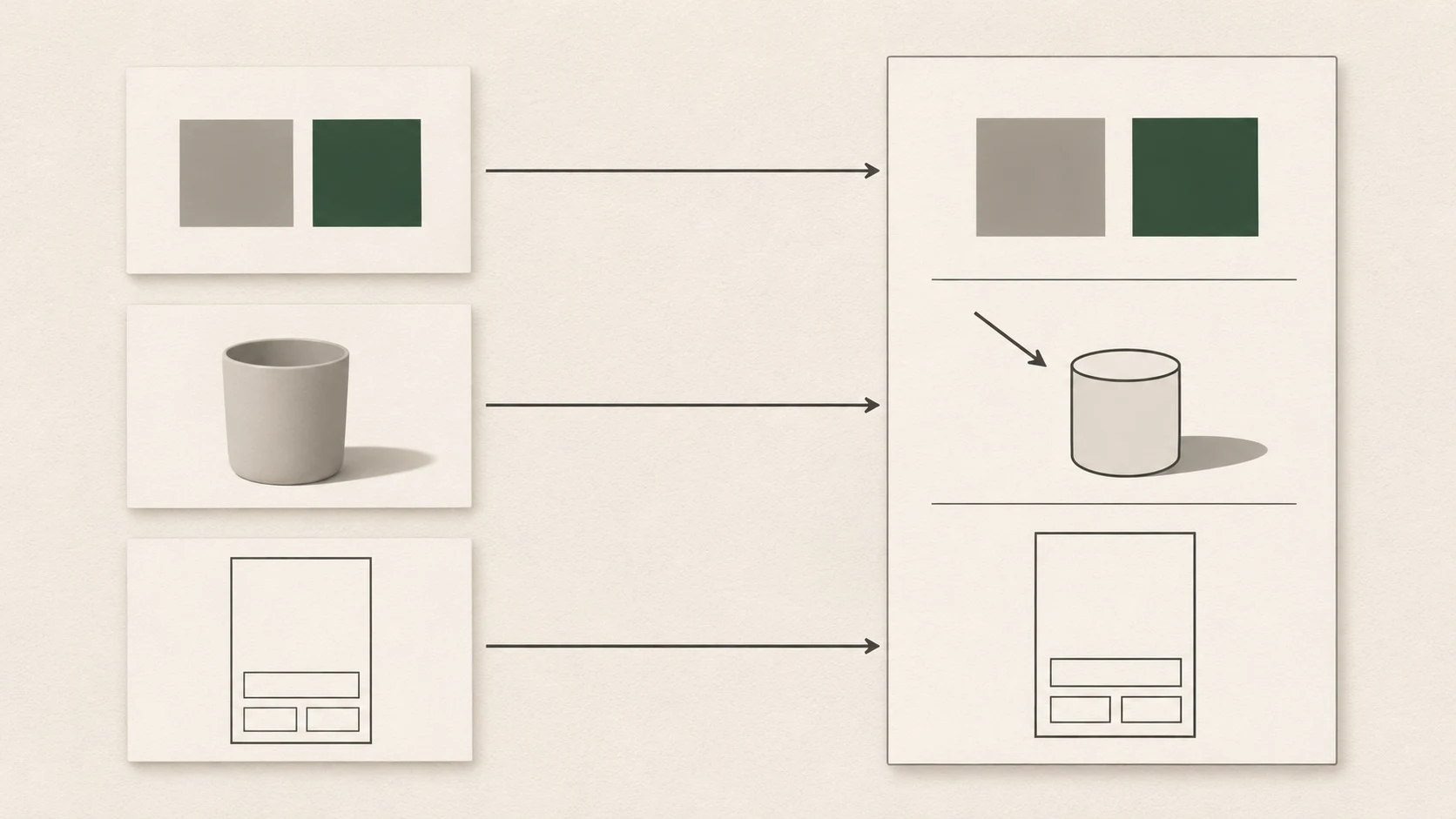
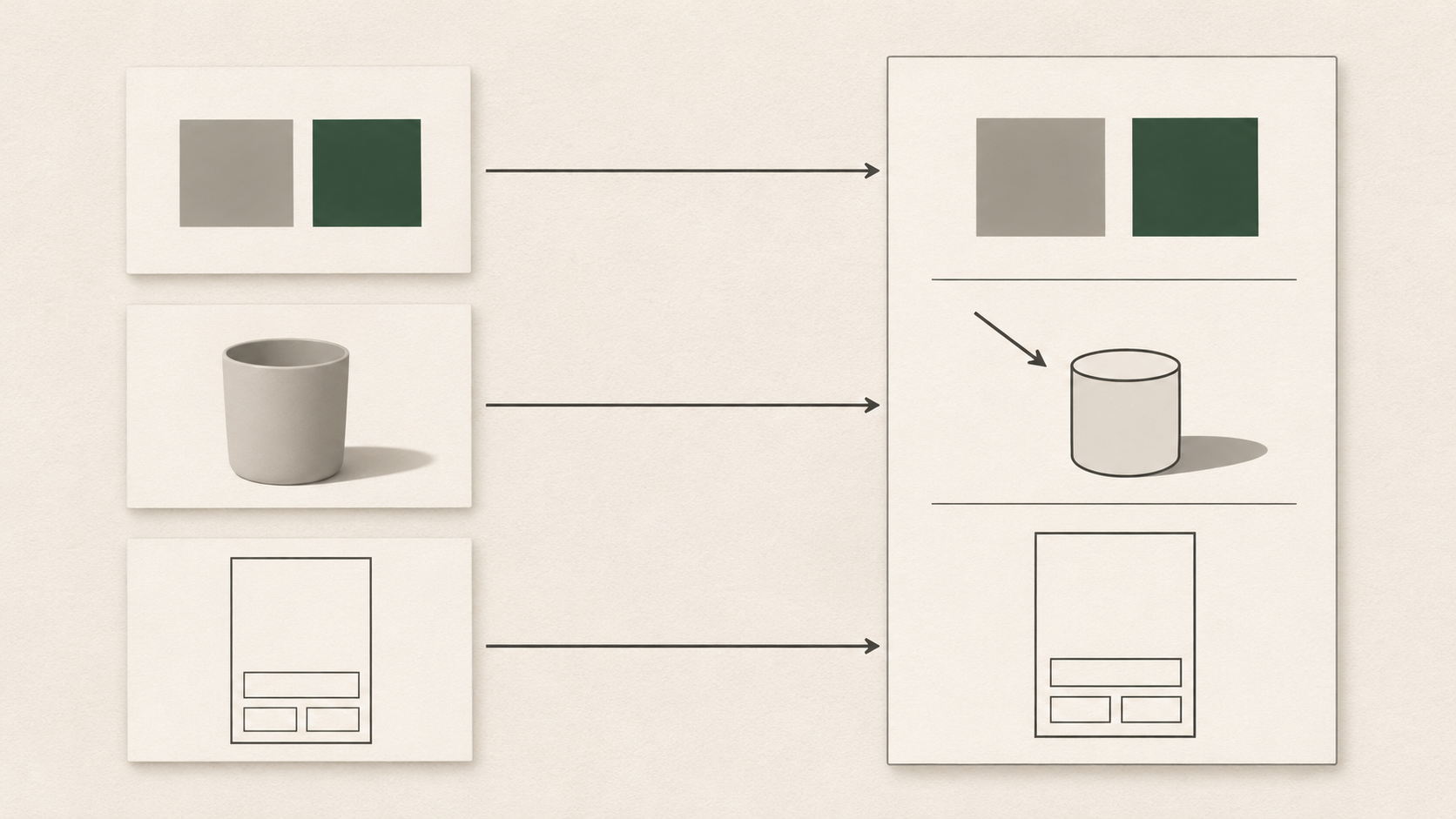
A moodboard can look convincing and still leave a designer unsure what to make. Is the team approving the warm light, the product shape, or simply the empty space around it?
Use an ai moodboard generator to explore visual hypotheses, not to skip those decisions. The board communicates a direction. The creative brief explains how to execute it. A generated image does not automatically bridge that gap.
Work backward from the image you need to deliver
Write down who the image is for, what it should communicate, and where it will appear. A channel is more than an export size: it affects framing, copy placement, and how much of the subject needs to remain visible.
Consider a hypothetical project: a reusable-cup brand wants a vertical social ad for commuters, expressing a quiet, orderly daily routine. This is an illustrative assignment, not a client case or a tested campaign.
“Premium and minimal” leaves too much open. More useful constraints are: the cup must remain the main recognizable subject; the background should not compete with it; the upper area needs room for a headline. Existing brand marks, approved colors, and the actual product appearance remain constraints, even when a generated alternative looks attractive.
Now reference gathering has a purpose. You are looking for answers about lighting, material treatment, and layout—not collecting everything that shares a broad aesthetic.
Give each reference a job
Miro’s AI moodboard page recommends describing style, mood, colors, composition, and context in prompts. Separating those dimensions also makes reference images easier to explain.
Beside each reference, record its source URL, what you intend to borrow, what you are not adopting, and what remains unresolved. This is a suggested annotation method, not a list of assets already collected:
| Reference role | Useful annotation | What it does not establish |
|---|---|---|
| Color | Warm–cool relationship and accent placement | Official brand color values |
| Composition | Subject position, crop, and copy area | Suitability of the entire original layout |
| Material and light | Matte finish, soft side light, shadow edges | How the real product will photograph |
| Typography | Weight, width, hierarchy, and candidate font names | Permission to use the referenced font files |
Recording a source is not the same as obtaining permission. Check applicable usage conditions separately for assets or fonts intended for delivery. Keep external references, existing brand assets, and AI-generated concepts distinguishable on the board.
Make each generation round answer a question
Instead of combining “premium, warm, futuristic, natural, and retro,” choose a direction and describe observable conditions.
For the hypothetical cup project, a draft prompt could read:
> Concept image for a reusable-cup advertisement, vertical composition. One unbranded cup in the lower half, off-white background, low-saturation warm grays with a small dark-green accent. Soft side light emphasizing a matte surface. Keep the upper area clear for a headline; no generated lettering or logos. Quiet, orderly mood. For visual-direction exploration only, not a specification of the real product.
This is an illustrative prompt, not a tested recipe or a guarantee that a model will satisfy every condition. Check the real product’s shape, color, and branding against actual product materials.
To create new concepts, open InkRoom’s image-generation page, enter a prompt, and select a configured model. Availability, parameters, and fees depend on the current interface and account configuration. Label outputs as AI-generated concepts in your chosen moodboard document; this entry point is not a claim of built-in board organization, collaboration, or brief assembly.
For a useful comparison, keep the subject, framing, and background descriptions unchanged while varying the lighting request—for example, soft side light versus more even diffuse light. Save the prompt, visible settings, and reasons for keeping or rejecting an image. Other visual features may still change, so inspect each output rather than assuming a perfectly controlled experiment.
Feedback should name the production issue: “The shadow crosses the headline area” is more actionable than “It needs to feel more premium.” If typography matters, use a separate typesetting sample rather than asking a concept image to establish accurate lettering.
Translate the selected direction into production instructions
Do not hand off the collage alone. Add a brief that turns the visual choices into requirements. For the hypothetical project, that might mean:
- Communication task: convey a quiet, orderly commute. Do not infer insulation or durability claims from the concept image.
- Selected visual decisions: low-saturation warm neutrals, soft side light, a lower-half subject, and headline space above.
- Constraints to preserve: actual cup geometry, confirmed brand colors, and logo rules. Confirm typography separately using an appropriate font sample.
- Next production task: create the image from real product materials and lay out the actual headline. Add placement dimensions, delivery format, owner, and approval timing to the handoff.
- Open questions: whether the lighting suits the real material, whether the headline crowds the subject, and whether the selected assets and fonts are suitable for the intended use.
The goal is not a larger board. It is a board whose choices another person can explain and execute. If the recipient still has to guess whether you approved the palette, the object, or the layout, improve the annotation before generating more images.
Related articles and cases
- AI Map Generator: From Worldbuilding Notes to a Usable Fantasy Map Draft
A fantasy map needs more than convincing mountains and rivers. Use a fictional river-crossing scenario to turn worldbuilding notes into visual constraints, then check names, routes, distances, and what players should see.
- AI Diagram Generator: From Source Notes to Verifiable Structure
Turn source material into nodes, relationships, and traceable references before generating a diagram. A clearly fictional example shows how to preserve unknowns, review branches, and choose an editable handoff or an API workflow.
- AI Tattoo Design Generator: Turn an Idea Into an Artist Brief
Use AI to make your tattoo idea easier to discuss, not to declare it ready to tattoo. A hypothetical brief shows how to describe placement, size, and line preferences, then review the concept with a professional tattoo artist.
- AI Pixel Art Generator: From Style References to a Consistent Grid
A retro-looking image is not automatically a usable sprite. Define the intended use, logical grid, and limited palette, then explore silhouettes and check scaling, transparency, and frame consistency before delivery.