AI Image Text Translation: From OCR to a Publishable Layout
Translating an image takes more than replacing words. Separate OCR, translation, background work, and typesetting, then check a promotional graphic for errors in names, prices, dates, and fonts.
·
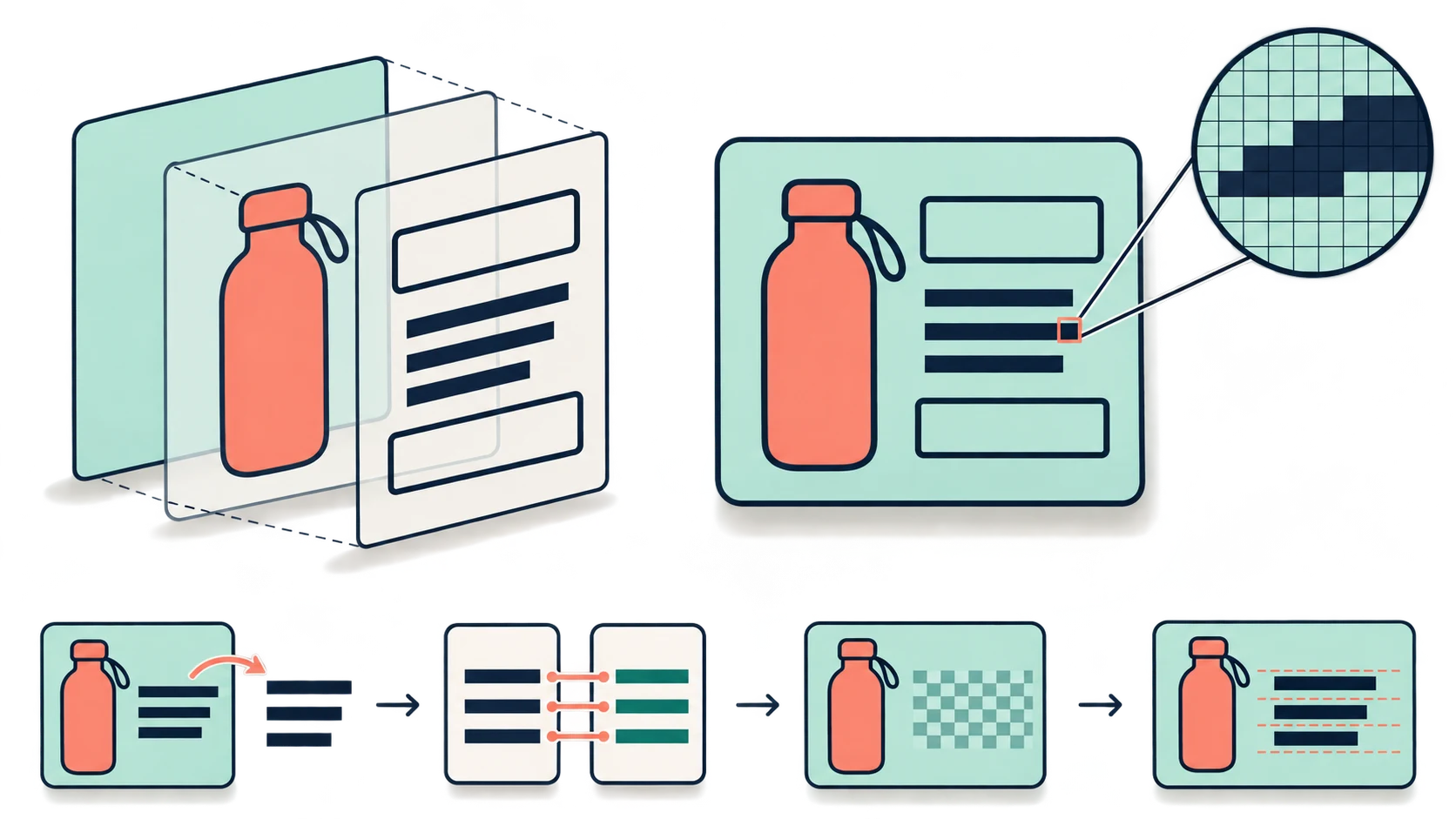
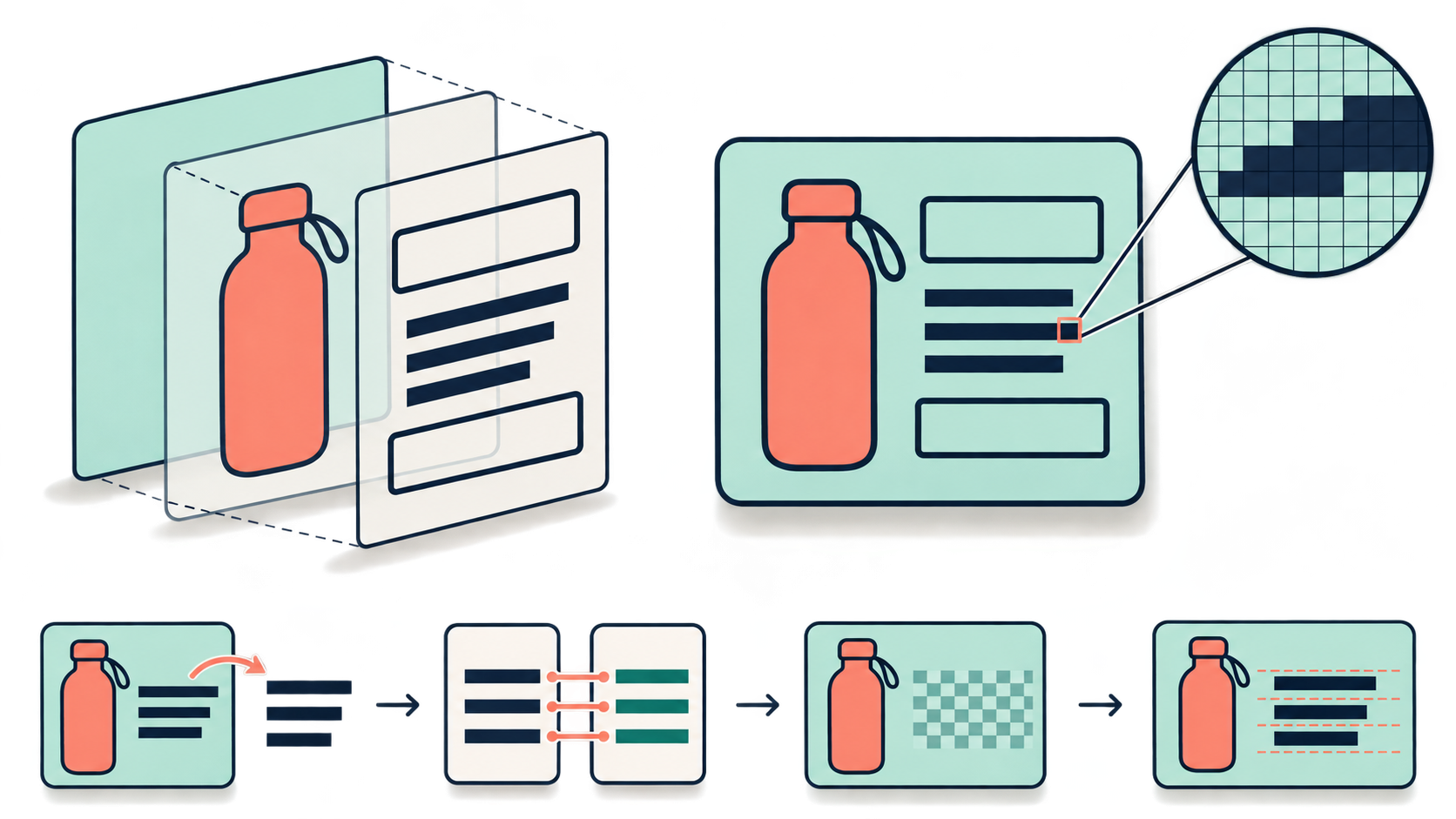
A translated promotion can sound natural and still be wrong: a digit disappears from the price, or the offer deadline falls outside its text box. Better wording alone will not fix either problem. The copy and the image need separate attention.
For AI image text translation, decide whether you need to understand an image or publish a translated version. Reading may only require text extraction and translation. Publishing also requires handling the original lettering, setting the translated copy, and checking the exported file. The workflow below is a suggested method, not a tool test or a claim that one product performs every stage.
Can you still select the text?
Open the original design file and try selecting and changing a few characters. If the text remains an independent object, work on a copy and replace it there. Outlined lettering or merged objects, however, are not the same as editable text.
If you only have a JPG, PNG, or screenshot, treat it as a flattened image: the visible letters are pixels, not ready-made text boxes. OCR extracts recognized text; it does not thereby recover the original font, layers, or layout relationships.
Think of layout preservation as retaining product placement, information hierarchy, and reading order—not forcing every translated word into the original word’s exact footprint. The Toolsmart reference article also discusses recognition alongside layout needs. Its claims about tool performance and security are not treated here as verified evidence.
Separate recognition from translation
Before uploading, confirm permission to use and upload the material, and read the chosen service’s current data policy. For confidential client work or unreleased campaigns, stop if the policy is unclear. This guide has not verified any service’s retention rules.
Extract first, without rewriting. Divide the graphic into regions such as headline, price, deadline, button, and footnote. Keep the original capitalization, punctuation, and numbers. Mark uncertain characters instead of asking the translation stage to guess them. Compare the extraction with the image, paying attention to 0 versus O, decimal points, currency symbols, and minus signs.
Translate with context. Supply the target language and region, product category, approved brand spelling, and offer conditions. Keep explanations and questions outside the replacement copy. Confirm the transcription before assessing the translation; otherwise, an OCR error can be mistaken for a translation error.
This fictional promotional graphic illustrates a copy ledger. It is not a real offer, price, or test result.
| Source text | Translation constraint | Check in the final image |
|---|---|---|
| NOVA | Assume this is the approved brand spelling for this example | Spelling, capitalization, and placement |
| 20% OFF | Preserve a 20% reduction, not “pay 20%” | Keep the number attached to its offer wording |
| $39.00 | No currency conversion in this example; confirm the currency before real use | Symbol, decimals, and clipping |
| Ends 2026-12-05 | Defined here as December 5, 2026; closing time and time zone remain unconfirmed | Local date wording and visibility |
Remove the old lettering without redesigning the product
Once the translation is approved, address the original text. If it is on a separate layer, hide or replace that layer rather than rebuilding the background.
For a flattened image, limit work to the areas that need replacement and keep an untouched original for comparison. Text on a plain panel presents a different task from text over fabric, packaging, or a product edge. If hidden details cannot be restored credibly, consider a deliberate text panel or a different placement instead of presenting invented product details as a faithful restoration.
For an optional next step, open the InkRoom image-editing entry after checking upload permission and data policies, then see whether the current interface offers the operation you need. This is an entry point, not verification of OCR, automatic translation, background repair, layout preservation, or editable text layers. Translation review and typesetting still need separate arrangements.
Fit the translated copy—not just a smaller font
Lock down brand names, numbers, offer conditions, and required explanations first. Then adjust box width, line breaks, and spacing. Do not remove price conditions to fit the box or shrink a footnote until it becomes unreadable.
Preserve the hierarchy while allowing the target language to wrap differently. Check every character actually used, including CJK characters, accents, and punctuation. A familiar font name alone does not establish that the exported file will render all of them correctly.
Inspect the exported image, not only the editor preview. Zoom in for leftover lettering, altered product edges, missing glyphs, and clipping; then read the headline, price, and deadline at the intended display size. Accurate copy that cannot be read is not ready to publish. Keep the original, approved copy ledger, and editable working file so later price or date changes do not require reconstructing the job.
Related articles and cases
- AI Color Palette Generator: Extract Colors for a Consistent Image Series
Turn colors from an AI image into a working palette: record HEX/RGB values, assign roles, check actual contrast pairs, and reuse the palette in edits or new images without treating one picture as a brand standard.
- AI Brand Mascot Generator: From Character Brief to Channel Assets
Define what must stay recognizable before expanding a mascot into expressions, poses, and layouts. Use a front-view reference and actual placement checks to turn a promising image into a manageable set of brand assets.
- AI Image Generation for Print on Demand: From File to Product Sample
A poster, mug, and garment give the same artwork different boundaries. Learn how to relate pixels to print size, adapt the composition, preserve upload versions, and examine samples without treating generated artwork as automatically print-ready.
- AI Image Licensing for Ecommerce: Permissions and Product Accuracy
Separate output terms, third-party asset licenses, input permissions, and product accuracy. Use an image-level record tied to the SKU without treating tool access as permission to publish.