AI Garden Design Generator: Explore Layouts, Then Check Growing Conditions
Turn a yard photo into a clearer design brief, explore layout separately from seasonal color, and check promising ideas against site measurements and local plant information.
·
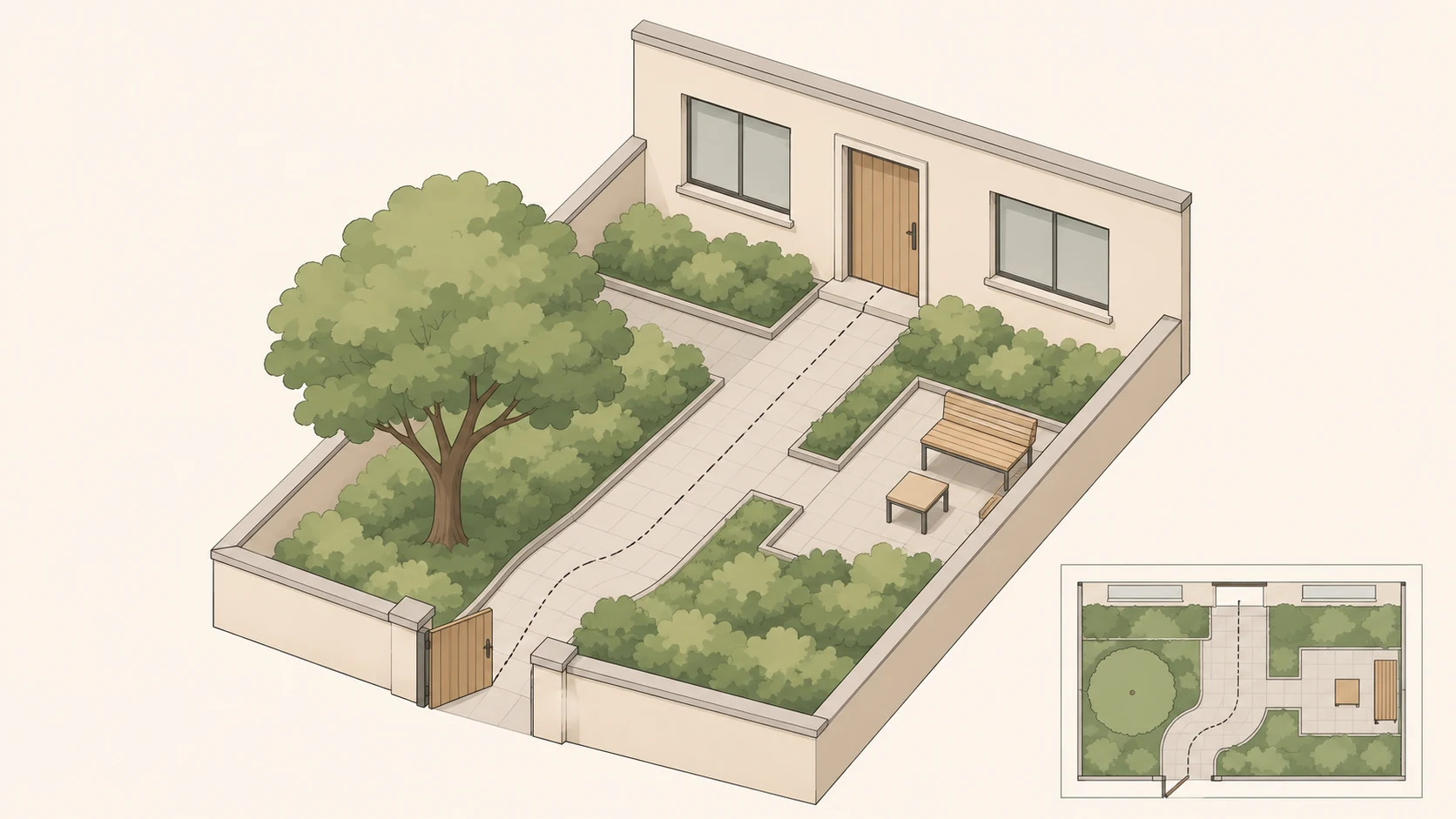
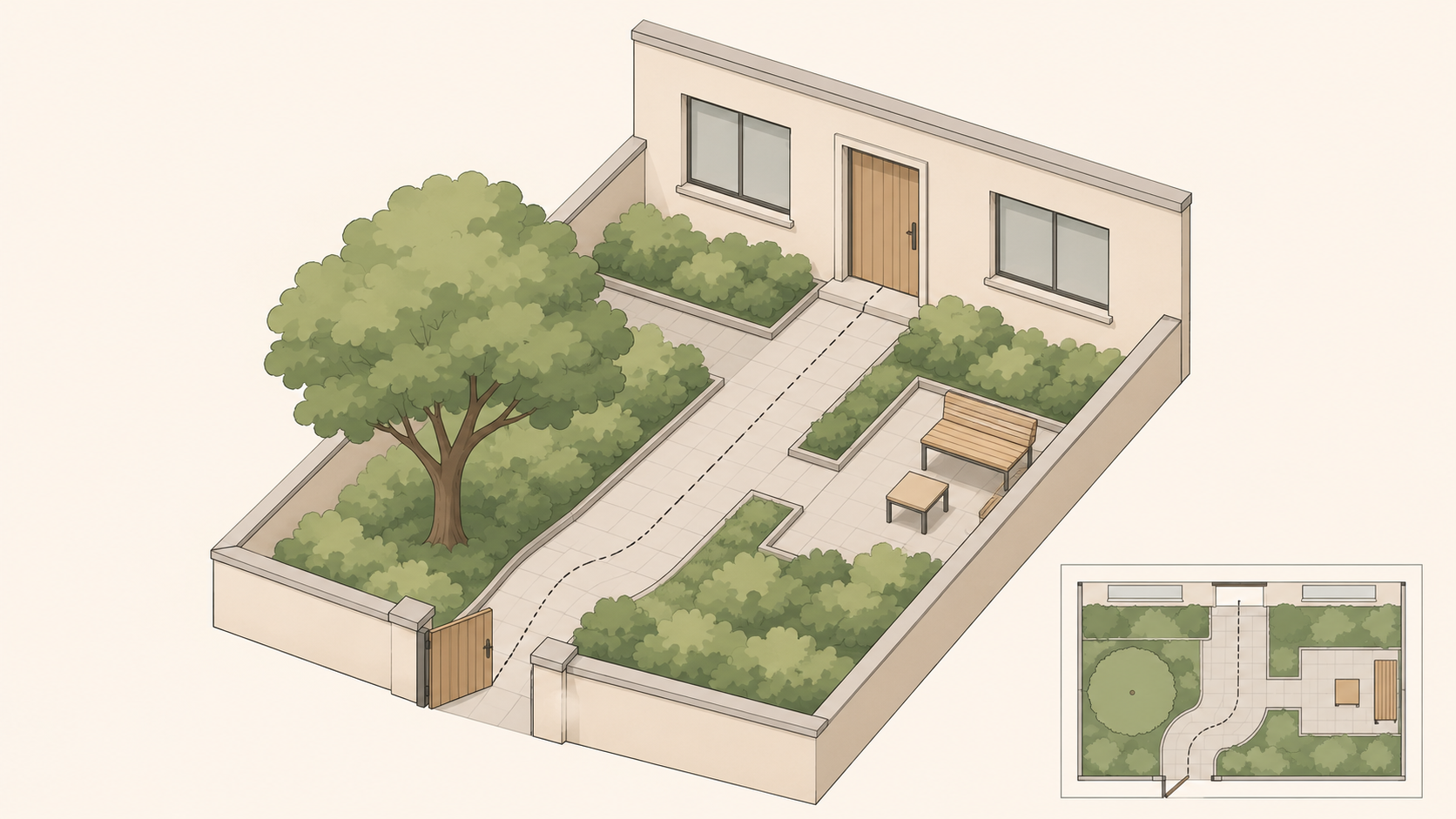
An ai garden design generator can help you explore a useful question: would a different layout make this yard work better? A convincing image cannot establish path dimensions, drainage, or whether the plants shown will grow on your site.
The Yard Designer features page describes photo-based concepts, planting layouts, and seasonal renderings. Those are the vendor’s descriptions, not evidence of planting success or capabilities shared by other tools. The approach below is a suggested concept-design method, not a completed project or a hands-on product test.
Give the image a site brief
A photo records appearances, not every constraint. Keep useful reference points in frame: the house edge, gate, existing paths, and trees. Record where the photo was taken and which way the camera faced; the left side of an image is not necessarily west.
Your brief should explain who uses the yard, where they need to go, and what must remain. Leave unknown measurements marked as unknown rather than asking an image to resolve them.
> Explore a garden redesign concept using the attached photo. Keep: [existing trees, walls, doors, windows, and fixed features]. Main use: [seating, access, or another actual need]. Keep this route clear: [start to destination]. Measured dimensions: [details, or “not yet measured”]. Orientation and sun observations: [dates, times, and observations]. For this round, explore planting-bed boundaries and seating position only. Do not change the building structure. Treat depicted plants as unverified. This is a discussion image, not a construction drawing.
If you have an existing photo, you can take it and this brief to the InkRoom editing entry to check the available options. Features, models, settings, and costs depend on the current interface and account configuration. This does not promise plant identification, automatic suitability advice, or professional planting plans. If the interface does not support a required operation, do not assume a prompt will make it possible.
Separate layout from seasonal color
Start with a spatial question rather than a spectacular flower display. For example, compare a seating area near the house with one near a yard corner. Ask for the building, boundaries, and established trees to remain consistent, then check whether each result actually respects those constraints.
Trace the real journey through the space. Does a bed interrupt the gate-to-door route? Can doors still open? Is there room to reach planting for pruning, watering, and moving equipment? Transfer promising boundaries onto a simple plan sketch and measure them on site. A generous-looking gap in perspective is not proof of sufficient clear width.
Once a layout is worth developing, explore seasonal color without intentionally changing that layout. Compare color placement, planting height, and visual density. Descriptions such as “a pale flowering accent” or “an evergreen backdrop” can express the visual aim without pretending a species has been selected.
A picture filled with simultaneous blooms is not a flowering calendar. Whether the plants flower together, or change leaf color at the intended time, remains a separate research question.
Match each design idea to missing evidence
This is not a plant recommendation table. It identifies the information needed before a visual preference becomes a planting decision.
| Idea to develop | What the image helps you discuss | What to verify separately |
|---|---|---|
| Planting around a seating area | Enclosure, boundaries, and spatial relationships | Site dimensions, access and maintenance space, mature plant spread |
| A new flower border | Color placement and visual layers | Sun observations at different times, soil testing or locally appropriate assessment, drainage observations |
| Green structure in winter | The visual role of evergreen mass | Local climate information, candidate plants’ cold and heat requirements, site exposure |
| Color across several seasons | Relationships between color areas | Plant identity, locally relevant flowering records, water and maintenance needs |
For a US site, checking the applicable hardiness-zone information can be a starting point, not a complete suitability decision. Consult locally relevant extension, botanical-garden, or other verifiable plant resources for light, moisture, soil, mature size, and local restrictions. No site-specific or plant-specific evidence was supplied for this article, so it does not recommend species for a particular location.
If a generated plant cannot be identified, record its intended role instead: “a low evergreen backdrop here,” for example. Then look for candidates suited to the actual site. Do not reverse-engineer a definite species from synthetic leaves and flowers.
Keep the concept that explains the trade-offs
The most useful image may not be the most impressive. It should make clear what stays, which route remains open, where screening is wanted, and which planting decisions are unresolved.
Keep the concept beside a dimensioned sketch, site observations, and unverified plant requirements. Refer retaining structures, substantial level changes, drainage alterations, or other specialist issues to appropriate local professionals. The image can communicate the ambition; site evidence must determine whether it can become a workable proposal.
Related articles and cases
- AI Furniture Design Generator: From Style Sketches to Dimension and Material Checks
Use a hypothetical entryway storage bench to explore furniture concepts, identify contradictions between views, and separate visual decisions from dimensions, materials, and construction that need independent validation.
- AI Jewelry Design Generator: From Ring Concepts to Manufacturability Review
Turn ring ideas into concepts you can meaningfully compare, without mistaking a convincing image for engineering evidence. Learn what to record, what different views can reveal, and what to ask a jewelry professional to verify.
- AI Typography Generator: From Lettering Concepts to Usable Deliverables
Decide whether you need a poster image, brand lettering, or an installable font. Then prepare exact text, inspect readability, and verify language coverage, file compatibility, and licensing separately.
- AI Children’s Book Illustration Generator: From Storyboard to Consistent Pages
Plan interior illustrations around story changes, not isolated images. A fictional example shows how to track characters and props, reserve room for text, and distinguish illustration drafts from a finished book.