AI Furniture Design Generator: From Style Sketches to Dimension and Material Checks
Use a hypothetical entryway storage bench to explore furniture concepts, identify contradictions between views, and separate visual decisions from dimensions, materials, and construction that need independent validation.
·
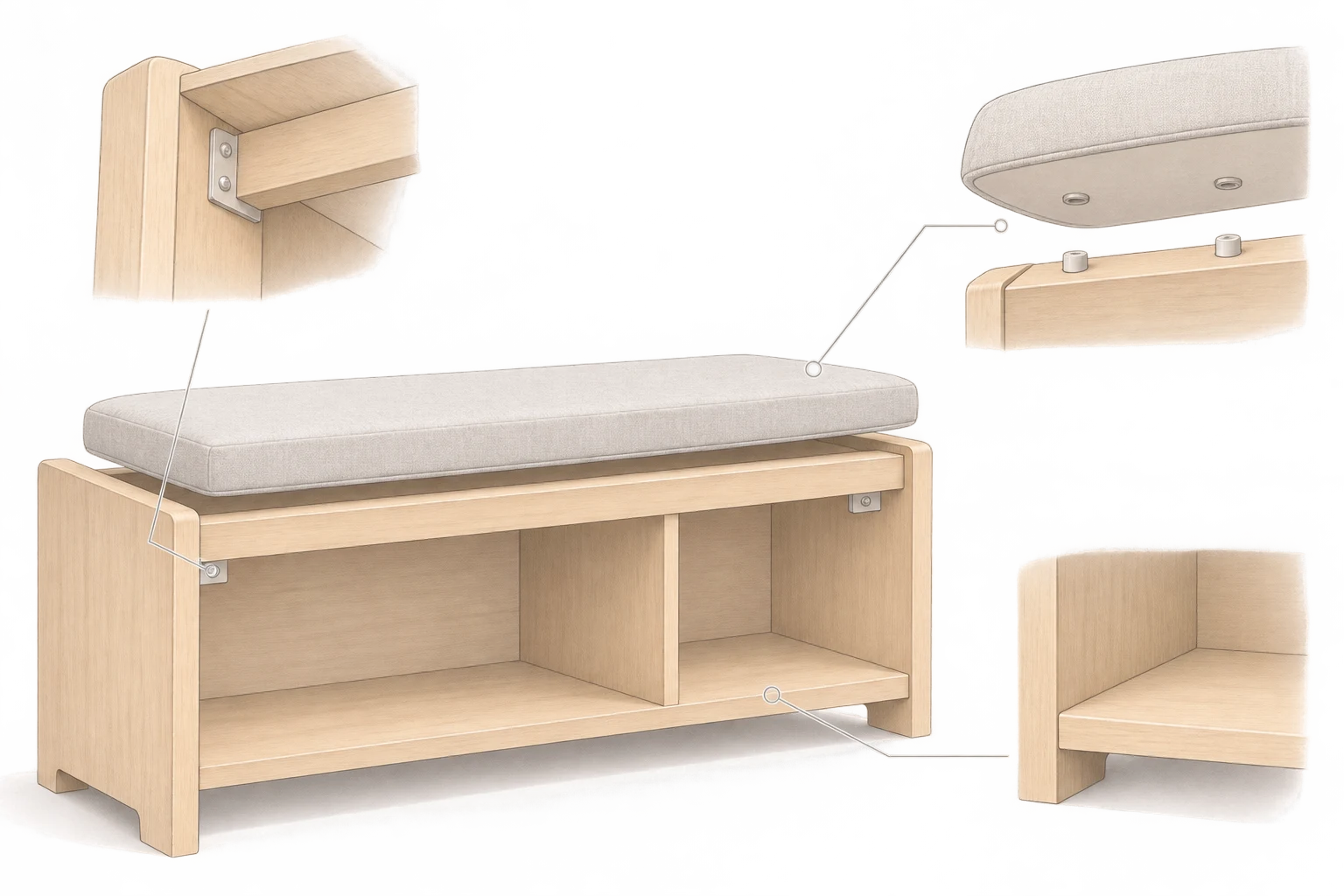
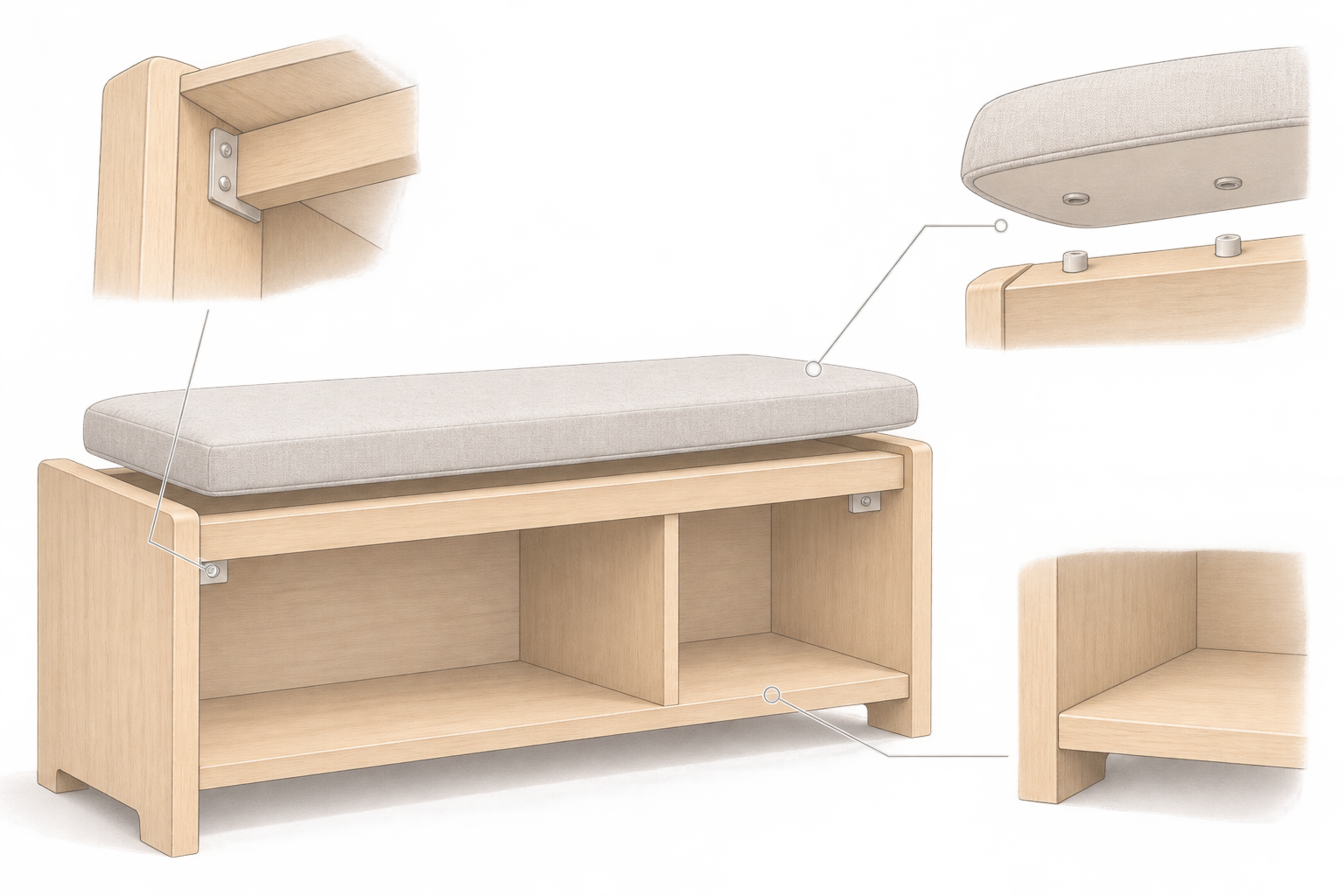
An entryway bench can look perfectly at home in a rendering and still leave important questions unanswered. Does an open compartment interfere with the doorway? Can the intended user sit and stand comfortably? What actually supports that slim seat?
An ai furniture design generator is useful for exploring a visual direction, but the image is not the answer to those questions. This article uses a hypothetical storage bench—not a tested project—to show how concepts can become better discussion material. Mew Design’s furniture design guide makes the underlying distinction explicit: generated images are concept visuals, not verified CAD, cut lists, joinery drawings, or engineering documents.
Let everyday actions shape the object
A storage bench has to accommodate sitting, standing, reaching for shoes, and cleaning. “Minimal wooden bench” says little about those actions. Before generating images, record the site conditions and the intended user’s needs, distinguishing measured information from open questions.
Available wall length, baseboard position, and door movement should come from the actual site. Seat height and depth, and whether support is needed when standing, should be assessed for the intended user. Neither perspective in a rendering nor a dimension written in a prompt proves that the proposed furniture meets those requirements.
Describe materials through use as well as appearance. “Warm timber” suggests a look; “wet shoes may enter the compartment, the interior needs cleaning, and the cushion should be replaceable” gives a designer more to investigate. It does not establish a suitable material specification on its own.
Keep requirements separate from visual variables
A useful comparison holds the project requirements steady while exploring selected visual choices. Otherwise, two appealing images may solve quite different problems.
| Design issue | What to carry into the brief | What an image cannot establish |
|---|---|---|
| Location and clearance | Measured space, door movement, access to stored items | Adequate clearance from perspective alone |
| Seating and storage | How each proposed opening affects everyday use | Ergonomic suitability because the seat looks plausible |
| Surfaces and edges | Finish direction, upholstery, edge treatment | Material specification or durability from texture |
| Support and connections | Questions about the seat, sides, legs, and joints | Reliable construction because a seam is visible |
For a first concept, a suggested prompt might read:
> Explore an entryway bench with shoe storage for a home. The user needs to sit while changing shoes, reach stored items easily, and clean the interior. Site measurements are supplied separately as design requirements; the image is not dimensional evidence. Explore open storage, a removable cushion, and clearly visible supporting components. Timber color and edge shape can vary. Show an isolated three-quarter product concept on a simple background, with no accessories hiding the base. For concept discussion only.
This is a proposed brief, not a tested recipe. To begin making new images, enter the brief at InkRoom’s image generation page and choose a configured model. Availability, parameters, and fees depend on the current interface and account configuration. This is a visual creation entry point, not furniture-specific dimensioning or structural analysis.
Use extra views to uncover contradictions
Once a silhouette is worth discussing, additional front, side, or detail concepts may help reveal unresolved questions. Do not assume independently generated views describe one accurate three-dimensional object.
Label the candidate images and compare the number of supports, divider positions, relative seat thickness, and connection locations. If a front view has a central divider but another view shows uninterrupted storage space, record “internal arrangement unresolved.” Do not silently choose the version that looks more convincing. A hidden rear connection is unknown, not verified.
If you already have a chosen image to modify, InkRoom’s image editing entry point is the relevant next stop. As a working method, request one main change per round and retain the previous image for comparison. This does not guarantee locked geometry or consistency between views; previously noted issues need checking again after an edit.
Turn a material appearance into questions for a maker
A timber-like surface does not identify a timber specification. A thin-looking edge does not establish a viable panel, internal structure, or fastening method.
For this bench, useful questions include how the shoe compartment will be cleaned and dried, whether cushion fasteners remain accessible, and whether a worn component can be replaced without dismantling unrelated parts. Storage openings also need to be reconciled with supporting components. These are questions for the designer, material supplier, and fabricator—not performance findings from the image.
Load capacity, stability, ergonomics, connection design, and production methods require separate assessment. Changing a material should also reopen assumptions about thickness and connections; replacing a texture is not a construction revision.
Pass on the unresolved decisions, not just the pictures
A useful handoff includes the chosen concept, site measurements, user requirements, and annotated unknowns. Label the image “Concept illustration; dimensions and connections not verified.”
The purpose is to explain which visual direction is worth retaining and which practical issues remain open. Dimensioned drawings, material specifications, connection design, and appropriate validation must provide the basis for making the piece. An attractive AI image alone should not become a purchasing or fabrication instruction.
Related articles and cases
- AI Jewelry Design Generator: From Ring Concepts to Manufacturability Review
Turn ring ideas into concepts you can meaningfully compare, without mistaking a convincing image for engineering evidence. Learn what to record, what different views can reveal, and what to ask a jewelry professional to verify.
- AI Typography Generator: From Lettering Concepts to Usable Deliverables
Decide whether you need a poster image, brand lettering, or an installable font. Then prepare exact text, inspect readability, and verify language coverage, file compatibility, and licensing separately.
- AI Children’s Book Illustration Generator: From Storyboard to Consistent Pages
Plan interior illustrations around story changes, not isolated images. A fictional example shows how to track characters and props, reserve room for text, and distinguish illustration drafts from a finished book.
- AI Fashion Design Generator: From Silhouette Concepts to Sample Review
Turn audience, silhouette, fabric appearance, function, and cost constraints into fashion concepts—then separate visual decisions from the pattern, material, sizing, and sample checks needed for production.