AI Fashion Model Generator: What to Check from Flat Lay to On-Model Image
A convincing synthetic model does not guarantee an accurate garment. Build a SKU reference, check construction, texture, print, color and implied fit, and keep generated presentation separate from real try-on evidence.
·
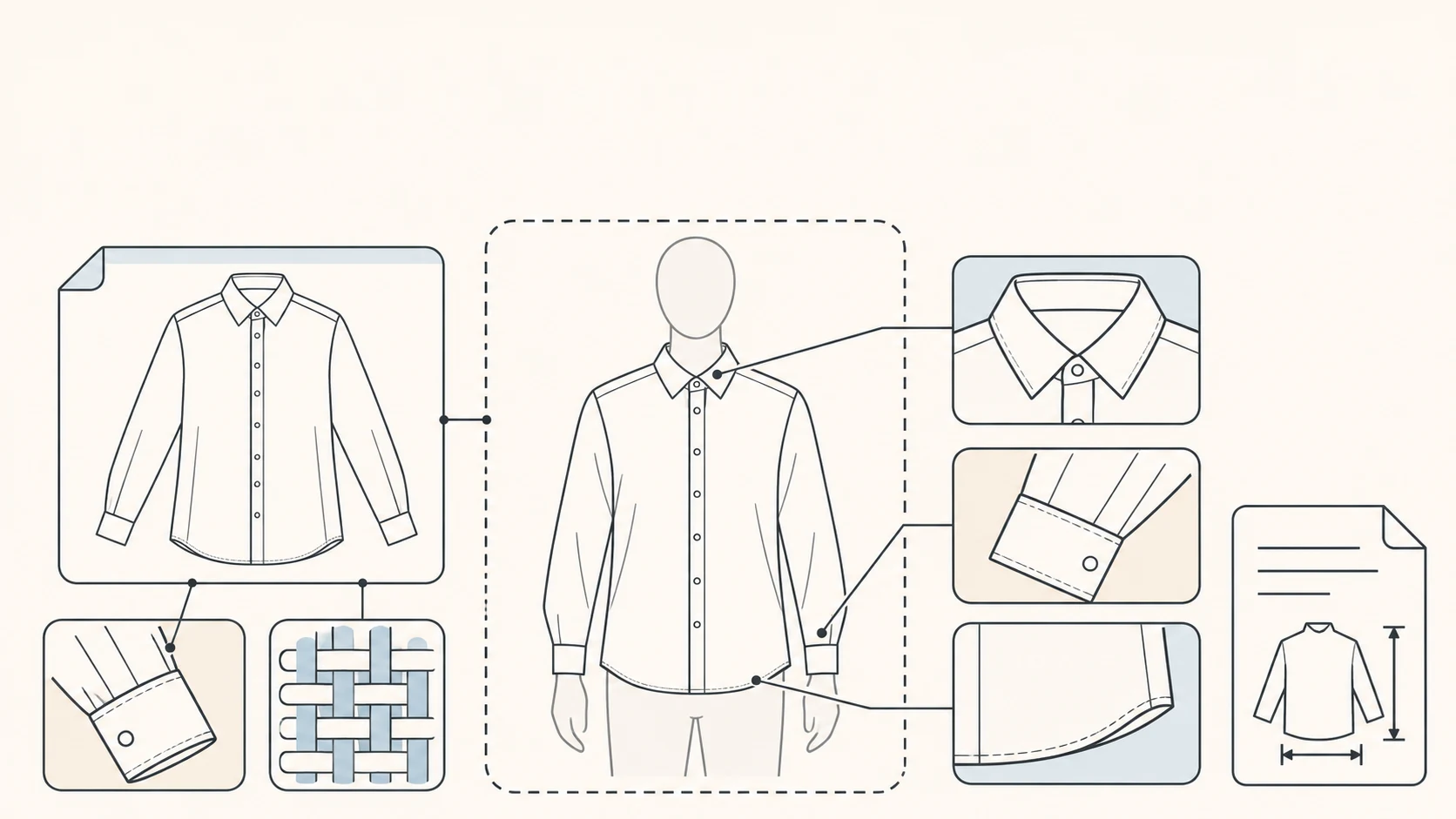
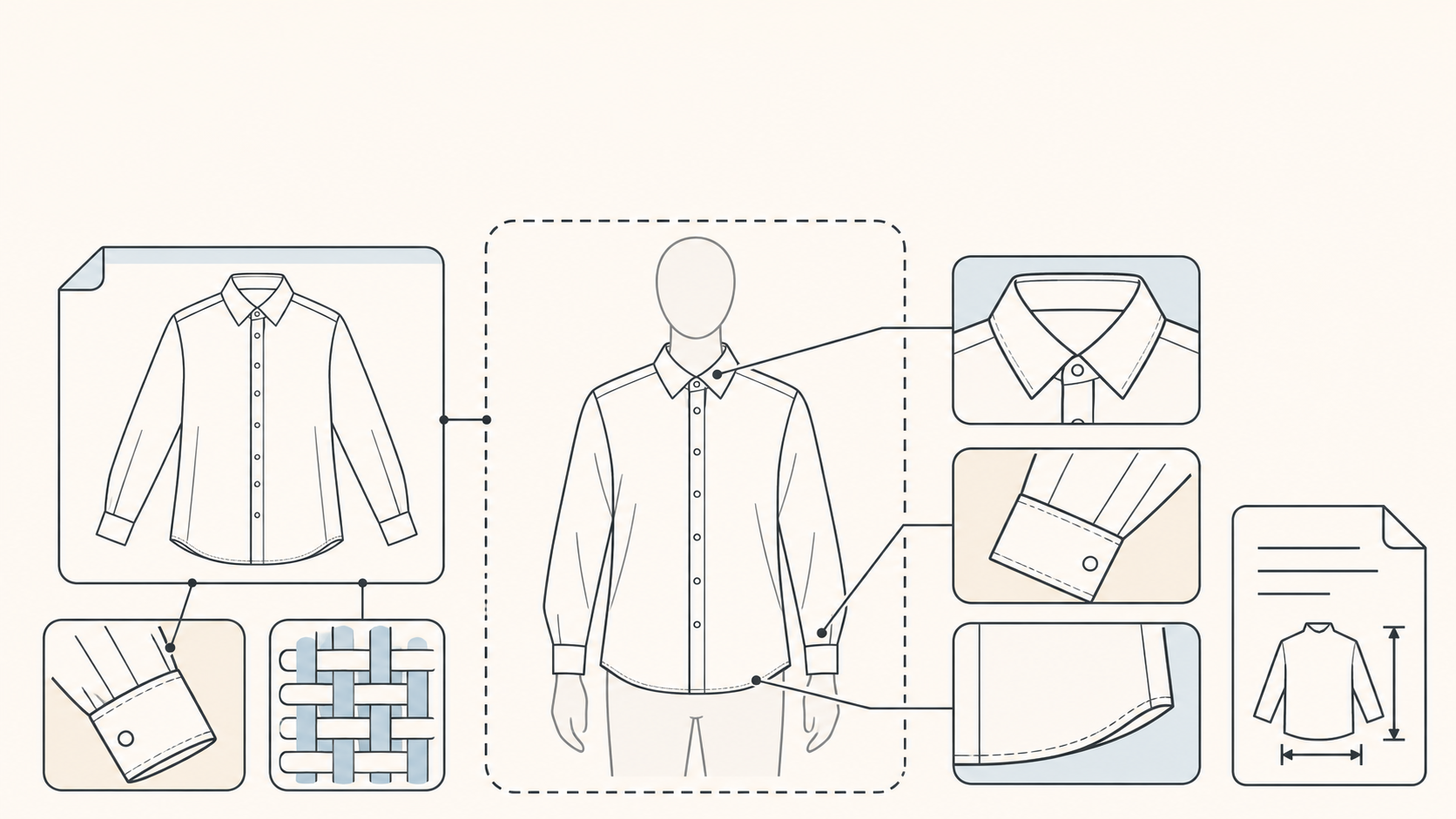
When a flat-lay shirt becomes an on-model image, the face is not the most important detail to inspect. The collar, cuffs and hem may tell you more. A picture can look plausible while showing a garment you do not actually sell.
An AI fashion model generator addresses a familiar task: turning an existing product image into a worn presentation. The New Black's product page, for example, describes starting from product photos, flat lays or mannequin shots. That is a vendor's description of its own workflow, not evidence that every generator preserves garment details.
For an apparel seller or a small content team, the practical question is narrower: does this draft still represent the same SKU? The method below is a proposed review process, not a tool test or a documented customer case.
What the image can—and cannot—tell a shopper
A synthetic on-model image can help explore styling and presentation. It does not, by itself, establish that a real person wore the garment, that a size fits, that movement is comfortable, or that the fabric drapes that way in use.
Watch for implied claims as well as written ones. Where a cuff meets a wrist, how far a hem covers the hips, and how closely a waist follows the body all invite fit judgments. A flat lay alone does not verify those relationships. To describe actual fit, use separately documented try-on material with the relevant sample size and measurements. Keep real product photographs as the evidence for construction.
Give each SKU a reference that should not change
Rather than relying on one image, keep the product photographs with the SKU, colorway, sample size and asset version. Front and back views document construction; close-ups document the collar, cuffs, fabric and print. An existing size chart records dimensions. Leave missing information unknown instead of deriving it from a generated body.
The reference page recommends a clear image showing the entire item without obstruction. It identifies folded sleeves, hidden closures and cropped hems as missing construction information, and notes that warm lighting can affect the color captured in a product photo. See its input-photo guidance. If the back or fastening is undocumented, obtain another photograph rather than asking a prompt to settle the question.
Once the reference is ready, you can explore a presentation draft through InkRoom's image-generation entry, which allows prompt input and selection of configured models. Check the current interface for the reference inputs you need; availability, parameters and fees depend on the interface and account configuration. This is a general image-creation entry, not a guarantee of dedicated virtual try-on or garment fidelity.
Separate verified garment facts from art direction in your description. Collar type, sleeve construction and print position belong to the former; background, framing and pose belong to the latter. Do not add a fitted waist, slit or sheen that the real product does not have. Including a requirement in a prompt does not establish that the output follows it.
Review the garment, not just the realism
Compare the draft with real images of the same SKU. A full-length view helps assess the silhouette; collars, weave and small lettering need closer inspection. Enlarging a synthetic image cannot verify a detail absent from the source material.
| Check | Reference to use | Reason to hold the draft |
|---|---|---|
| Collar and fastening | Front view, closure state, button or zipper positions | Changed collar, incorrect fastening or hardware count |
| Sleeve length and shape | Unobstructed sleeves, cuff close-up, recorded dimensions | Changed cuff construction, shortened sleeves or unsupported length cues |
| Silhouette and hem | Front and back construction, slits, measured dimensions | Added waist shaping, slit or different hem shape |
| Texture and print | Fabric close-up, motif placement and lettering | Knit becomes smooth fabric, motifs move or text changes |
| Color | Real photos of the same colorway; the physical item when needed | A different colorway or an unresolved substantial color shift |
| Implied fit | Sample size, size chart and documented real try-on material | Fit, slimming or size advice inferred only from the synthetic body |
Color review needs context. If the reference was shot under warm light, a generated version that looks whiter is not necessarily more accurate. Return to the physical item or a more dependable product photograph. Adjusting the whole image can also alter skin and background; it does not establish that the garment color is correct.
When construction changes, first ask whether the reference is incomplete. A cuff photograph addresses an unseen cuff more directly than another request for “more realism.” If the reference is clear but the output still changes the collar, do not use that draft to explain the product's construction. A real detail photograph may communicate the feature better than a full-length synthetic image.
Keep presentation separate from proof at publication
Keep the reference version, draft, review decision and unresolved issues together. This makes later colorway and size updates traceable. An attractive image is not a reason to treat an unverified detail as approved.
Before publishing, check the current rules for the market, marketplace and advertising channel involved: whether disclosure is required, where it belongs, and whether synthetic imagery is permitted in the intended image slot. The supplied source does not establish a universal platform policy or a universally compliant disclosure.
The reference page's discussion of synthetic people also cautions against presenting them as customers, testimonials or real endorsements. If a real person's likeness is used as input, confirm the relevant permission separately.
“AI-generated presentation; not a real-person try-on” is one possible editorial description of the image. Keep real product photos, size information and any documented try-on material available alongside it. That wording is not a substitute for platform requirements, and disclosure cannot fix a garment that has been changed.
Related articles and cases
- AI Wedding Invitation Generator: Layout, Names, Dates, and Print Delivery
Turn a wedding brief into an invitation visual without treating the generated image as a finished invitation. Plan text hierarchy, verify event details, and prepare digital and print versions separately.
- How to Choose an AI Image Editing API: Inputs, Masks, Async Results and Cost
Evaluate an image editing API against delivery requirements, not just sample images. A developer-focused method for checking input contracts, recovering uncertain requests, testing preservation and reconciling actual costs.
- AI Floor Plan Generator: From Layout Ideas to Measurement Review
Turn room requirements into a conceptual layout without mistaking an attractive image for a measured plan. Learn what to describe, how to compare arrangements, and what to check against original measurements.
- AI YouTube Thumbnail Generator: From Content Promise to Mobile Readability
Turn a video's actual content into thumbnail concepts, compare meaningful layout alternatives, and check text, contrast, and focus on a phone. An illustrative example shows the method without claiming tested results.