AI clothes changer: check the person and the garment separately
A convincing outfit edit can still misrepresent the garment. Use a person photo and garment reference to review two outfits, record specific differences, and separate visual concepts from evidence of real fit.
·
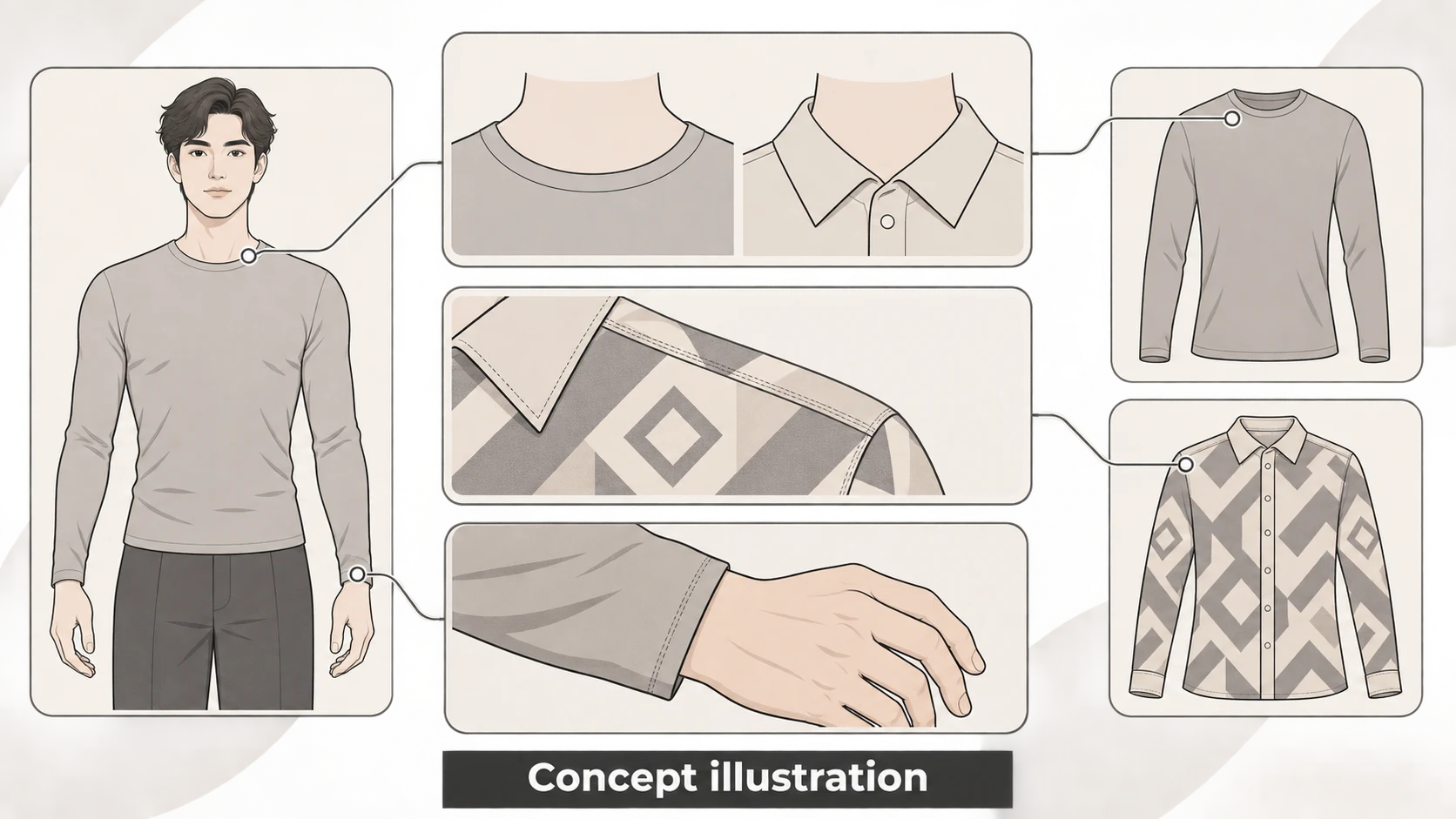
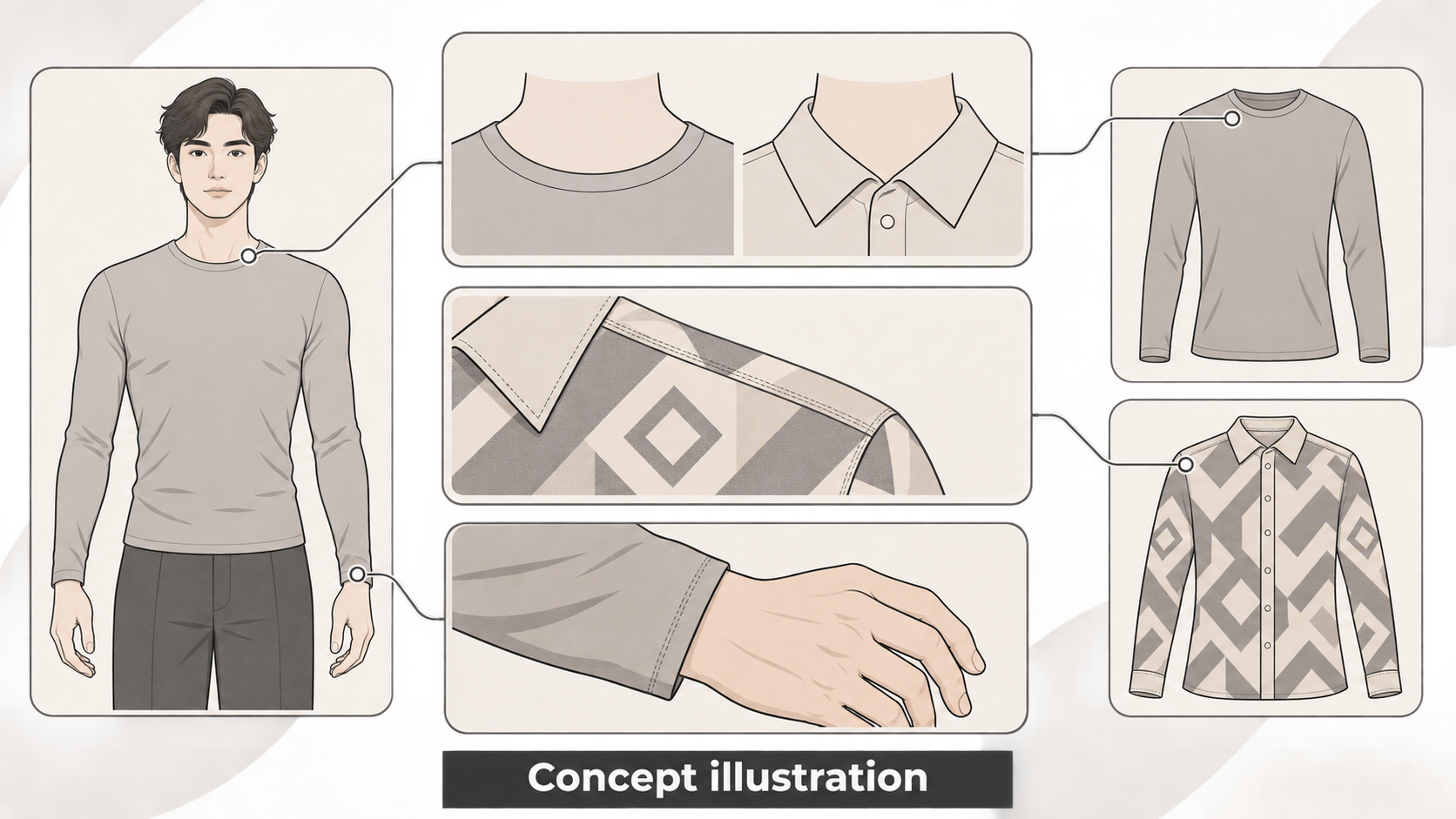
An outfit edit can look convincing and still show the wrong clothes. With an ai clothes changer, ask two separate questions: does the person still match the original photo, and does the outfit match the garment reference? An unchanged face does not establish an accurate neckline, print or hem.
Here, the person photo and garment photo are review references. This does not assume that a tool accepts both as inputs. The method below is a suggested manual review approach, not a product test or a guarantee of garment fidelity.
Give each reference a clear job
Use the person photo to check the face, pose, hands and background. Use the garment reference to check the collar, sleeves, length, print placement and visible material appearance. Mark unseen backs, linings and concealed details as unknown rather than treating generated details as product facts.
The Fashion Diffusion clothes changer page recommends a clear, front-facing photo with good lighting. The available source text covers only this upload step. It does not establish reliable identity preservation or dual-reference support on any other platform.
Choose a person photo that shows the clothing area and its boundaries. For the garment, use a view with readable details. A flat-lay image can help you compare construction and print, but it does not establish how that garment fits or drapes on the person.
Define the edit before starting. For example:
> Replace only the top. Check the face, hair, pose, hands and background against the person photo. Check the neckline, sleeve length, hem and print placement against the garment reference. Record uncertain details rather than using them as product information.
This defines the request; it does not promise that a tool can meet every requirement. If you want to continue with an existing image in InkRoom, check the image editing entry and confirm what your current interface and account support. The supplied information does not establish a dedicated clothes-changing feature, dual-reference input or identity preservation.
Review two outfits against the same person photo
For outfit A and outfit B, use the same original person photo as the review baseline. If the interface exposes other settings, consider keeping them consistent and recording them. This is a comparison recommendation, not a completed experiment.
Do not compare the outputs only with each other. Compare each one with the original person and its own garment reference: two outputs could share the same error.
The table below is a blank review record, not a report of generated results.
| Review area | Reference and details to inspect | Outfit A | Outfit B |
|---|---|---|---|
| Person and scene | Original photo: face, hair, pose, fingers and background objects | Not reviewed | Not reviewed |
| Cut and construction | Garment reference: collar, shoulder line, cuffs, hem and fastening | Not reviewed | Not reviewed |
| Print and visible material | Garment reference: motif count, placement, continuity at seams, supported sheen and texture | Not reviewed | Not reviewed |
| Overlaps and body boundaries | Hair, arms and belts in front of or behind clothing; neckline, underarms and wrists | Not reviewed | Not reviewed |
Make notes specific enough to act on. “Left cuff merges into the wrist; needs local correction” is more useful than “looks wrong.” “Chest print is misplaced; needs another edit” identifies a different problem. These are sample notes, not observed results. Where the reference provides no answer, record “cannot determine,” not “pass.”
Visual plausibility is not product evidence
A print following a fold does not prove print accuracy. A glossy surface does not verify fabric composition. A plausible waistline does not demonstrate real sizing or comfort.
For styling concepts, the intended visual direction may be the main consideration. For product imagery, verify or correct differences that could affect a purchasing decision. Claims about real wear, fit or material still need appropriate evidence. Keep the original photo, garment references, output versions and review notes together so the supported details remain distinguishable from generated interpretations.
Related articles and cases
- AI Flat Lay Generator: Create Apparel Layouts You Can Check
Turn clothing references into a brief for an overhead flat lay without treating invented details as product facts. Learn what to specify, what to compare, and when a real product photograph is still necessary.
- AI Image Upscaler: How to Tell Whether Enlarged Details Are Usable
A 2x or 4x enlargement adds pixels, not proof of accurate detail. Start with the required dimensions, then check text, logos, faces, and product textures against what you can actually verify.
- AI Ghost Mannequin Generator: Keep the Garment, Change the Presentation
Use garment reference photos to define what an AI edit should preserve, identify hidden areas that need evidence, and separate a visual concept from an accurate product image.
- AI Virtual Ring Try On: References, Proportion, and Better Corrections
Prepare hand and ring references, compare styles without confusing visual scale with ring size, and identify problems in settings, perspective, contact, and shadows.