AI anime art generator: brief a character and scene you can actually review
Build a single-image anime brief around stable character traits, a readable action, and a specific scene. Then review clothing, hands, props, and storytelling without mistaking a concept image for a reusable character asset.
·
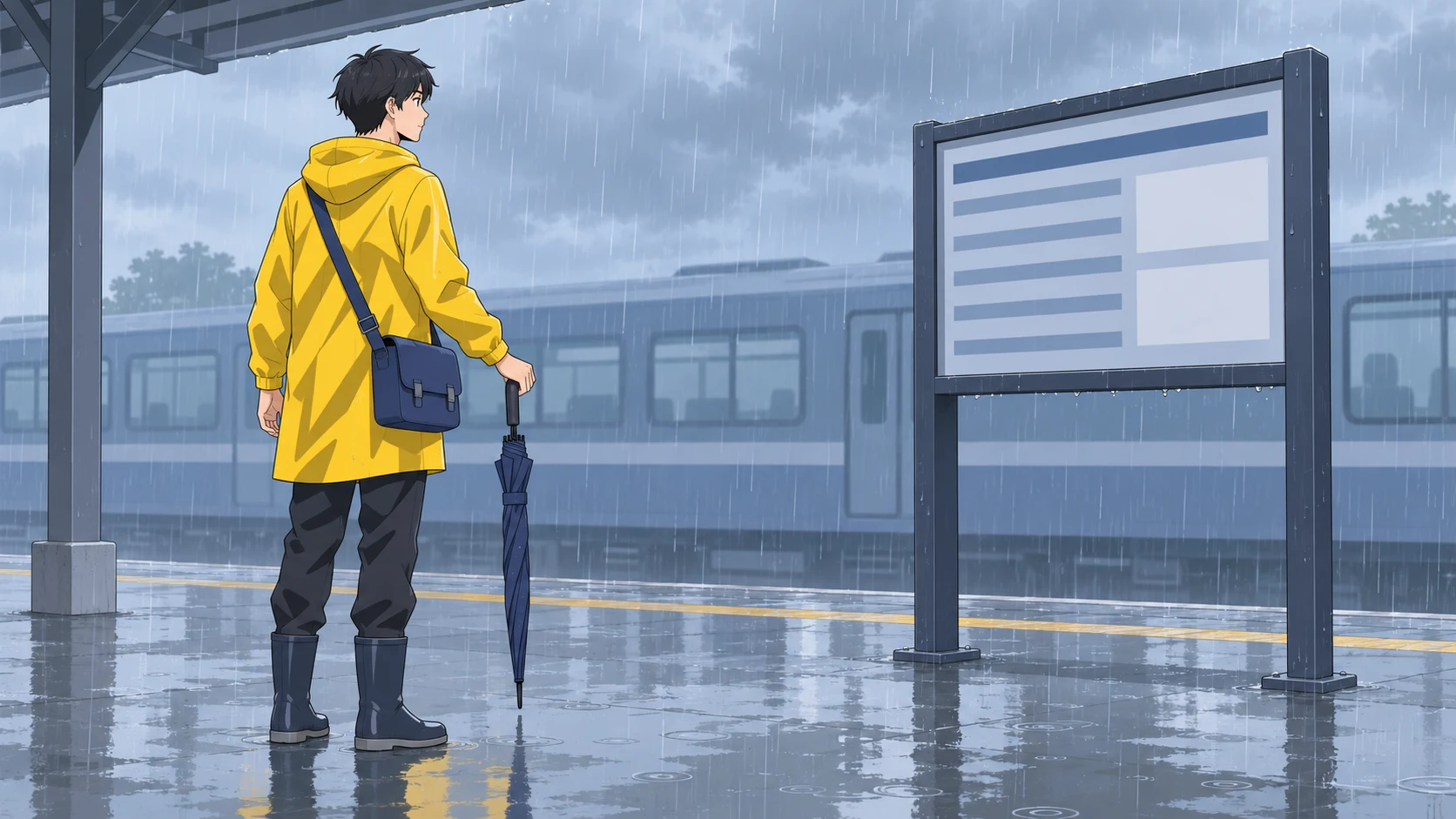
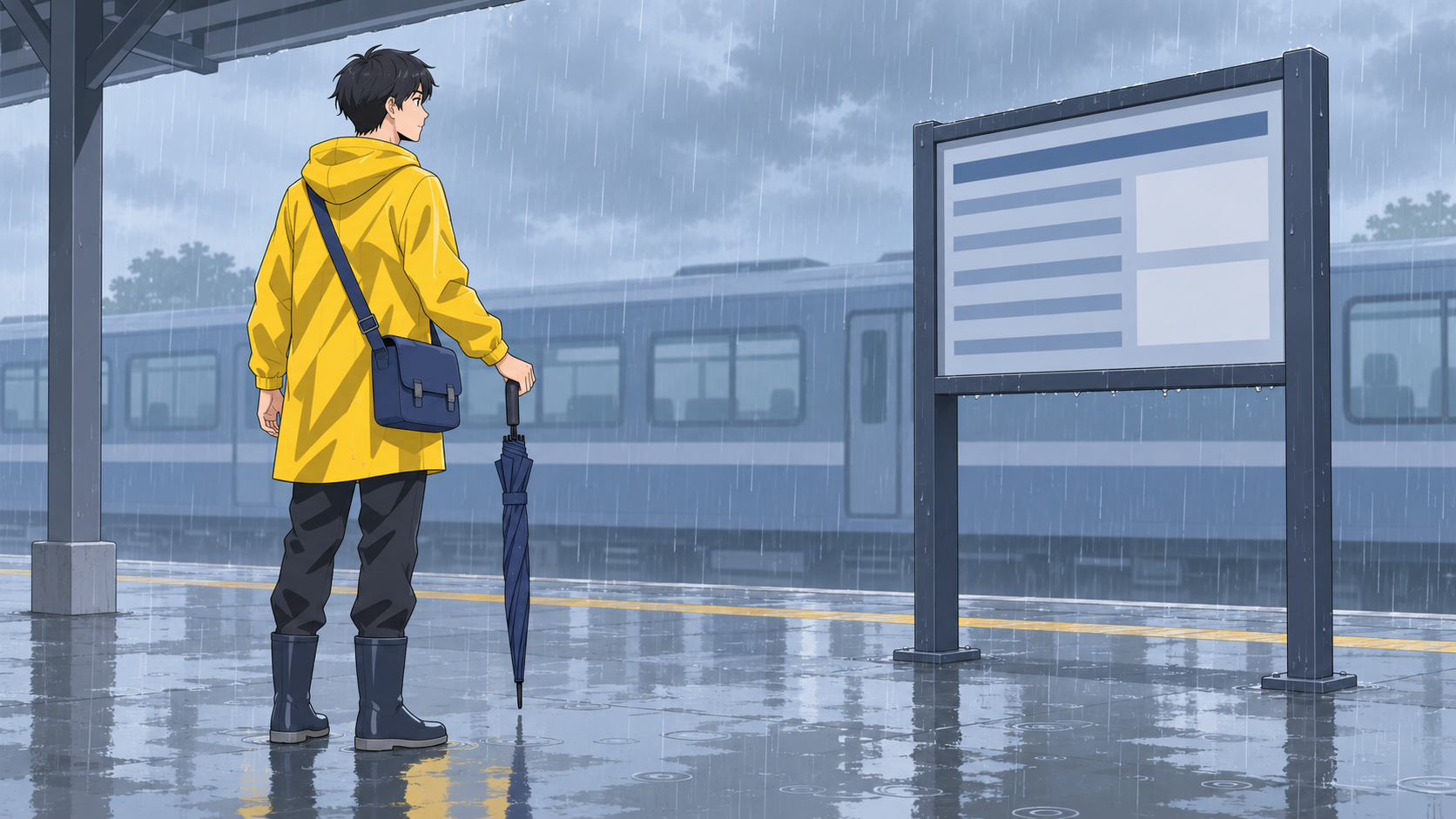
When you use an ai anime art generator, “make it beautiful” is rarely the most useful instruction. The harder question is what the character is doing—and whether someone can understand that moment from one image.
“An anime character in the rain” names a subject. “A short-haired courier checks a station timetable while holding a folded umbrella” establishes relationships you can review: where the character looks, what the hand holds, and where the bag strap belongs.
Anifusion’s features page describes anime character and scene outputs from text or reference images as drafts. It also warns that character details can drift. That distinction informs this guide: an exploratory illustration is not automatically a production-ready character asset. The prompt and review method below are editorial suggestions, not tested results from Anifusion or InkRoom.
Give the image one moment to communicate
For this example, the brief is simple: show a courier checking the next train in the rain.
That purpose helps you make choices. A character posing toward the viewer may look appealing but miss the action. A detailed station does not solve a composition where the timetable, umbrella, and figure overlap so heavily that the scene becomes unreadable.
A landscape, medium-shot composition is one reasonable choice here: it leaves room for both the courier and the timetable. A simplified train can establish the location without competing with the action. This is a recommendation for this scene, not a universal rule for anime illustration.
Keep identity stable while the setting changes
Choose a few identifying traits rather than an ever-growing character description: short black hair, a yellow raincoat, and a dark blue crossbody mailbag. Weather and lighting can change, but changing those identifying traits at the same time makes comparison harder.
Here is an illustrative prompt to adapt. It has not been generation-tested:
> Single anime concept illustration, landscape composition, medium shot. A young adult courier with short black hair wears a yellow raincoat and a dark blue crossbody mailbag resting at the left side of the body. An outdoor train platform at dusk, with rain reflections on the ground. The courier stands beside a timetable, head and gaze turned toward it. The right hand holds a closed folding umbrella; the left arm hangs naturally. Leave space between the figure and the timetable. Keep the umbrella clear of the torso. The bag strap passes over the shoulder and connects to the bag. Simplify the train in the background. Clear linework and flat shading. Focus on the moment of checking the train schedule, with no speech balloons or multiple panels.
A sentence such as “the strap connects to the bag” gives you something concrete to inspect; it does not guarantee correct rendering. Likewise, describing a landscape composition is not proof that an aspect-ratio setting has been applied. Use the actual controls available in your chosen tool.
If you are struggling to express the scene, InkRoom’s prompt references offer examples of creative descriptions. Adapt them to your own action and character rather than changing the task to fit an example.
Use a character reference as evidence, not an identity lock
If your chosen tool and model support reference-image input, use the same authorized character reference while exploring a different time of day or weather. Keep the written identifying traits stable, too, so you can compare how recognizable the character remains in the new setting.
A reference cannot establish details it does not show. A front-facing portrait does not define the back of a bag, and a hidden hand does not demonstrate an umbrella grip. Treat newly generated details as proposals, not automatically approved character design.
Once the brief is ready, you can enter the prompt and select a configured model in InkRoom’s image-generation workspace. Availability, parameters, and fees depend on the current interface and account configuration. Check the selected model’s interface for any reference-image option you need; this guide does not guarantee that option is available.
Review relationships before choosing the nicest lighting
Start with the whole image: does the action read? Then inspect the connections at a larger size. These are manual review criteria for this scene, not automated test results.
| Area | What needs to hold together | How it affects selection |
|---|---|---|
| Clothing | The raincoat’s collar, cuffs, and hem form a plausible garment | Do not overlook a changed identifying outfit just because the face looks good |
| Hands | The right hand grips the umbrella handle, with a plausible wrist-to-forearm connection | A broken grip means the intended action is not yet resolved |
| Props | Handle and umbrella shaft connect; the strap reaches the bag without passing through the body | Simplify decorative detail if needed, but do not rely on the viewer to invent missing connections |
| Storytelling | The gaze points toward the timetable, with a readable spatial relationship between them | If the figure appears to be posing, revise the action or composition before adding quality adjectives |
Also inspect the intended display size. If the gaze and umbrella disappear at that size, the image might still be useful for exploring color, but not for communicating this particular action. If exact station names or departure times are required, verify them individually; text-like marks are not evidence of accurate lettering.
Revise the problem you can name. If the courier looks away from the sign, clarify head and gaze direction. If props overlap, remove one or increase spacing. Changing one intended variable at a time makes manual comparison more useful, but does not guarantee that generation will change only that variable.
A strong concept is not yet a reusable character asset
A single illustration can help establish palette, atmosphere, and composition. A reusable character asset requires further checks across images: facial proportions, garment construction, accessory placement, body proportions, and whether different views describe a compatible design.
Passing the review above means an image suits this scene—not that character continuity has been validated. Label a selected image as a platform-scene concept reference and record unresolved design details before passing it on as production material.
Related articles and cases
- AI Image Style Transfer: Change the Look, Keep the Details
Separate content references from style references, then handle color, brushwork, and composition as distinct choices. Use two editing rounds to check identity, product shape, text, and logos.
- AI Hairstyle Changer: Compare the Hair Without Changing the Person
Prepare a clear portrait, describe the cut precisely, and compare hairstyle candidates without overlooking changes to your face. Includes a proposed comparison table and checks for hairlines, ears, edges, and lighting—not a tool test or a haircut guarantee.
- AI Food Image Generator: Keep Menu Images True to the Dish
Build a generation brief from the food you actually serve, separate plating concepts from fixed dish facts, and review ingredients, portions and presentation before a menu image goes live.
- AI Pose Changer: Check Identity and Clothing After a Pose Edit
A convincing new pose is only part of the job. Describe the movement precisely, distinguish clothing details from changing folds, and compare hands, joints, and newly exposed areas with the original.