AI Photo Colorization: Separate Supported Colors from Model Guesses
A convincing colorized photo is not proof of its original colors. Preserve the scan, document color clues, and review visual quality separately from historical evidence.
·
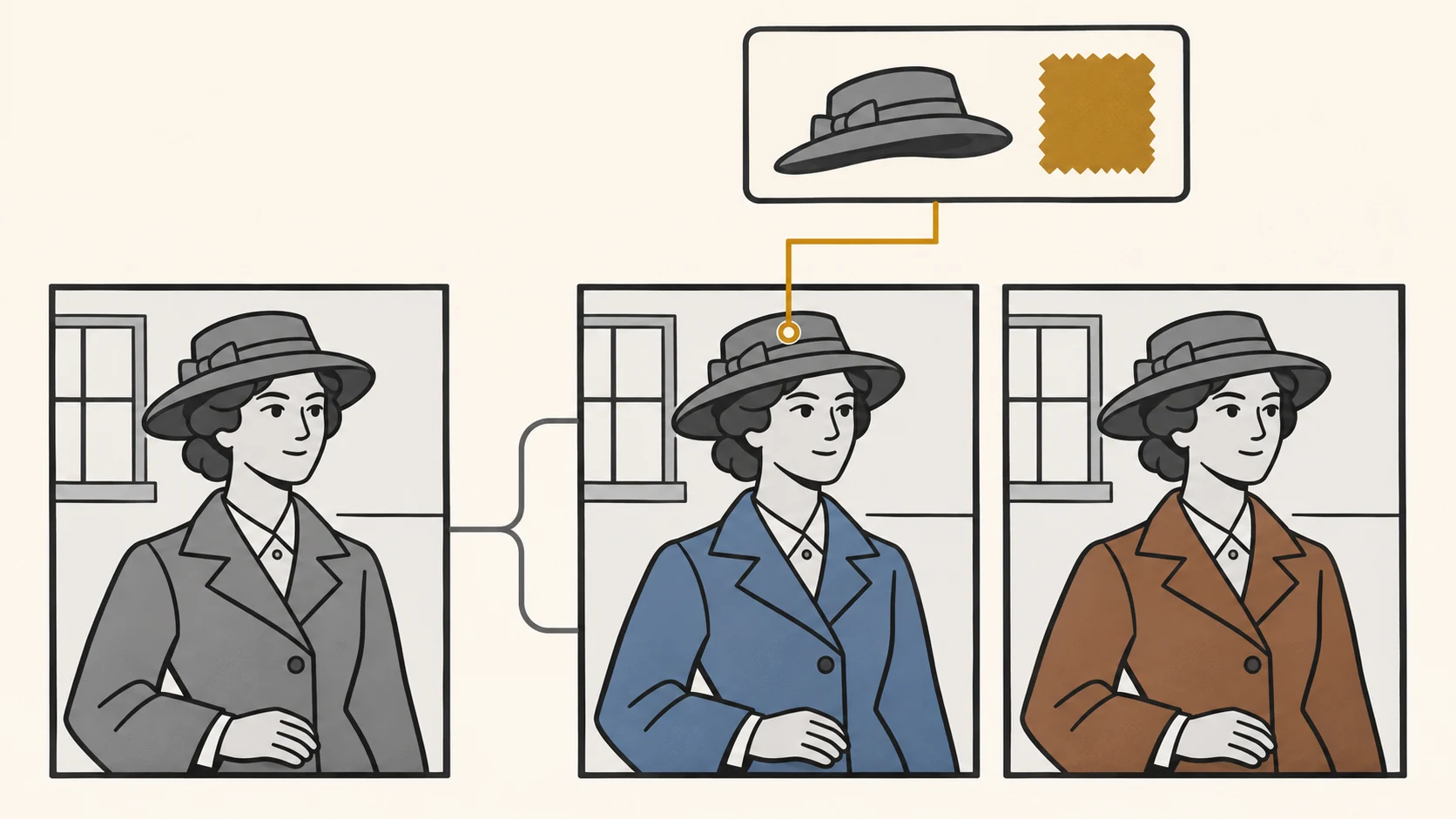
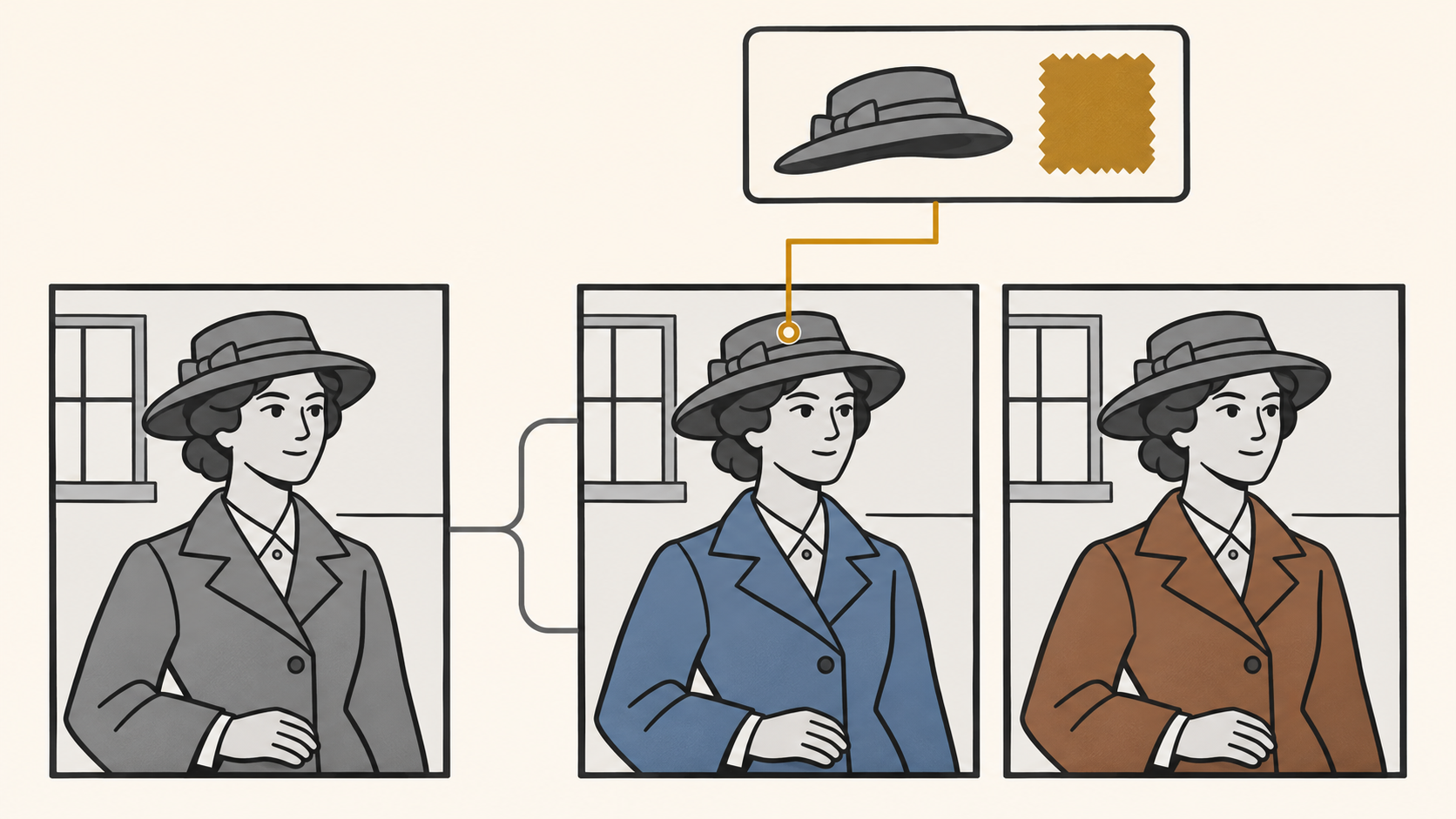
A coat looks convincing in blue. In another version, it looks just as convincing in brown. Which one should you trust? The useful question is not which image looks better, but whether anything outside the colorized image supports that coat color.
AI photo colorization can help you explore a photograph in color. It cannot, on appearance alone, establish the original colors. Vidnoz’s introduction to photo colorization describes the process as predicting plausible hues and tones. A prediction is a starting point for editing, not automatically a historical finding.
The approach below is a suggested documentation and review method, not a tool test.
Attach evidence to objects, not an accuracy label to the whole photo
A hat may have a documented color, a coat may be described only in a relative’s recollection, and the wall behind them may be entirely unknown. Record those differences instead of calling the entire image an accurate restoration.
| Available clue | How to use it | What it does not establish |
|---|---|---|
| A color record or surviving object confirmed to match the photographed item | Constrain that item’s color and record the source and identification | The colors of unrelated objects in the photo |
| A participant’s or relative’s recollection | Record who supplied it, what they remember, and any uncertainty | That the remembered color is a verified fact |
| References for similar clothing or settings from the period | Narrow possible choices after checking date, place, and design | That this particular item had the same color |
| No external clue; only a generated result | Keep it as a visual interpretation | That the original color has been recovered |
These are documentation categories, not accuracy scores. Even a color reference needs a reliable connection to the object in your photograph.
Keep the scan untouched; clean a working copy
Preserve the unedited scan and make a separate working copy. Record cropping, spot removal, contrast changes, and colorization separately so you can trace where a detail changed.
Clean to improve legibility, not to erase every sign of age. A thin line on clothing might be a scratch, but it might also be a seam or pattern. If you cannot tell, leave it in place rather than removing potentially useful information.
Before editing, write specific constraints: “The hat is dark blue, based on a confirmed matching object record; the coat color is unknown.” Words such as “vintage,” “warm,” and “cinematic” describe a preferred look, not color evidence.
If you want to continue working with an existing image in InkRoom, first inspect the image editing entry and check whether the current interface supports the operation you need. This is an entry point for checking editing options, not a verified claim of dedicated automatic colorization, scan repair, or historical color recovery. If the available functions do not fit, use a tool that explicitly supports the required work.
Compare visual quality and historical support separately
If your chosen tool offers alternative color versions, use the same working image and crop where possible, and record the color clues supplied for each version. Changing composition, detail, and color together makes the source of a difference harder to identify.
Agreement between versions is not independent evidence. Several outputs choosing the same color does not establish what the original color was.
Review the image object by object:
- Skin and faces: Look for abrupt color patches across the face, ears, neck, and hands. Visual continuity does not establish the person’s actual skin tone; do not assign it solely from grayscale appearance or identity labels.
- Object boundaries: Check for color spilling across collars, hair, fingers, and clothing-background boundaries. This is an editing-quality issue, separate from whether a color has historical support.
- Period clothing: Check references for their date, design, and applicability. Without a matching source, keep uniform, insignia, and accessory colors unresolved rather than filling them in from familiar examples.
- Scene consistency: Investigate unexplained color changes within one object. Do not automatically flatten every difference: shadows, stains, or different materials may require another look at the scan and supporting clues.
You can prefer the brown-coat version while still recording that the coat’s original color is unknown. Preference does not need to become a historical claim.
Keep the explanation with the image
Store the original scan, working copy, candidate versions, and color notes together. Making an unsupported color less saturated does not make it historically verified; it remains a guess.
For sharing, adapt this caption to what you actually did:
> AI-assisted colorization of a black-and-white photograph, not an original color record. Supported color details: [identify checkable sources]. Other colors are speculative. Cleanup and edits: [describe the actual changes].
If you have no reliable color clues, say that all colors are speculative. For a display that requires historical accuracy, leaving the original in black and white is preferable to presenting a plausible color version as a verified restoration.
Related articles and cases
- AI Image Quality Assessment: Combining Automated Screening with Human Approval
Separate file validation, no-reference IQA, and business approval. Use automatic checks to catch clear failures and prioritize review, then verify text, product details, brand compliance, and factual claims against approved material.
- AI Embroidery Design Generator: From Concept Art to a Digitizing Brief
Create embroidery concept art around the finished size, fabric and essential identifying details. Review lines, lettering, colors and rights before professional digitizing and a test sew-out.
- AI Textile Pattern Generator: From Repeat Design to Print Sampling
Turn a textile-pattern concept into a reviewable repeat: define physical scale, spot seam and rhythm problems, calculate image resolution, and identify what still needs a fabric sample.
- AI Website Hero Image Generator: From Brand Brief to Responsive Crops
Turn a brand brief into a useful hero image, then check what survives on desktop and mobile. Includes a prompt example, a reproducible crop calculation, and practical checks for readability, loading, and truthful product representation.