AI Image to 3D Model: How to Verify You Received a Mesh
Separate attractive previews from editable geometry, then assess the delivered asset in your target software. Includes suggested validation practices and API handoff records, not vendor performance claims.
·
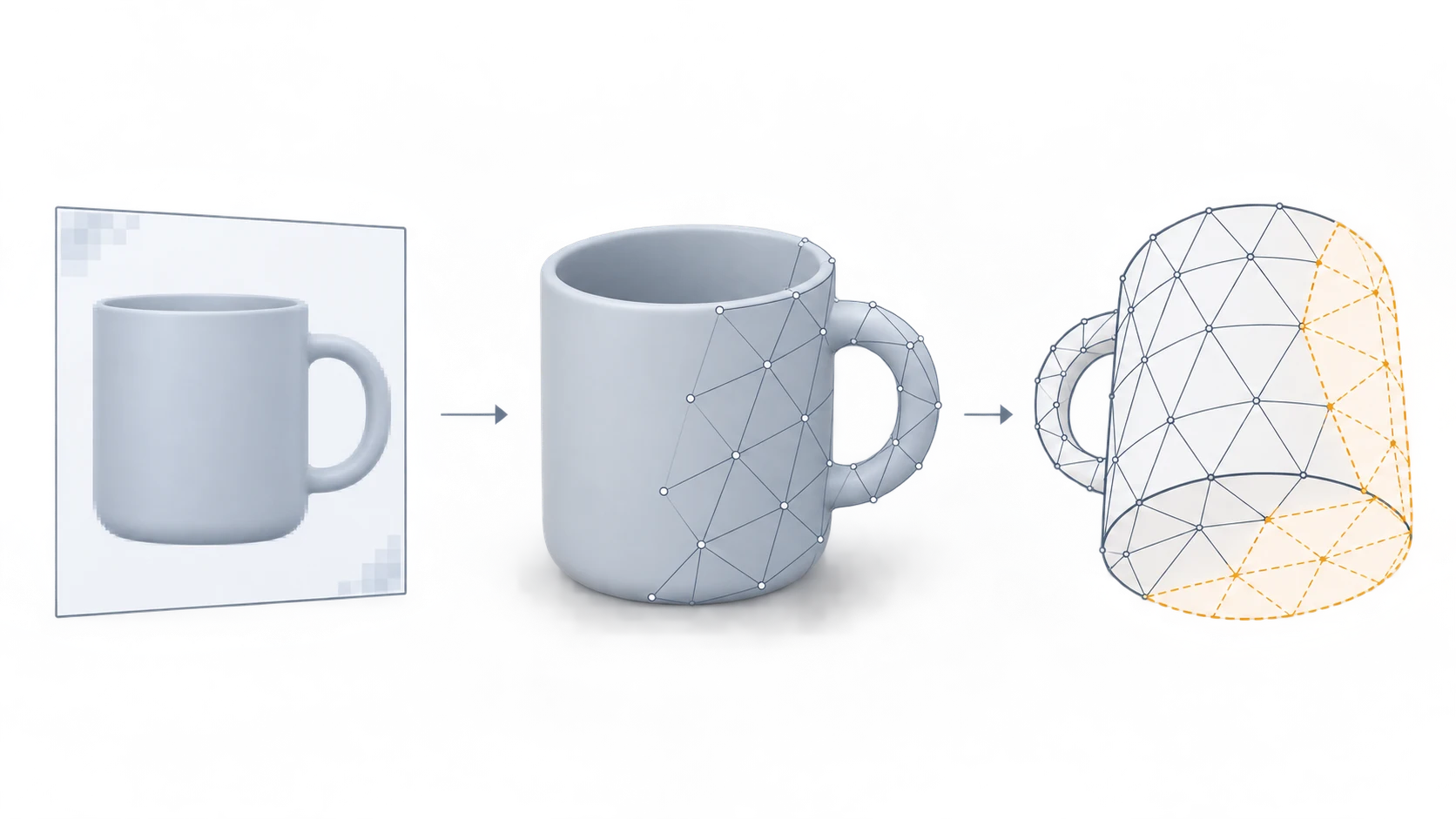
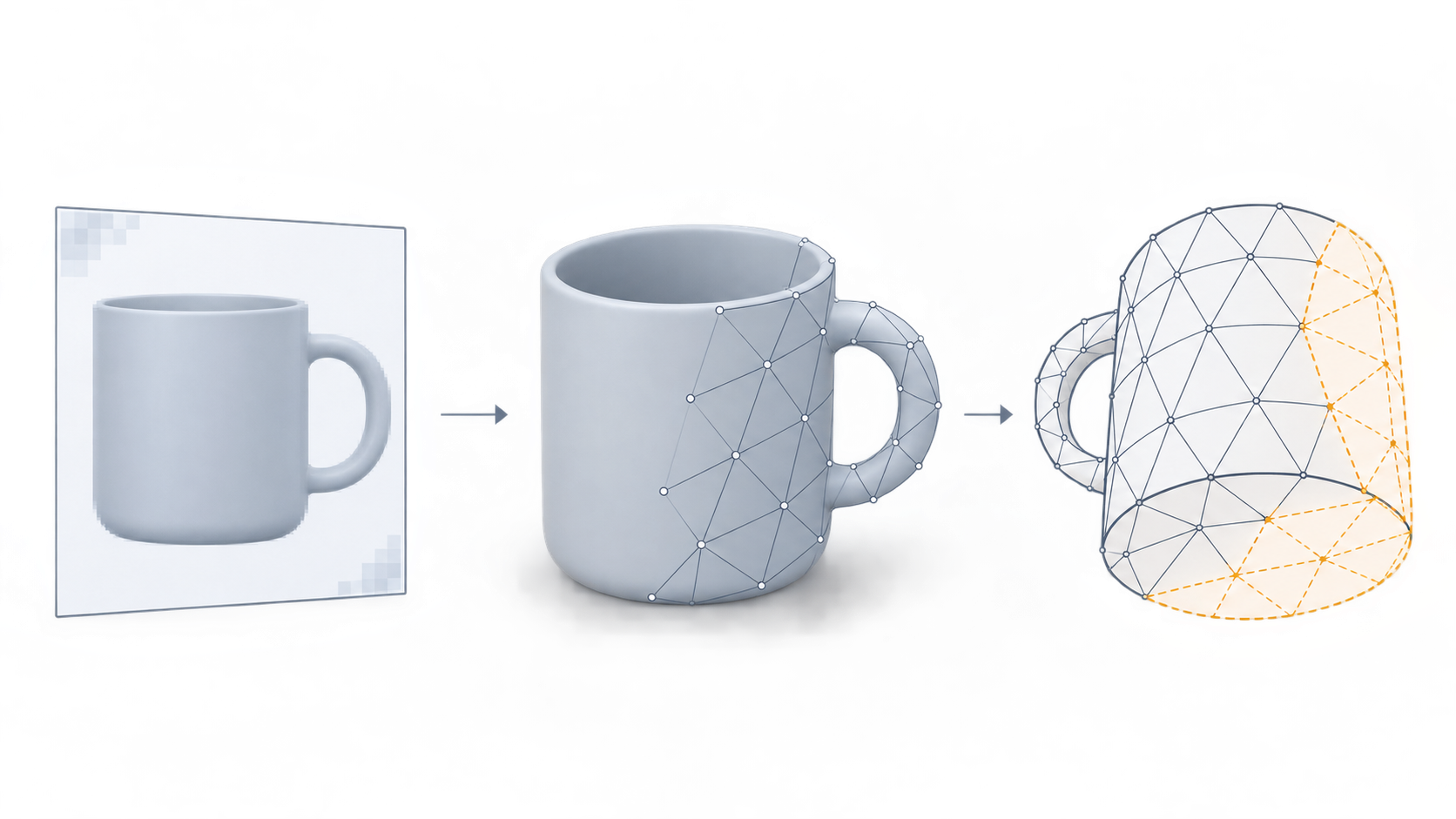
An object can have convincing shadows, apparent thickness, and even a rotating preview without answering the question that matters: after downloading it, can you select and edit its geometry in your own 3D software?
For an ai image to 3d model workflow, looking three-dimensional and delivering a usable 3D asset are different outcomes. Segmind’s reference article distinguishes 3D-styled images from outputs containing geometry. Whether a particular delivery meets your project requirements still depends on the files, not the promotional preview.
This article does not review a generation service or report generation or import tests. The practices below are proposed ways to validate a delivery, not evidence that a particular tool has passed.
Ask for the asset, not just its preview
A model and a rendered image can be delivered together. The image itself does not contain an editable mesh, but receiving an image does not prove that no model exists behind it. You need the corresponding asset.
| What you receive | What it establishes | What still needs checking |
|---|---|---|
| PNG, JPEG, or rendered video | The appearance of the output | Whether downloadable geometry is also available |
| A rotating browser preview | How the output is presented from different views | Whether the download contains the editable mesh your task requires |
| A file labeled GLB, OBJ, or FBX | A candidate model deliverable worth inspecting | Its actual contents, geometry, and import behavior |
| An asset imported into your target software | Structure and display in that environment | Whether unseen surfaces, textures, scale, and intended use are acceptable |
A filename extension is not an acceptance certificate. Nor is rotation alone. In your target application, locate the mesh object, inspect its vertices and faces, and try selecting part of the geometry. Moving a viewport and editing an object’s structure provide different evidence.
Temporarily remove the attractive surface
Keep the original delivery intact and inspect a copy. Start with a solid display that does not rely on color textures, then examine the wireframe or enter mesh-editing mode.
The point is to separate two questions: does geometry create the silhouette and surface relief, or does the apparent shape mainly come from shading in an image? If the delivery requirement is a complete object but inspection reveals only an image-bearing plane, that requirement has not been met. A plane can itself be a mesh, so the presence of a mesh does not establish that the whole object was reconstructed.
Next, inspect the sides, back, and underside. A generated surface is not evidence of the real object’s hidden shape when the input never showed it. For a decorative concept asset, plausible completion may be acceptable by agreement. For a product connection, mounting surface, or dimension-sensitive structure, request additional views, measurements, or reliable design material. Until those are available, mark the relevant area as unverified rather than treating plausibility as accuracy.
A mesh still needs a purpose-specific decision
Record each issue as an observation and its consequence for the intended use, rather than giving the whole asset a single good-or-bad label.
- Geometry and topology: Inspect the silhouette, local connections, holes, and intersections. If deformation or animation is required, inspect the relevant edge flow too. Static display and animation assets should not share identical acceptance conditions.
- Textures and materials: Compare textured and solid views to establish whether important details are geometry or texture. Check materials and texture display in the destination environment; a correct source preview cannot substitute for that check.
- Scale and orientation: Use a project dimension with a reliable basis to check imported measurements, orientation, and placement. Without a dimensional reference, record the current model size without claiming that it matches the real object.
Consider a cup photographed only from the front. A complete-looking generated base shows that a proposed underside exists, not that it matches the physical cup. A team might accept it for distant set dressing. Designing a fitted support for that base requires additional shape and measurement evidence. The preview cannot make that use-case decision for you.
In an API workflow, separate completion from acceptance
A successful response should not automatically make an asset approved for delivery. Keep generation status separate from internal validation status. This is an integration recommendation, not a description of any provider’s existing API schema.
| Suggested record | Why keep it |
|---|---|
| Input-image version, task identifier, and available generation configuration | Trace the asset to its input and run |
| Separate preview and geometry locations or storage records | Avoid treating an image URL as a model download |
| Asset and dependency-file inventory | Check that the model and required textures were retrieved |
| Target application and version, plus import result | Identify the actual validation environment |
| Unverified areas, scale references, and review outcome | Prevent downstream users from treating assumptions as established facts |
Map these records to the real API documentation. Renaming a preview URL internally does not turn it into geometry. If the output structure is undocumented, request a sample asset and validate it in the intended software before expanding the integration.
A useful handoff says more than “3D generation succeeded.” It identifies the geometry delivered, the environment in which it was checked, the use it was assessed for, and the remaining unknowns. That gives the next person a basis for working with the asset instead of guessing what the download contains.
Related articles and cases
- AI Menu Design Generator: Review Images, Names, and Prices Separately
A polished menu draft is not a verified menu. Use one approved dish record to review food images, names, prices, and dietary information, then check the mobile and printed versions separately.
- AI App Icon Generator: From Concepts to Delivery Checks
Turn an app idea into icon candidates, compare them at small sizes, and keep visual design separate from platform asset preparation. This guide offers a working method, not unverified store specifications.
- AI Product Shadow Generator: From Cutout to Contact-Shadow Review
Adding a shadow should ground a product without changing it. Learn how to prepare a cutout, describe the lighting and surface, and compare the edited image with the original.
- AI Eyeglasses Virtual Try-On: Frame Scale, Overlays, and Privacy
A virtual preview can help you compare frame styles, but it cannot establish physical fit. Learn what face positioning, overlays, and generated images mean, what to inspect, and what to check before uploading a face photo.