AI Eyeglasses Virtual Try-On: Frame Scale, Overlays, and Privacy
A virtual preview can help you compare frame styles, but it cannot establish physical fit. Learn what face positioning, overlays, and generated images mean, what to inspect, and what to check before uploading a face photo.
·
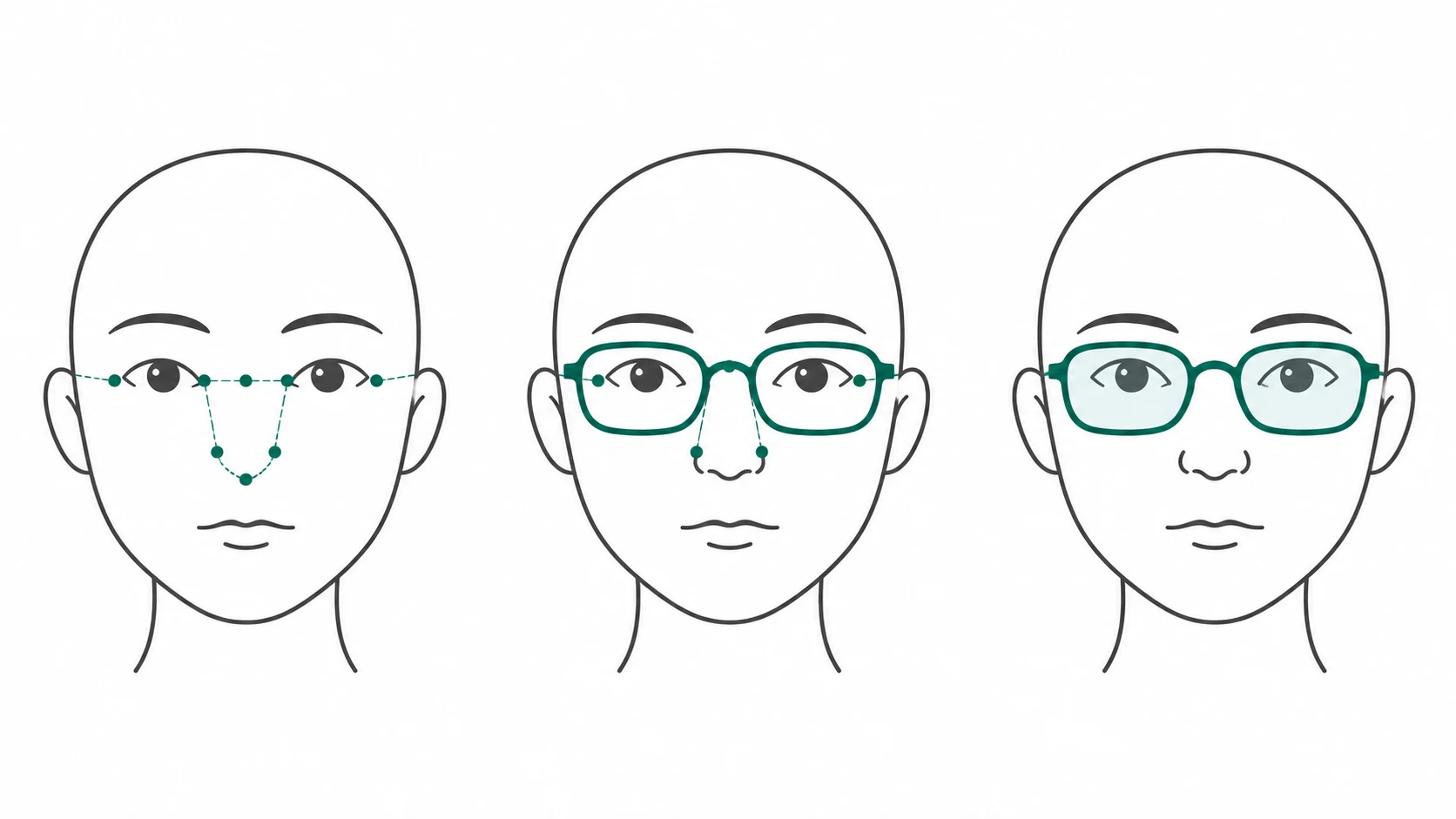
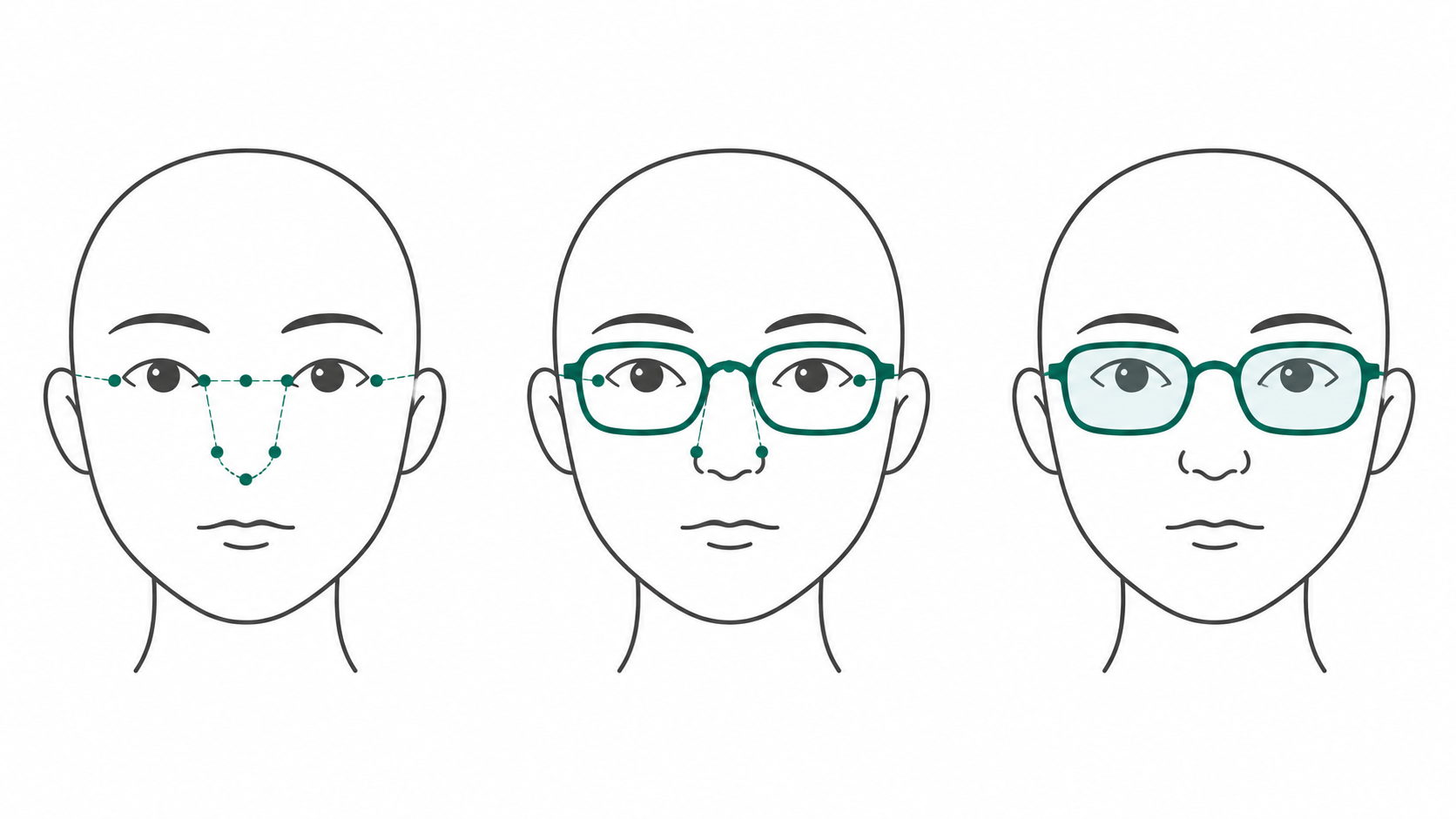
You want to see a pair of glasses on your face—not a more flattering face that no longer looks like yours. When searching for ai eyeglasses virtual try on, the useful question is not simply how polished the image looks. It is which decisions that image can support.
A preview can help you shortlist visual styles. It cannot, by itself, establish bridge comfort, temple pressure, or prescription suitability. This is an application guide with suggested manual checks, not a hands-on review of a particular service.
One preview can involve different kinds of processing
Think of the image in terms of three separate questions. These are not a verified feature list or a mandatory pipeline for every product.
Face positioning asks where the frame should go. TryBestSpecs’ introduction describes using facial landmarks around features such as the eyes and nose to estimate placement. That description does not establish calibrated measurements in millimeters. The supplied source provides no measurement-error figures or calibration method.
An image overlay asks how the frame is presented. Look at its placement, scale, and angle. A frame outline positioned over your eyes does not demonstrate contact pressure, temple length, or wearing comfort.
A generated concept image asks how the overall look might work. Check whether both the frame design and your facial features remain consistent with the inputs. Visual coherence is not evidence of product fidelity. If the result changes your nose shape or the distance between your eyes, it is a poor basis for judging the original frame on your actual face.
A service may combine these approaches. The label “AI try-on” alone does not explain its implementation or establish dimensional accuracy.
Keep the face constant while comparing frames
As a practical comparison method, keep an unedited, front-facing photo as your baseline. Use even lighting and keep both eyes visible; avoid existing glasses or deep shadows obscuring the relevant areas. The reference article also recommends a clear frontal photo, but this is not an accuracy guarantee.
Where possible, reuse the same input rather than changing the camera angle or beauty settings between frames. Otherwise, an apparently slimmer face could come from the photograph rather than the glasses. The following observations are suggestions, not a validated fit score.
| Area | What to inspect | What it cannot establish |
|---|---|---|
| Frame scale | Whether the outer edges look proportionate to the face, and whether resizing has distorted the frame shape | Actual frame width or whether the temples will squeeze |
| Bridge position | Floating nose pads, intersections with the nose, or implausible left–right placement | Physical contact, weight distribution, or comfort |
| Eye visibility | Implausible obstruction by the rim, bridge, or generated lens content; compare eye positions with the original | Pupillary distance, optical-center placement, or prescription suitability |
| Reflections | Reflections hiding the eyes or clearly conflicting with the scene’s lighting | Real lens coating, light transmission, or anti-reflective performance |
| Left–right relationships | Plausible temple, nose-pad, and frame angles given the head’s orientation | Pixel-perfect symmetry is not appropriate for a turned head, and symmetry does not prove fit |
If the image contains obvious intersections, distortions, or facial changes, pause before using it to rank frames. Editing until the problem disappears may produce a nicer picture without producing better buying evidence.
Before uploading, find out where the photo goes
The reference article’s privacy section recommends checking processing, sharing, and training use. It is not a substitute for the current terms of the service you actually intend to use.
Look for answers in that service’s privacy policy and related terms: Is the photo sent to a server? How long are original photos, outputs, and any extracted face data retained? Are they shared with third parties or used for training? Can you request deletion, and does that include derived data? These are questions to investigate, not claims that every service collects every category listed.
Missing information does not mean “not stored” or “not used for training.” Ask the provider or hold off on uploading an identifiable portrait. Get permission before submitting someone else’s photo.
Keep further editing separate from fit verification
If you already have an image and want to explore a visual concept, check the photo-handling terms first, then view the current options at the InkRoom editing entry. This optional destination does not establish that InkRoom offers dedicated glasses try-on, facial measurement, or fit verification. Nor does it promise a particular frame-editing operation.
Continue comparing any edited output against the original portrait and product image. If a change alters important facial or product details, treat it as a concept image rather than purchase evidence.
Use your visual shortlist to check the product’s stated physical dimensions and, where possible, try the frames on to assess bridge and temple comfort. Take prescription and eye-examination questions to an eye-care professional. A virtual preview helps narrow the style decision; it does not settle those remaining questions.
Related articles and cases
- AI Menu Design Generator: Review Images, Names, and Prices Separately
A polished menu draft is not a verified menu. Use one approved dish record to review food images, names, prices, and dietary information, then check the mobile and printed versions separately.
- AI App Icon Generator: From Concepts to Delivery Checks
Turn an app idea into icon candidates, compare them at small sizes, and keep visual design separate from platform asset preparation. This guide offers a working method, not unverified store specifications.
- AI Product Shadow Generator: From Cutout to Contact-Shadow Review
Adding a shadow should ground a product without changing it. Learn how to prepare a cutout, describe the lighting and surface, and compare the edited image with the original.
- AI Image Quality Assessment: Combining Automated Screening with Human Approval
Separate file validation, no-reference IQA, and business approval. Use automatic checks to catch clear failures and prioritize review, then verify text, product details, brand compliance, and factual claims against approved material.