Using an AI Image Generator for Blog Posts: Briefs, Crops, and Credits
Turn a blog argument into an image brief, then handle aspect ratios, attribution, rights, and alt text. A hypothetical cable-management example shows where an illustration helps—and where real evidence is needed.
·
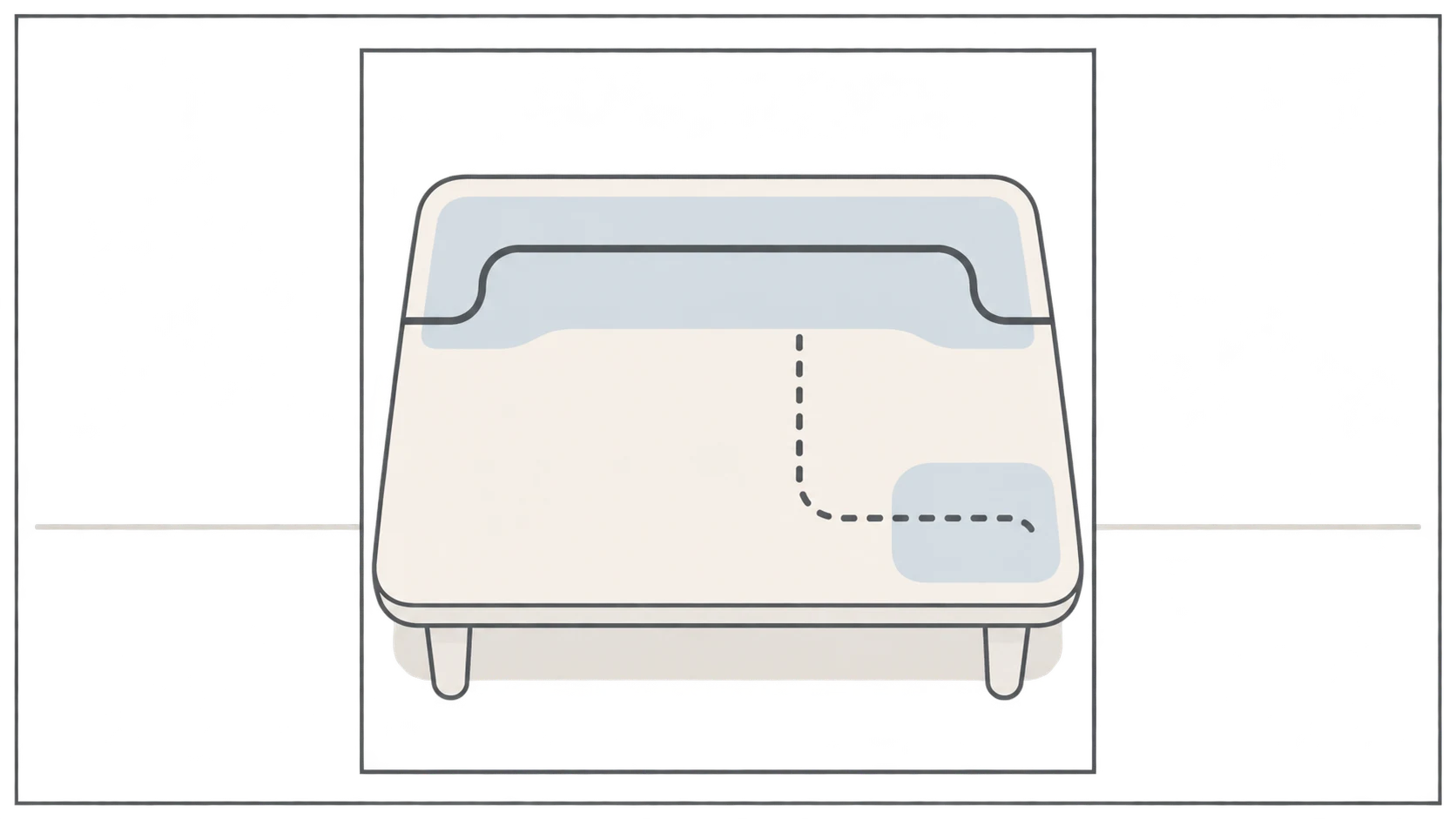
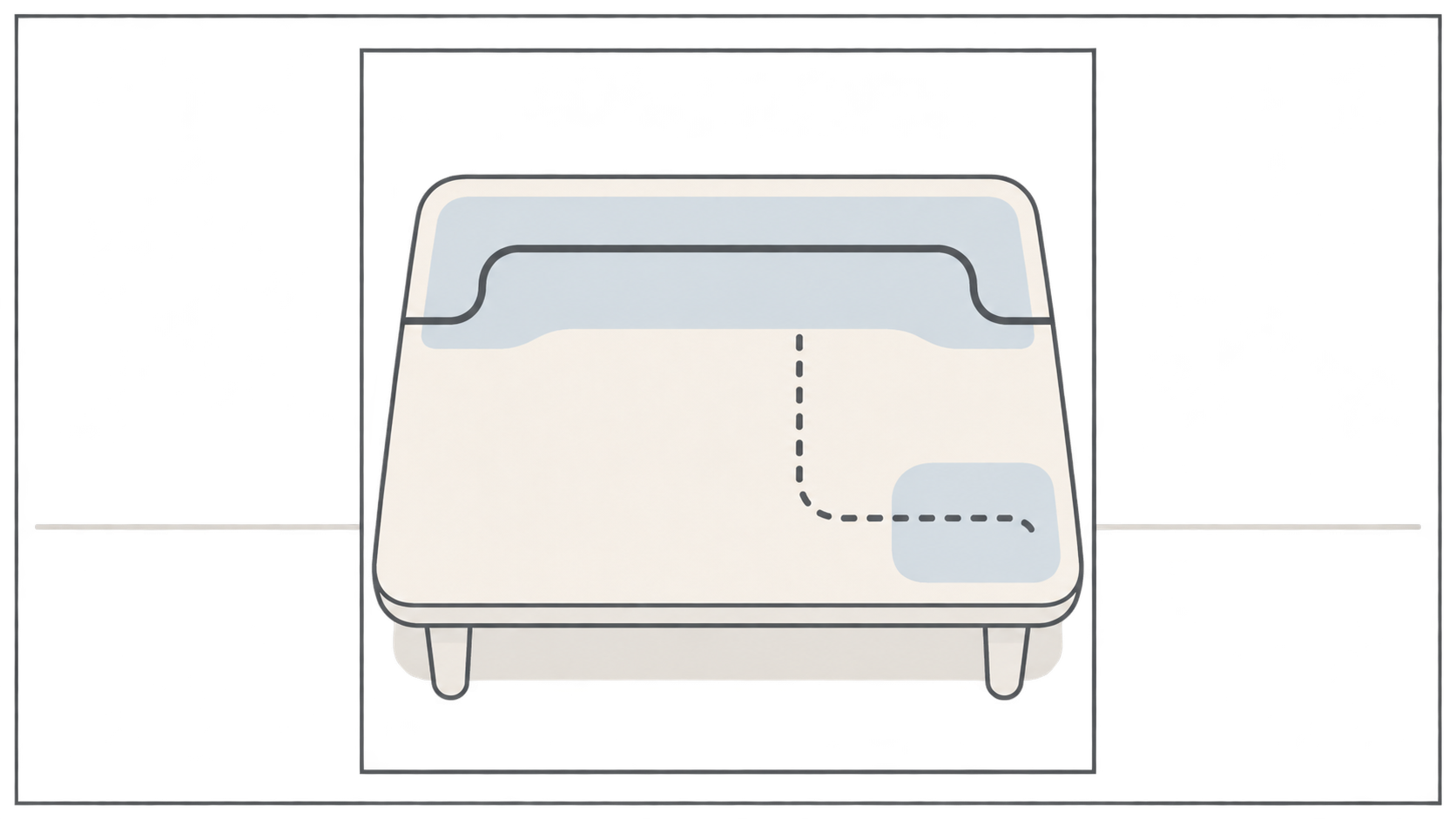
An AI image generator for blog posts is most useful when you can name what the image needs to explain. Before describing a style, finish this sentence: After seeing this image, the reader should understand… If the answer is only “the page looks less empty,” you may not need the image.
Consider a hypothetical post about desk cable management. The example below is an editorial planning exercise, not a customer case study or a tested generation workflow.
Illustrate the argument without manufacturing evidence
Suppose the post argues that permanent cable runs should be separated from cables you regularly unplug. A beautiful desk scene does not necessarily explain that distinction. A simple overhead illustration showing the two zones might.
But that illustration cannot establish that someone built the layout successfully or saved a measurable amount of space. Claims about an actual installation need photographs, measurements, or other checkable evidence. If those materials are missing, narrow the claim rather than generate a convincing “result” photo.
The same applies to numbers. Use a table or chart built from verified data for a numerical comparison. Use a clearly labeled concept illustration for a proposed relationship. Do not ask an image model to invent plausible measurement readouts.
Turn one sentence into an image brief
Start with the relationship the reader needs to see. Then describe its visual form. Here is a suggested brief, not a tested or optimal prompt:
> Purpose: explain the separation between permanent cable runs and frequently disconnected cables. Create a simple overhead concept illustration of a desk. Show a permanent cable route along the rear edge and a separate everyday connection zone at the front right. Distinguish the routes with solid and dashed lines, not color alone. Keep the essential relationship near the center, with expendable space around the edges. No brands, people, invented measurements, socket interiors, or wiring instructions. No text inside the image; the editor will add labels separately. This is a zoning concept, not installation or electrical-safety guidance.
This brief gives you something to judge beyond appearance. Can you distinguish the routes? Is the everyday connection zone visible? Does the idea survive a tighter crop?
If the result conveys “tidy office” but not the separation, it has missed the brief. Change the composition or use a manually drawn diagram instead of merely trying another visual style.
Work backward from the publishing container
SEOWriting’s guide to blog images recommends choosing dimensions according to where an image will appear. That is a useful starting point, but it does not make any single pixel size a universal blog standard.
Inspect your theme’s cover, article, and mobile layouts. These are planning examples, not platform specifications:
| Display condition | Example canvas | Composition decision |
|---|---|---|
| A 16:9 cover container | 1600 × 900 px | Keep the important relationship central; allow background at the edges to disappear |
| An uncropped 3:2 article image | 1200 × 800 px | Put explanations outside the image so they remain readable when resized |
| The same cover also receives a centered square crop | 900 × 900 px cropped from 1600 × 900 | Each side loses 350 px; do not place essential objects only at the edges |
If the relationship needs the full width, one file may not suit every placement. Make a more compact composition or preserve the full image inside the article. Choose actual export dimensions from your site’s requirements, not from these examples alone.
With the brief ready, you can enter your prompt and choose a configured model in the InkRoom image workspace. Availability, parameters, and fees depend on the current interface and account configuration. You still need to handle factual review, rights, cropping, and publication separately.
Separate disclosure, credit, and permission
Review the illustration for broken, duplicated, or nonsensical cable routes. Check whether it actually communicates the intended zones. A plausible-looking drawing is not proof that the layout is practical or safe to install.
Review the applicable tool terms and, if you supplied reference images, your permission to use them. “AI-generated” is not a blanket rights clearance. Naming a tool is not a substitute for permission either. Real people, brands, or protected works may require additional review; this article does not provide a legal determination.
A visible caption can explain the image’s status:
> AI-generated concept illustration of separate permanent and everyday cable zones. Not a photograph or installation guide.
Credit the actual tool and people involved when appropriate. Because this example has no generation record, it does not supply a fictional model, tool credit, or creator name.
Review the image beside the paragraph it serves
Place the illustration near the passage explaining the zones. Preview the actual page on mobile: are important areas cropped away, are line styles distinguishable, and does the image still support the nearby text? Simplify the picture if needed rather than squeezing every explanation into it.
Alt text should convey the image’s role, not repeat a target keyword. For the proposed illustration, a draft could be:
> Overhead desk diagram with permanent cables routed along the rear and an everyday connection zone at the front right.
Use that description only if the final image actually shows it. Revise it after inspecting the output. Keep the AI disclosure in the visible caption rather than only in alt text.
There is no need to meet an image quota. One illustration that explains an important relationship can earn its place; several interchangeable office scenes may not.
Related articles and cases
- AI Image Generator for Educational Materials: From Learning Goals to Diagram Review
Use a worked design example about equivalent fractions to turn a learning goal into visual requirements, then review proportions, labels and alternative text before classroom use.
- AI Image Generation Seed: Reproduction, Variations, and Fair Comparisons
A seed controls starting noise, not image quality or guaranteed reproduction across services. Separate reruns from variation searches and parameter comparisons, then record enough context to interpret the results.
- AI Image Negative Prompts: When to Use Them and How to Test
Start with a specific unwanted feature, not a universal negative-prompt list. Check model support, compare controlled conditions, and look for lost details as well as improvements.
- AI Fashion Lookbook Generator: From Product Photos to Collection Visuals
A practical approach for fashion brands and small content teams: organize garment references, collection direction, casting and layouts, then review every page without confusing concept imagery with product evidence.