AI Image Generation Seed: Reproduction, Variations, and Fair Comparisons
A seed controls starting noise, not image quality or guaranteed reproduction across services. Separate reruns from variation searches and parameter comparisons, then record enough context to interpret the results.
·
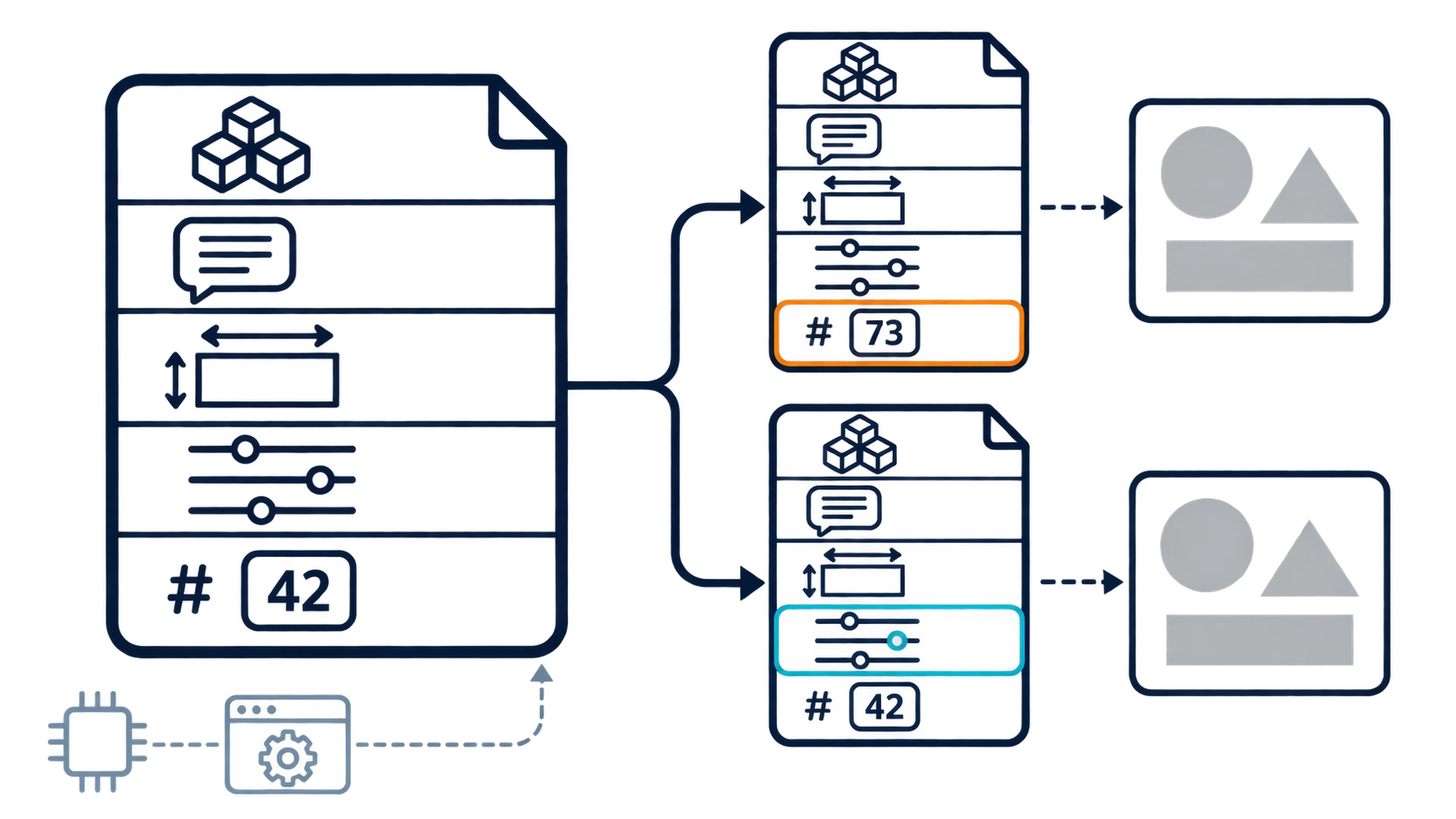
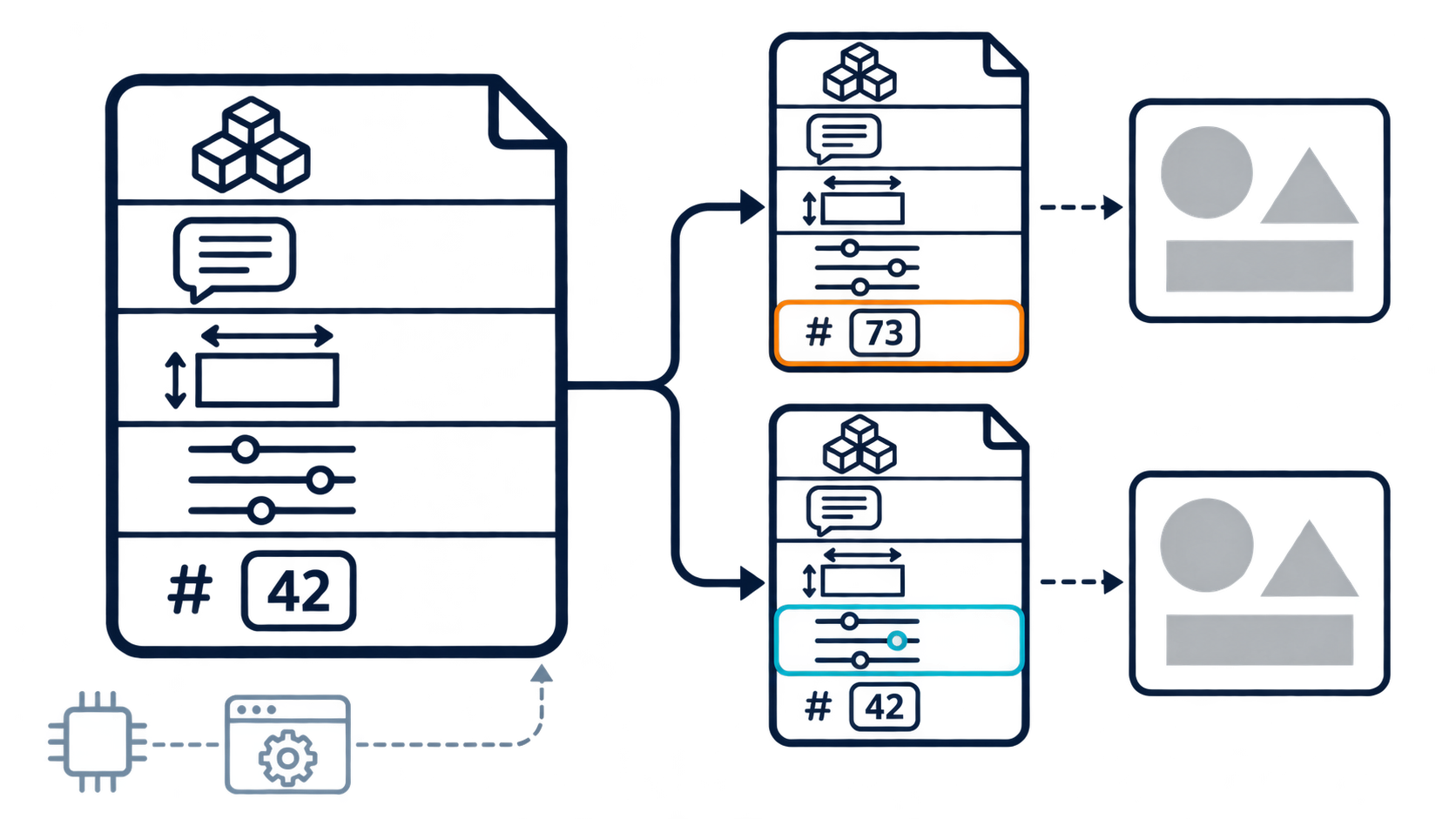
Saving the seed of an image you like is useful. Saving only the seed leaves out much of what you would need to revisit it. A seed is part of a generation configuration, not a complete recipe for an image.
If you are looking up ai image generation seed, start with the task: do you want to revisit a result, explore alternatives, or find out whether a setting helps? Each task calls for a different comparison.
A seed does not describe the whole image
AI Horde’s seed documentation defines a seed as a number used to generate the starting noise. It is not a quality score, and the number alone does not tell you which seed will suit a subject.
The documentation also advises keeping the seed, model, and other settings fixed when comparing a change. The point is to reduce changing conditions, not to treat a locked seed as a locked image. Worker hardware, software, and sampling behavior can still introduce differences. The same number is therefore not a guarantee of identical results across services.
Choose the comparison before choosing the seed
The following is a proposed experimental design based on those limits, not a report of tests. Separating the tasks makes it clearer what an observed difference can actually tell you.
| Task | Keep fixed | Change deliberately | What the comparison can tell you |
|---|---|---|---|
| Examine rerun differences in the current environment | Seed, model version, prompt, and all recordable settings | No intentional configuration change; repeat the request | Differences under the recorded conditions, not proof of future or cross-environment consistency |
| Explore variations of one description | Model, prompt, and other settings | Seed | How candidates differ with different starting noise, not the effect of a particular parameter |
| Compare a setting | Seed and all other configuration | Only the target setting | Evidence for a local decision under this configuration, not a universal result |
| Move to another service or environment | Corresponding settings wherever possible | Service, hardware, software, or implementation | Differences after migration, which cannot be attributed to the seed alone |
Suppose you want to know whether more steps suit a particular prompt. If you also change the seed, the result is no longer a steps-only comparison. A more useful approach is to hold the other conditions fixed and change only the step count. If the difference merits further investigation, repeat the same paired comparison with another seed. That checks whether the observation depends on one starting point; it does not establish a universal improvement.
Define “better” before comparing, too: does the subject need to be complete, the composition need to fit a brief, or a specified detail need to appear? A seed number cannot define success for you.
Save a generation record, not an isolated number
Link each output image to its generation record. Suggested record items include the model and visible version, exact prompt, dimensions, sampler, step count, and seed. These are categories of information to preserve, not verified API field names. Mark anything the service does not expose as unavailable rather than inventing a value.
Also save the service name, generation time, and any other configuration or environment identifiers you can obtain. If a model version is unknown, say so. A model name alone should not be treated as proof of a particular version. Keeping the submitted request and available response information can help establish what was actually used.
For random seeds, distinguish requesting randomness from knowing the seed used for an image. AI Horde documents leaving the seed blank to request a random one, and says images in a batch use different seeds. In that service’s context, one batch-level note saying “random” is not an image-level seed record. Associate each image with its actual seed when that information is available; otherwise mark it unknown. Other services’ defaults, batch behavior, and responses need separate verification.
Build the recordkeeping into the integration
A programmatic workflow can save a baseline configuration, copy it while changing only the target setting, and link each output back to its record. Repeating the baseline under the same recorded conditions first can help you understand existing output differences before interpreting a parameter comparison. This is a suggested method, not a test performed for this article.
The material read for this article does not establish a specific API’s request fields, types, allowed ranges, or response structure. For that reason, there is no executable request example here, and the record items above are not presented as field names. If an interface does not expose a seed or its actual used value, preserve that gap rather than claiming the workflow is fully reproducible.
Developers who need to integrate this recordkeeping and comparison workflow can consult the InkRoom image API introduction, then check the currently available fields. This is a programmatic integration entry point, not confirmation of seed controls, a particular sampler, or deterministic reproduction. Readers comparing a few images in a user interface do not need an API just for that task.
A seed helps you control part of the generation conditions. Whether you can explain a difference still depends on the context you saved and on asking no more of a comparison than it can answer.
Related articles and cases
- AI Image Negative Prompts: When to Use Them and How to Test
Start with a specific unwanted feature, not a universal negative-prompt list. Check model support, compare controlled conditions, and look for lost details as well as improvements.
- AI Fashion Lookbook Generator: From Product Photos to Collection Visuals
A practical approach for fashion brands and small content teams: organize garment references, collection direction, casting and layouts, then review every page without confusing concept imagery with product evidence.
- AI Image Aspect Ratio Guide: Generate, Crop or Pad?
Choose an image ratio for the actual placement, then decide what content you can afford to lose. Worked geometry explains cropping and padding, with practical guidance on subject placement, text and output dimensions.
- AI Image Color Grading: Correct a Cast or Create a Look?
Separate color correction from creative grading before you edit. Record the original, the reference and what must stay unchanged, then compare skin, whites, shadows and product colors without assuming AI can restore exact real-world color.