Image editing API: reference-image integration and product checks
Define acceptance criteria before connecting an image editing API. Plan reference inputs, response handling, downloads, and failures without inventing an unverified InkRoom request.
·
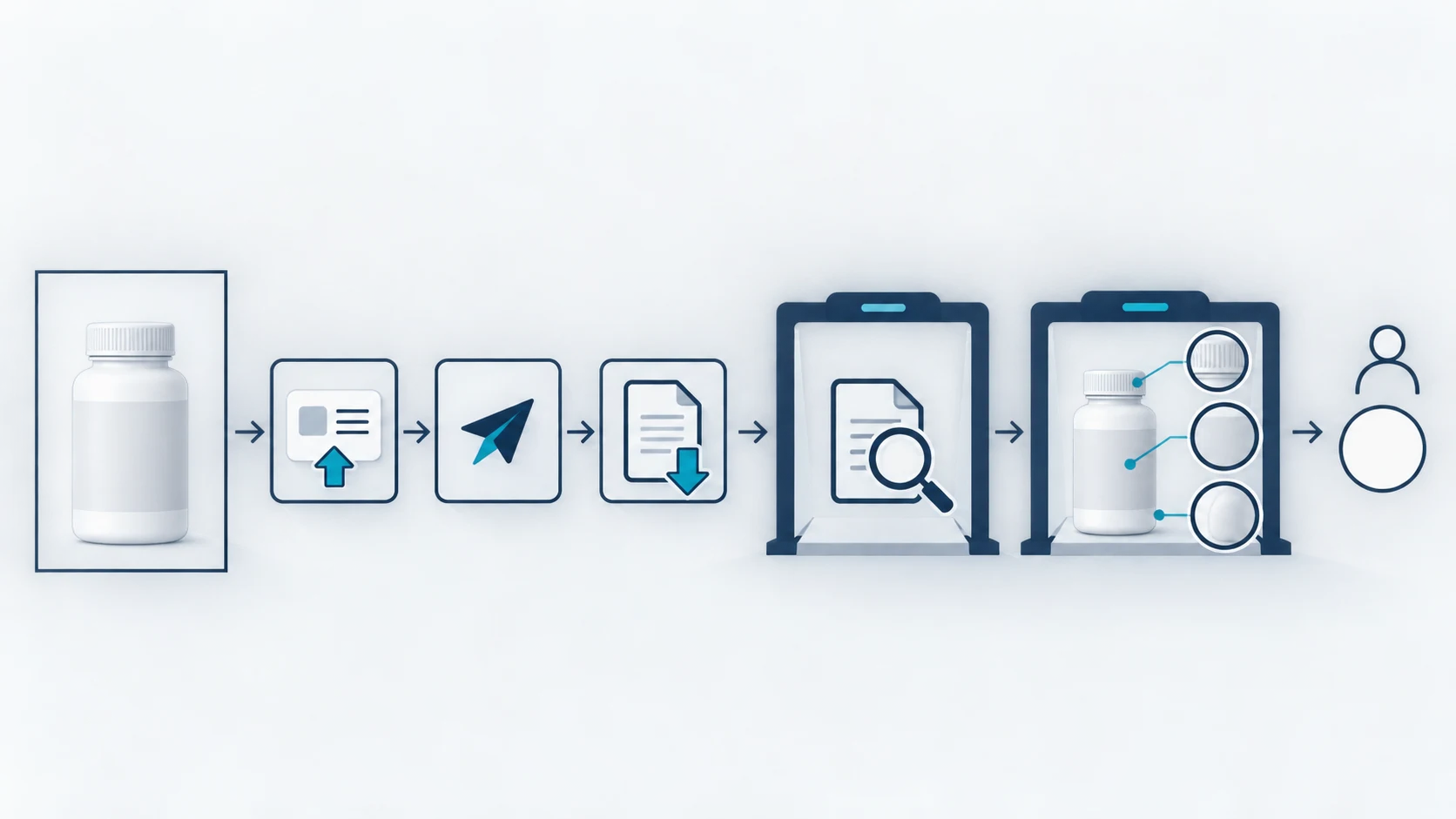
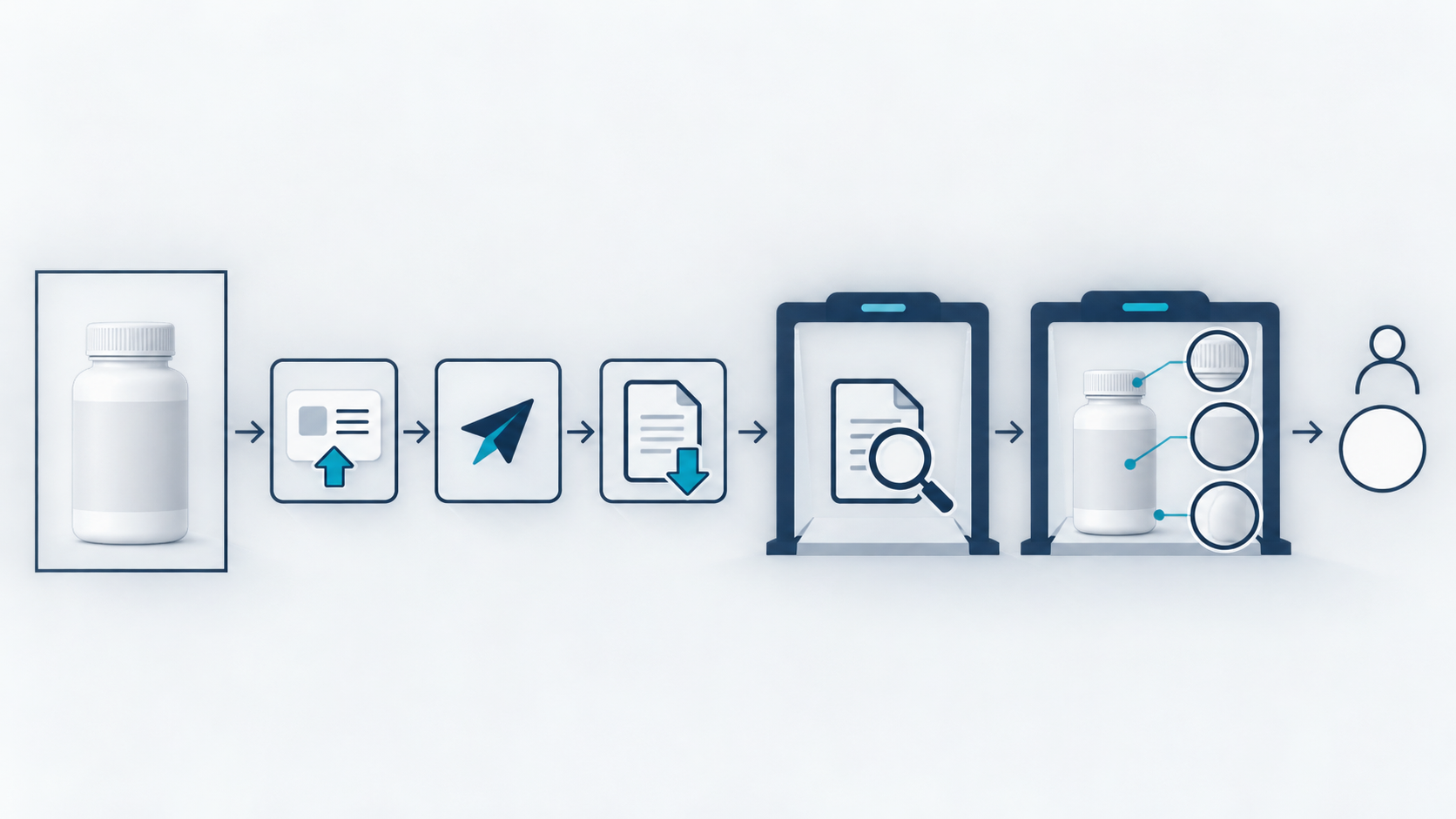
An image editing API integration needs more than a successful request. Your application must know which source image was submitted, whether the returned file is usable, and whether protected product details survived the edit.
This is an integration design guide, not a verified InkRoom API tutorial. The supplied material does not establish an InkRoom editing endpoint, authentication scheme, request fields, or response schema. Executable examples are therefore blocked until those specifications are available. The workflow below is a recommendation; no requests were executed and no results were measured.
Start with the asset’s acceptance criteria
At the task level, text-to-image generation describes a new visual in words. Reference-image editing also supplies an existing image and defines what may change. The eesel image editing guide describes an image and a prompt as editing inputs, but it does not establish InkRoom’s request format.
For a background-replacement task, define the following before implementing a call:
| Protected element | Comparison evidence | Reason to withhold delivery |
|---|---|---|
| Label and text | Source image and approved product copy | Missing characters, rewritten wording, altered branding |
| Product color | Source image and approved color reference | An unauthorized shift in the product itself |
| Shape and accessories | Original outline, seams, and accessory positions | Distortion, missing parts, or invented details |
| Output file | Destination format, dimensions, and transparency requirements | An undecodable or incompatible file |
These are proposed acceptance rules, not fidelity guarantees. A prompt can request preservation; it cannot prove preservation. If the source label is unreadable, obtain a clearer asset or approved wording rather than asking the model to guess.
Verify the contract before choosing a request format
Use current official documentation to establish:
- Whether editing accepts reference images, how they are supplied, and the supported file types, sizes, and image counts.
- Authentication, endpoint, available models, and required fields. Do not transplant another provider’s parameters.
- Whether the response contains image data, a download location, or a task identifier. Establish completion and failure rules if the operation is asynchronous.
- Download permissions and expiry, error categories, retry guidance, and duplicate-submission behavior.
For a programmatic integration, the InkRoom image API introduction is the approved starting point. The verified product fact establishes an introduction and access entry—not support for reference-image editing, task polling, or a particular download mechanism. Confirm those requirements in the current documentation before proceeding. An unknown field should remain a blocker, not become a plausible-looking example.
Keep an application-side processing record
A useful proposed lifecycle is:
input registered → ready to submit → submitted → file obtained → awaiting review → accepted / rejected
These are application states, not claimed InkRoom response values. Add waiting and polling only if the documented protocol requires them. A synchronous file response does not need an invented job loop.
Associate each operation with the authorized source asset, edit-instruction version, local operation identifier, and resulting file identifier. Store a provider request identifier if one is actually returned. Avoid logging secrets or exposing sensitive images.
After receiving a result, apply two gates. First, verify that the file decodes and meets the destination’s format, dimension, and transparency requirements. Then review its product content. Receiving a response is not sufficient grounds to mark the asset ready for publication.
Separate failure from an unknown outcome
Explicit input or authorization failure: correct the asset, permission, or configuration before resubmitting.
Timeout after submission: the outcome may be unknown. Look up the existing operation where the documented interface allows it. Use an idempotency mechanism only if the provider actually documents one. Otherwise, retain a manual reconciliation path rather than automatically creating another request.
Download failure: determine whether a completed result already exists before generating again. Retrieve it again only through a documented mechanism.
Visual rejection: retain the rejection reason and quarantine the file. Damaged text or altered geometry is not proven fixed by an HTTP retry. Any revised input or instruction needs a fresh review.
Review the product, then verify delivery
Compare matching product regions in the source and output, inspect labels and edges at a useful magnification, and check the exported file separately. Assess color in a consistent viewing environment. Without a color-management method and defined tolerances, do not claim an exact color match.
OCR can help flag text differences, but it should not be the sole evidence that a product label is correct. Escalate uncertain text, structure, or accessories to someone who knows the product.
The reference guide separates output review from verification in the next system. Applied here, that means checking that the destination received the approved file—not an older or unreviewed version. Automatic publication should depend on explicit acceptance, not simply on an API returning.
The next implementation step is to obtain the official editing specification and authorized acceptance assets. Only then can a request, response, and download example be written against verified fields and, when actually run, reported as executed.
Related articles and cases
- Image Generation API Pricing: Calculate Cost per Usable Image
Compare image APIs against the same delivery requirements, not just a headline generation price. Separate API spend from review and rework, reconcile requests with accepted assets, and use a clearly hypothetical example to find when a cheaper API stops being the cheaper workflow.