Perfume Product Photography: Glass, Metal Caps, and Readable Labels
Plan perfume product photography around accurate product details, then build the mood. Use material-specific lighting checks, a repeatable test process, and careful post-production comparisons instead of relying on a universal camera setup.
·
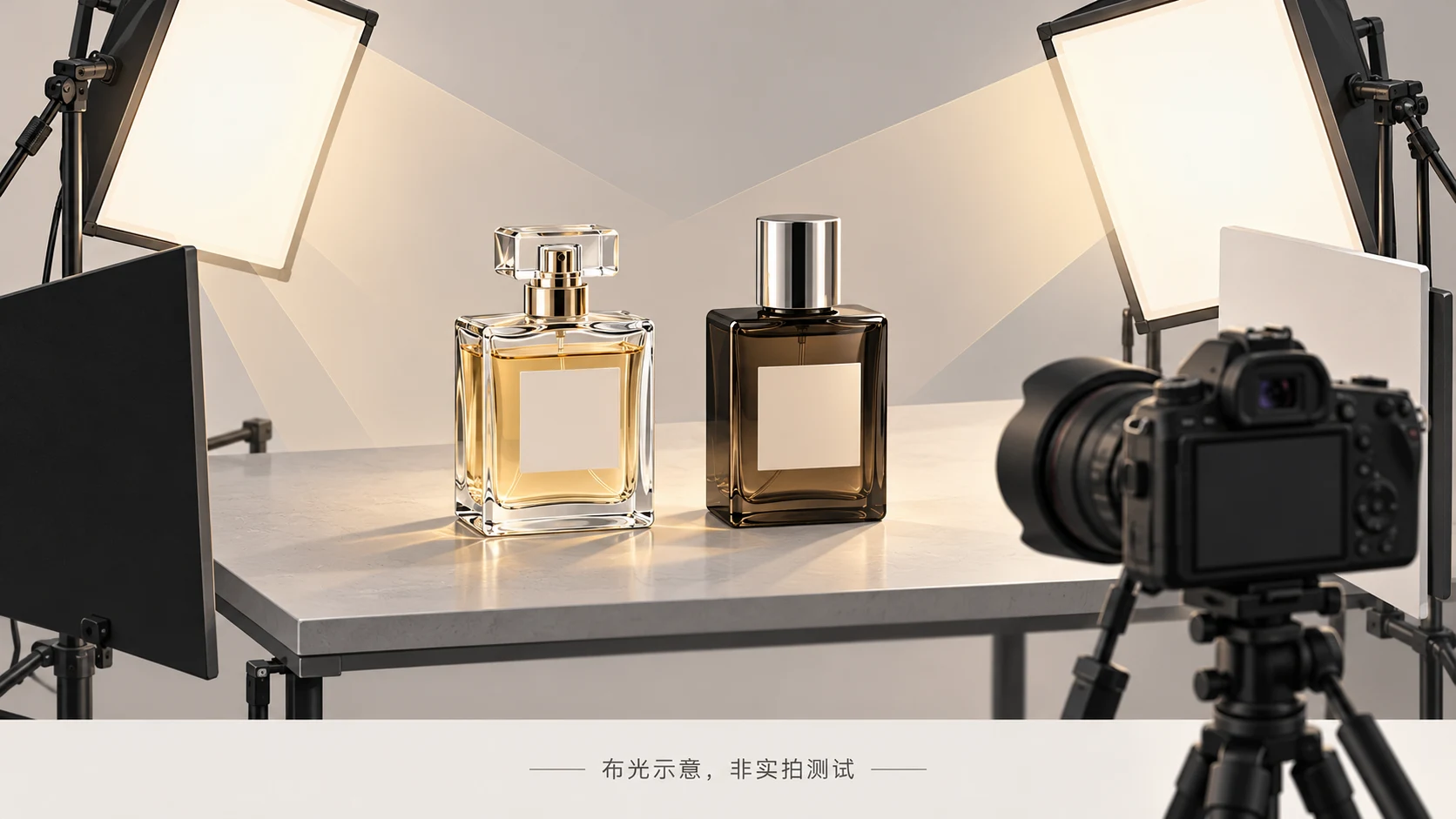
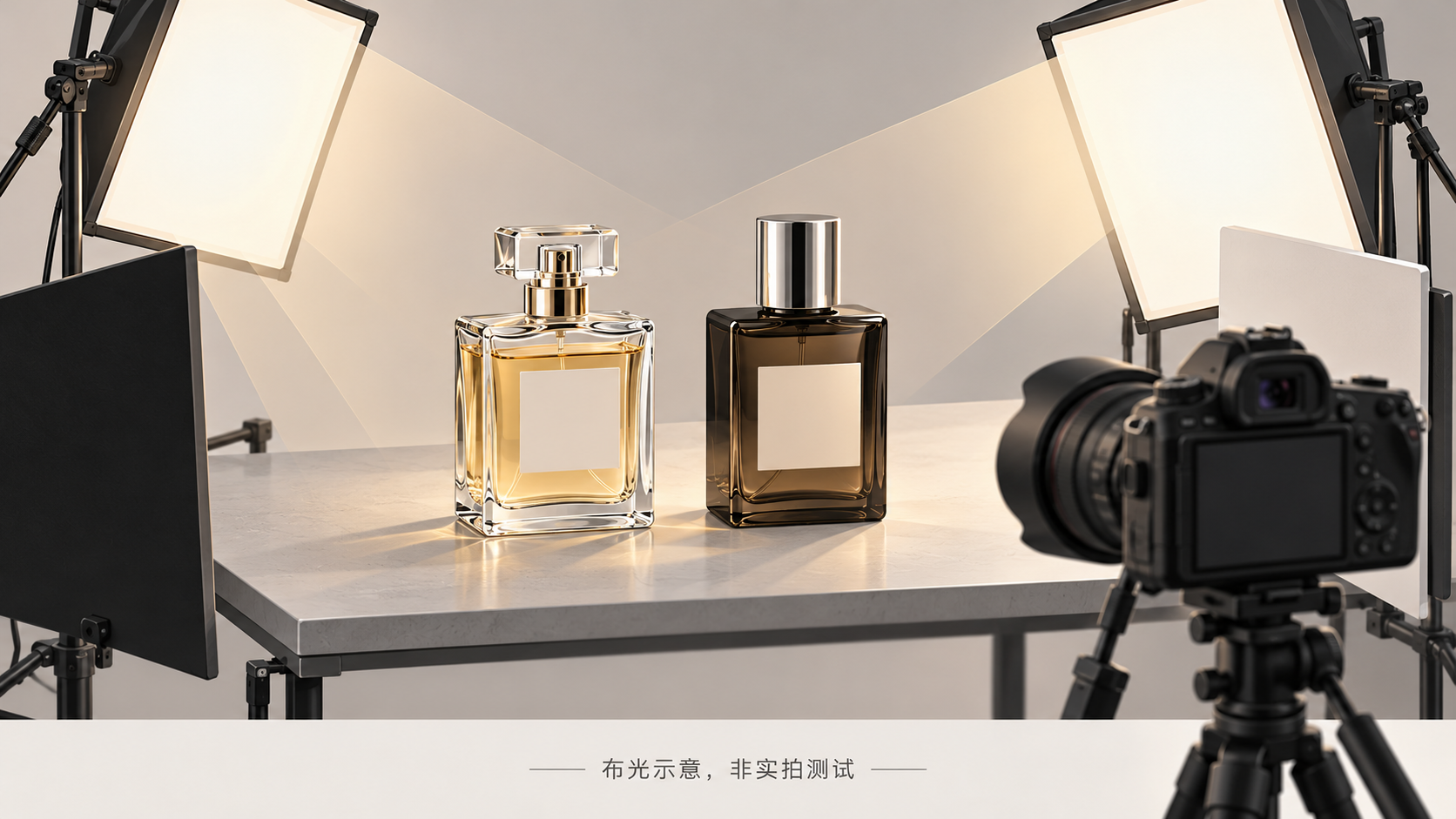
Good perfume product photography starts with a recognizable product, not a mood. A light that makes a label readable may also hide the liquid level or create a distracting reflection on the cap. The practical solution is to identify what must remain visible, then solve each surface separately.
This guide is for photographing a real perfume bottle for product listings and fragrance-led scenes. The workflow below is a set of recommendations, not a report of a completed shoot or an equipment test.
Establish a product reference before styling
Separate two jobs: a product view communicates bottle shape, labeling, and color; a scene communicates atmosphere. They can use different compositions rather than forcing one image to do everything.
Before adding props, clean the bottle and photograph a straightforward reference against a simple background. Keep the camera’s sensor plane as parallel as practical to the front label plane. Check cap alignment, bottle edges, label proportions, and any visible liquid level. With a curved bottle, prioritize the label area you need to represent accurately.
Retain this frame as a structural comparison for editing. It is not automatically a color-calibrated record. Kalory’s guide to perfume photography likewise emphasizes preserving bottle form and watching reflections and refractions on transparent or curved surfaces. It does not validate the outcome of your particular setup.
Diagnose the surface before adding more light
Use the following table as a proposed troubleshooting process. A single bottle may require several of these checks.
| Surface and visible problem | Suggested next test | What to inspect |
|---|---|---|
| Clear glass disappears into the background | Try soft light from the side and rear; move a black or white card outside the frame | A distinct contour and visible liquid level, without a false-looking extra edge |
| A dark bottle becomes a featureless black shape | Reposition a broad diffused source to explore a graduated reflection; light the label separately if needed | Defined shoulders and sides without washing the bottle into a different color |
| A metal cap has a blank white patch or reflects the room | Change the position and angle of the diffusion surface, or arrange a white card in the reflected environment | Tonal variation, a clear cap boundary, and retained seams or surface detail |
| Label glare obscures small text | Move the light slightly; if you rotate the bottle, recheck its proportions | Legible text at delivery size, without reconstructing the lettering in post |
You are shaping what the bottle reflects, not merely changing exposure. Cards, diffusion material, and the camera position can all affect the visible result. The source guide discusses diffusion, reflectors, and light-angle adjustments; the table turns those principles into a material-specific decision process.
Choose visual references by function, too. For clear glass, study edges and liquid visibility; for dark bottles, look for separation and shape; for metal caps, inspect highlight patterns. An atmospheric image with an unreadable label is not a sufficient reference for a listing image. No source images were supplied for visual inspection here.
Keep the camera fixed and test one change at a time
Stabilize the camera, bottle, and background. Focus on the label area that must be readable, then inspect the cap, shoulders, and front-to-back depth. A macro lens can help with detail photographs, but it is not a prerequisite for every full-bottle composition.
Keep a short test log: the problem, the change, and the result. If glare covers the label, move the key light first. Rotating the bottle, changing exposure, and replacing the background simultaneously makes it difficult to identify the useful adjustment.
Where supported, retain RAW files, keep white balance consistent, and begin with a low ISO appropriate to the camera. Select aperture for the required depth of field rather than maximum background blur. The smallest aperture is not automatically the sharpest choice. With continuous light and a stable subject, adjust shutter speed as needed; with flash, respect the equipment’s synchronization limits. Judge the setup from the actual label and edge detail, not a borrowed settings recipe.
Use fragrance cues without inventing ingredient claims
Check the brand’s fragrance notes or product description before selecting props. A documented floral character can inform floral styling. Freshness or warmth can also be expressed through background color and light without placing every suggested note beside the bottle.
A visual association is not proof of an ingredient. If the brand has not confirmed a particular fruit or plant, do not describe it in a caption as an actual component of the perfume.
After styling, inspect the product again. Props should not obscure essential labeling or make accessories appear included in the purchase. If the scene changes the apparent bottle or liquid color substantially, retain a more neutral product view rather than relying on the mood image alone.
Edit the background without losing the product
Begin with white balance, exposure, dust removal, and background distractions. Preserve the original and a reversible working version. Removing a speck of shooting dust is different from erasing a genuine seam, embossing, glass thickness, or liquid boundary.
If you already have a photograph and need further background work or composition adaptation, the optional InkRoom image editor accepts an existing image and an editing description. Available models and parameters depend on the current interface configuration. The entry point does not guarantee subject fidelity, accurate lettering, or seamless expansion. Compare the edited bottle with the original rather than judging only the new background.
If the shoulders change shape, the liquid level moves, lettering changes, or cap reflections no longer make sense, revert, reduce the edit scope, or reshoot. Extra sharpening is not a remedy for altered product information.
Approve the image in its actual placement
Inspect both the intended viewing size and enlarged details. At thumbnail size, the product should remain identifiable. At full size, compare the outline, visible liquid level, lettering, and reflections with the original.
Check the final crop as well: the cap should not be unintentionally cut off, the base should sit convincingly on its surface, and copy space should not crowd the product. If the clean product view and the styled image appear to show different bottle shapes or markedly different liquid colors, investigate before delivery. Mood supports the photograph; accurate product information remains the acceptance criterion.
Related articles and cases
- Jewelry Product Photography: Reflections, Detail, and Wearing Scale
Plan photographs around what buyers need to verify, then capture rings, necklaces, and earrings with clear structure, useful scale, and a practical reshoot-or-edit decision.