One small edit shouldn't wreck the whole image. Here's how to stop that.
One small edit shouldn't wreck the whole image. Here's how to stop that.
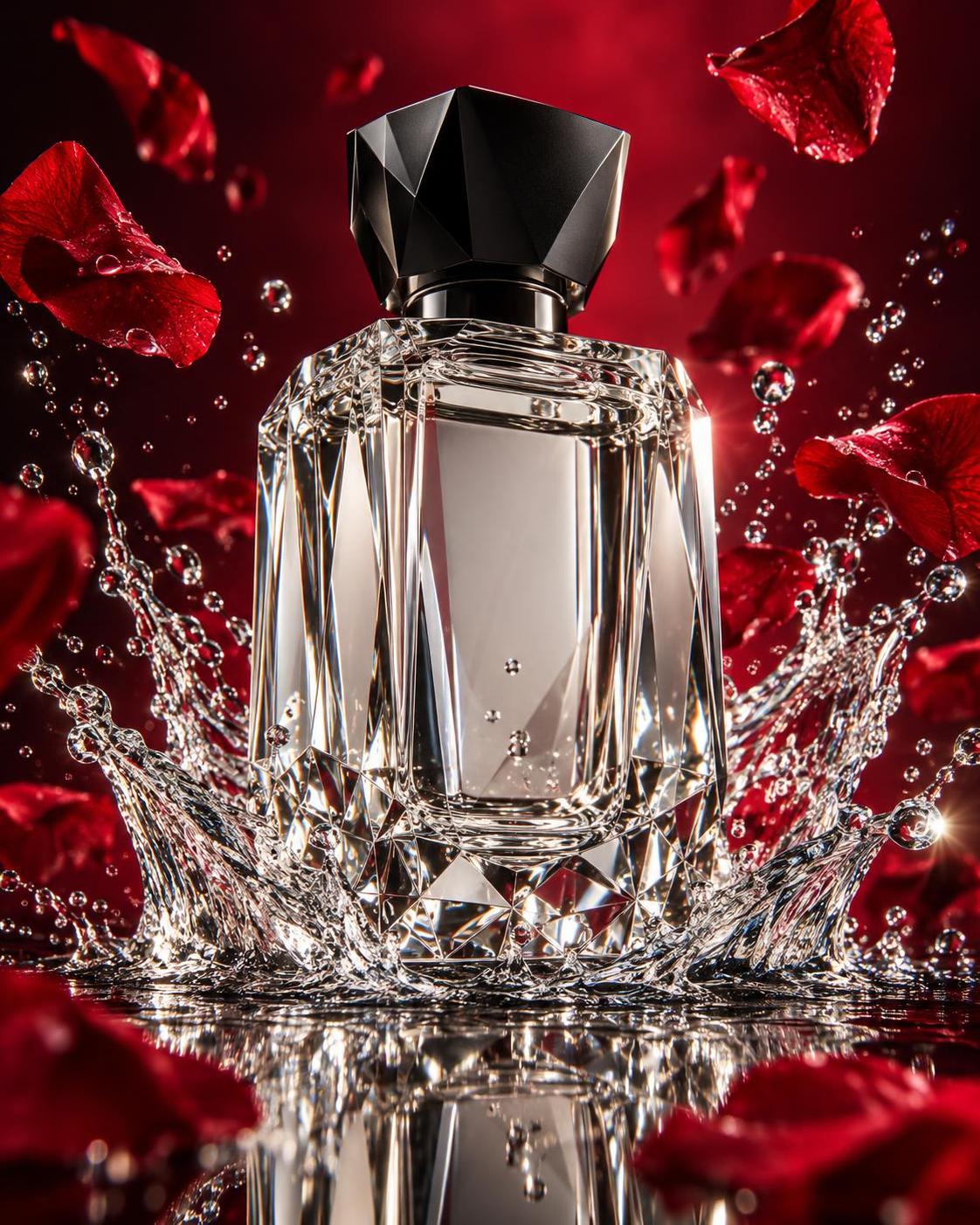
Image 1: the original. I only want the perfume to turn amber.
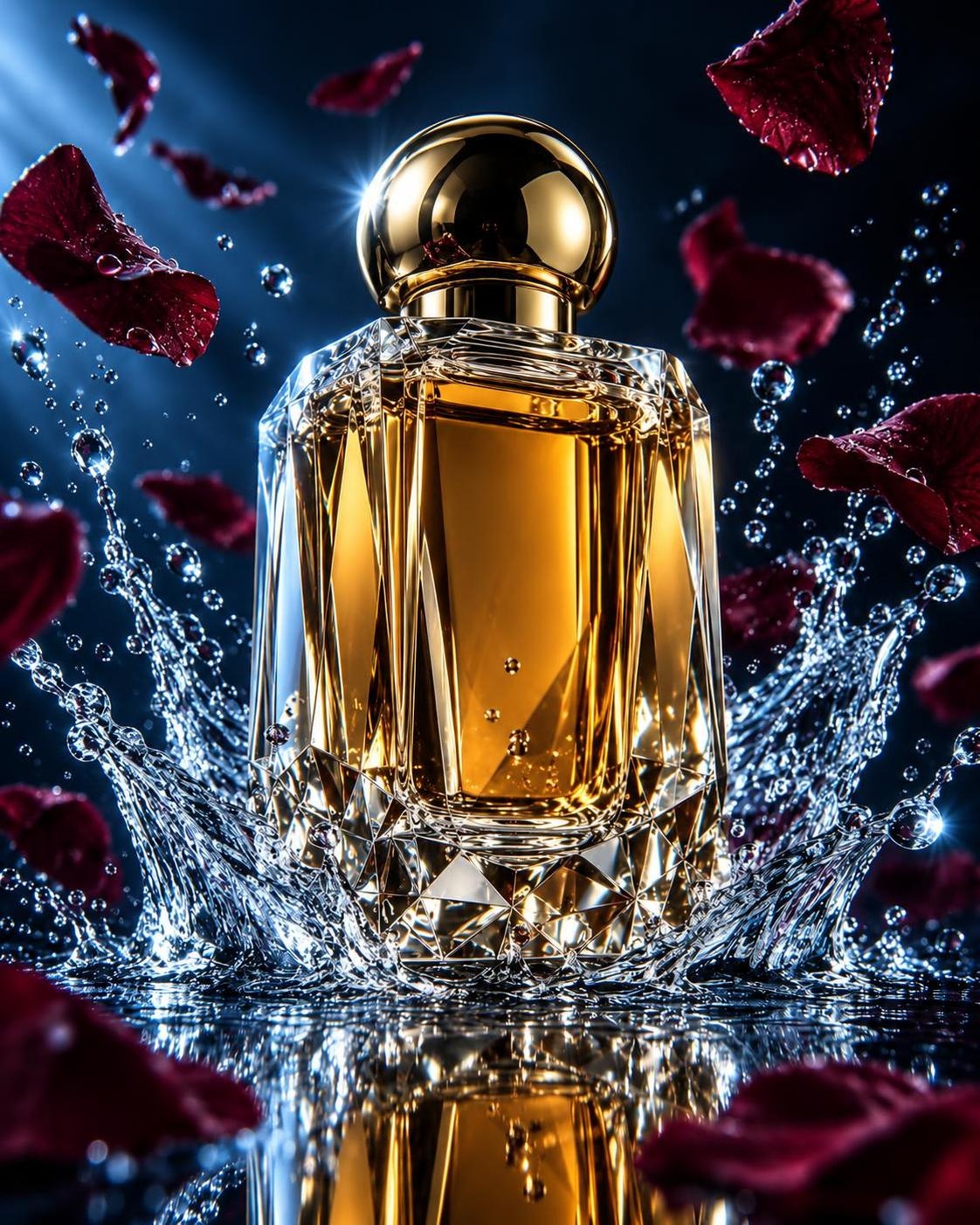
Image 2: a one-line prompt. The liquid turns amber, but the cap, the bottle shape and the light all change. Not what I asked for.
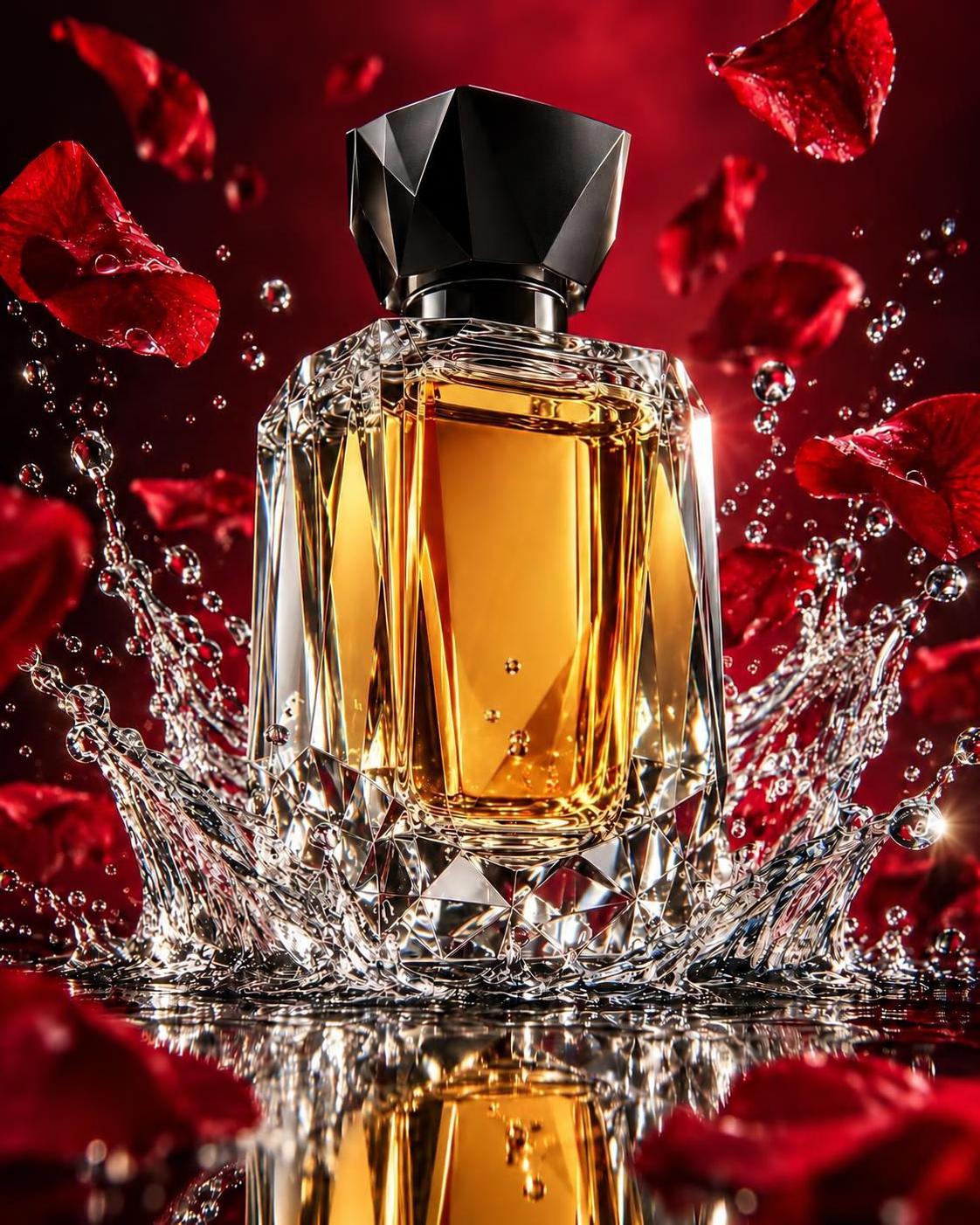
Image 3: the same edit with a split prompt:
Change only: perfume color to amber.
Keep: bottle shape, black cap, water splash, rose petals, red background, light, camera angle. No new text or objects.
One change per round. Check the result. If something drifted, go back to the last good version and edit from there.
Try it on InkRoom. Link in bio.
Image 1: the original. I only want the perfume to turn amber.
Image 2: a one-line prompt. The liquid turns amber, but the cap, the bottle shape and the light all change. Not what I asked for.
Image 3: the same edit with a split prompt:
Change only: perfume color to amber.
Keep: bottle shape, black cap, water splash, rose petals, red background, light, camera angle. No new text or objects.
One change per round. Check the result. If something drifted, go back to the last good version and edit from there.
Try it on InkRoom. Link in bio.